
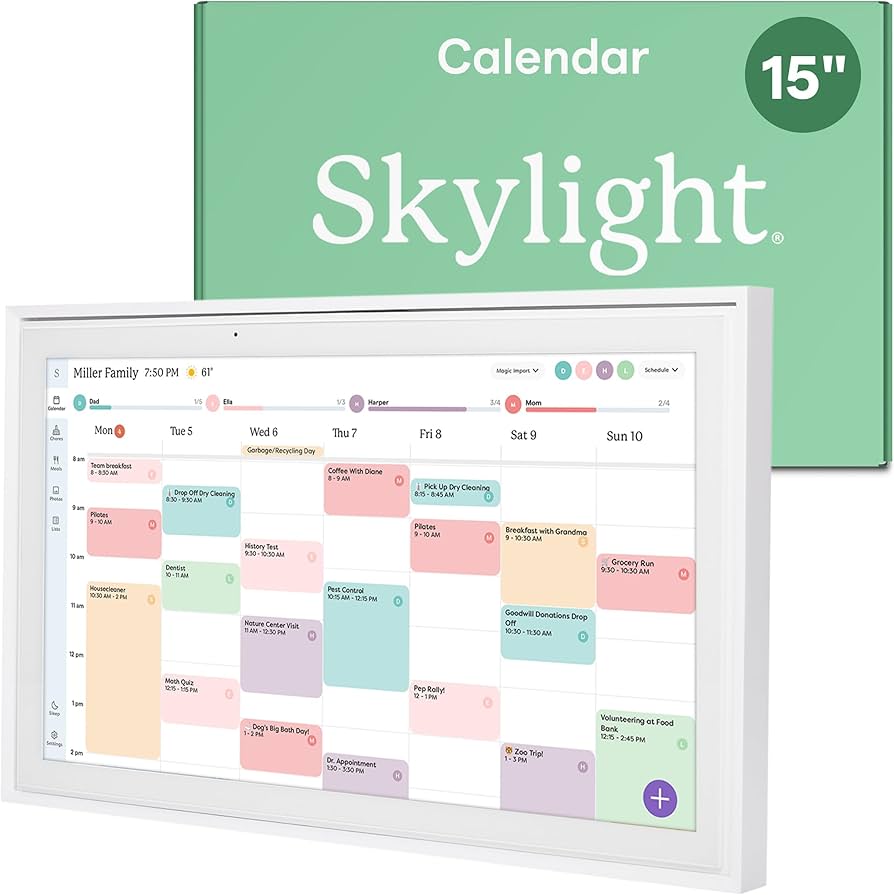
![Why the Skylight Calendar is a Game-Changer for Home Organization [2025]](https://tryrunable.com/blog/why-the-skylight-calendar-is-a-game-changer-for-home-organiz/image-1-1782351229533.jpg)
Why the Skylight Calendar is a Game-Changer for Home Organization [2025]
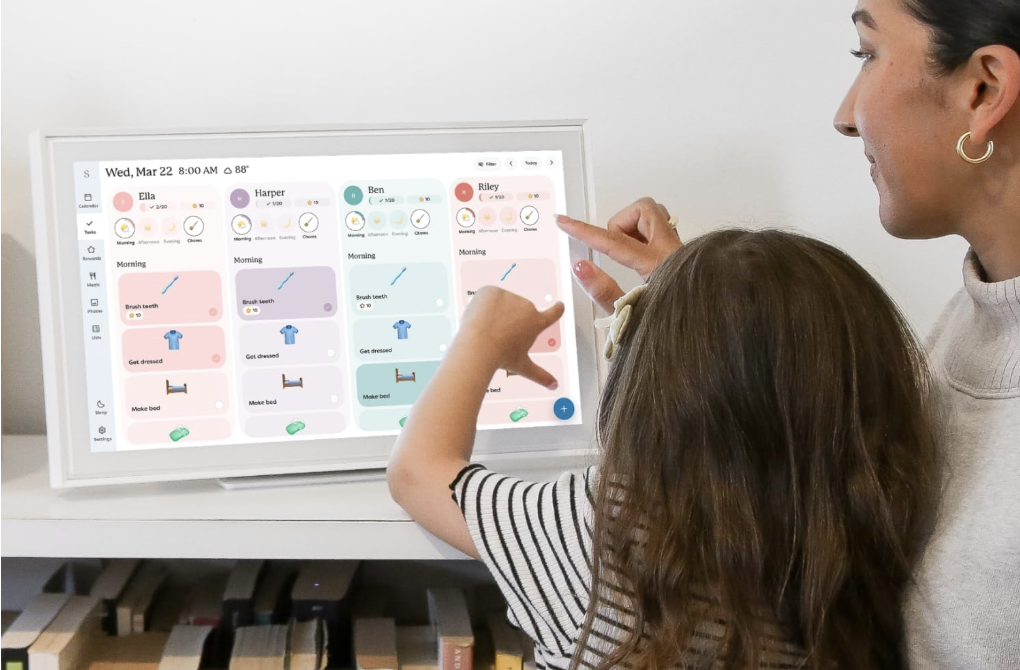
When it comes to household gadgets, few have managed to blend functionality, style, and user-friendliness quite like the Skylight Calendar. This digital wall calendar has become a favorite among tech enthusiasts and busy families alike, offering a streamlined way to manage schedules, to-do lists, and even provide a digital photo frame experience.
TL; DR
- Skylight Calendar: A multifunctional tool for managing schedules, to-do lists, and displaying photos.
- Integration: Seamlessly syncs with Google Calendar, Outlook, and more.
- User-Friendly Interface: Intuitive and easy to navigate for all ages.
- Customization: Offers various layouts and themes to suit personal preferences.
- Subscription Model: Requires a subscription for full feature access, including photo mode.
- Future-Proofing: Regular updates and potential for AI integration.
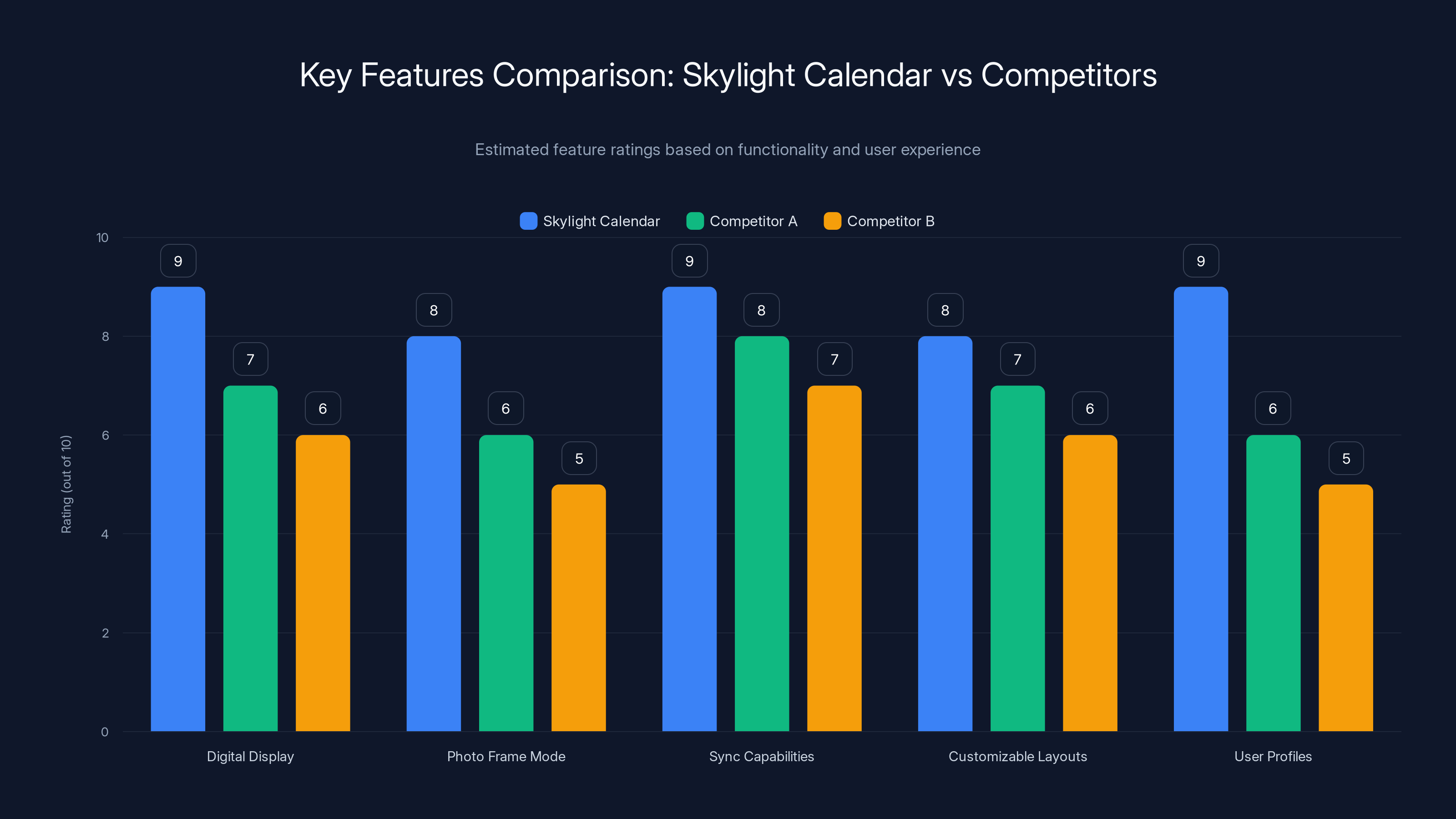
The Skylight Calendar excels in digital display and user profiles, offering a more comprehensive solution compared to competitors. Estimated data based on typical feature offerings.
What Makes the Skylight Calendar Stand Out?
The Skylight Calendar isn't just another gadget; it's a comprehensive solution for those looking to streamline household management. Its intuitive design and multifunctionality set it apart from competitors.
Core Features
- Digital Display: Displays calendars, to-do lists, and more on a sleek digital screen.
- Photo Frame Mode: Doubles as a digital photo frame when not in use.
- Sync Capabilities: Integrates with popular calendar apps like Google Calendar and Outlook.
- Customizable Layouts: Choose from various themes and layouts to suit your aesthetic.
- User Profiles: Supports multiple profiles for different family members.
Real-World Use Cases
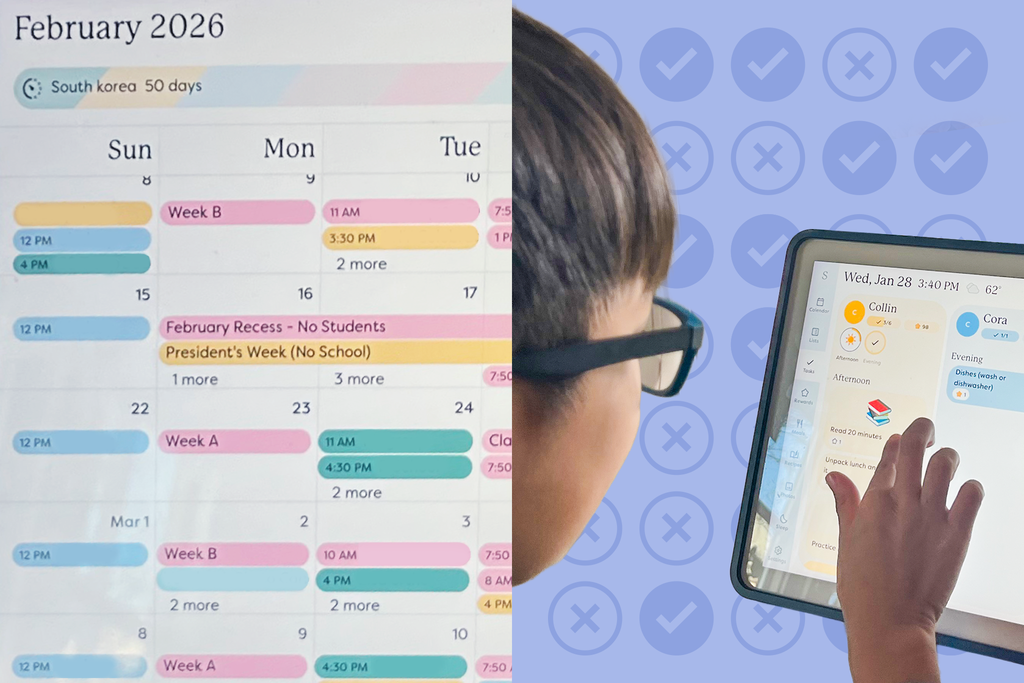
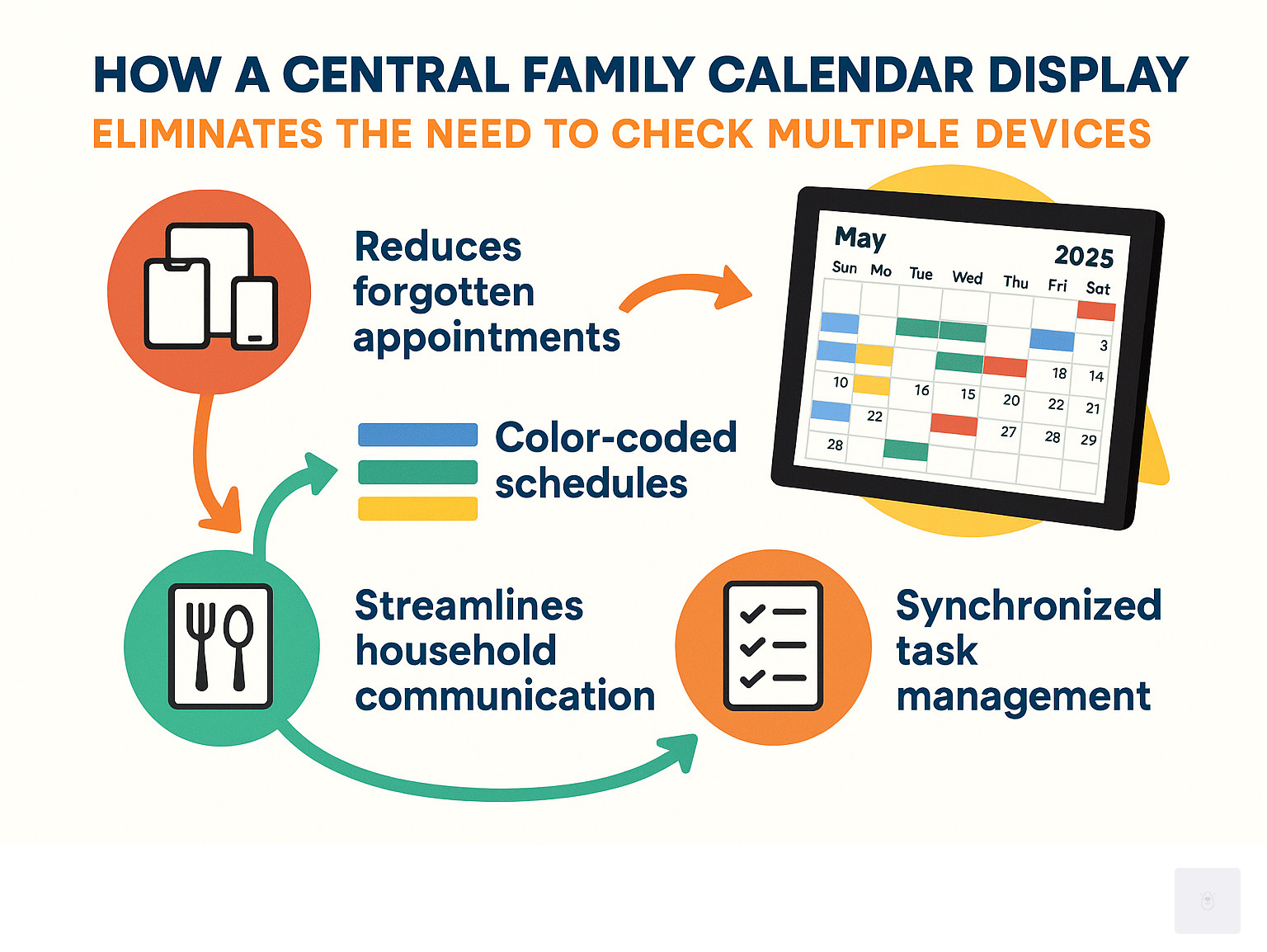
Imagine a busy household where coordinating schedules is a daily challenge. With the Skylight Calendar, each family member can have their own profile, allowing for personalized schedules and to-do lists. This feature ensures that everyone knows their commitments and tasks, reducing the chaos of managing multiple schedules.
In addition to its scheduling capabilities, the Skylight Calendar's ability to transform into a digital photo frame adds a personal touch to any space. This dual functionality means you can enjoy a rotating display of cherished family photos when the calendar isn't in active use.
Implementation Guide
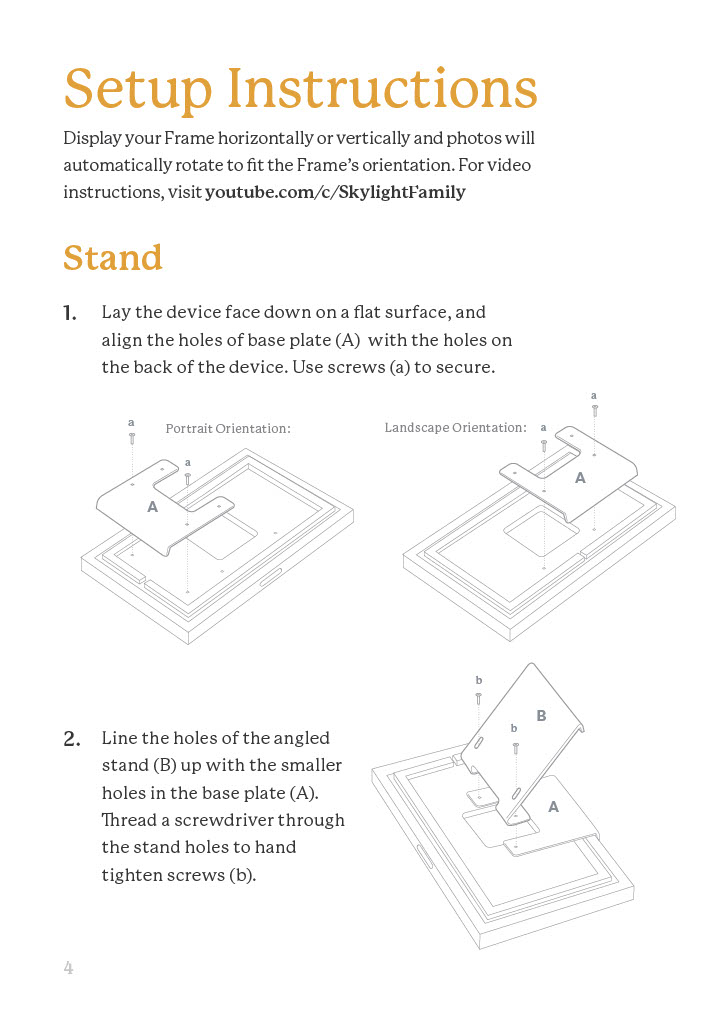
Setting up the Skylight Calendar is a straightforward process:
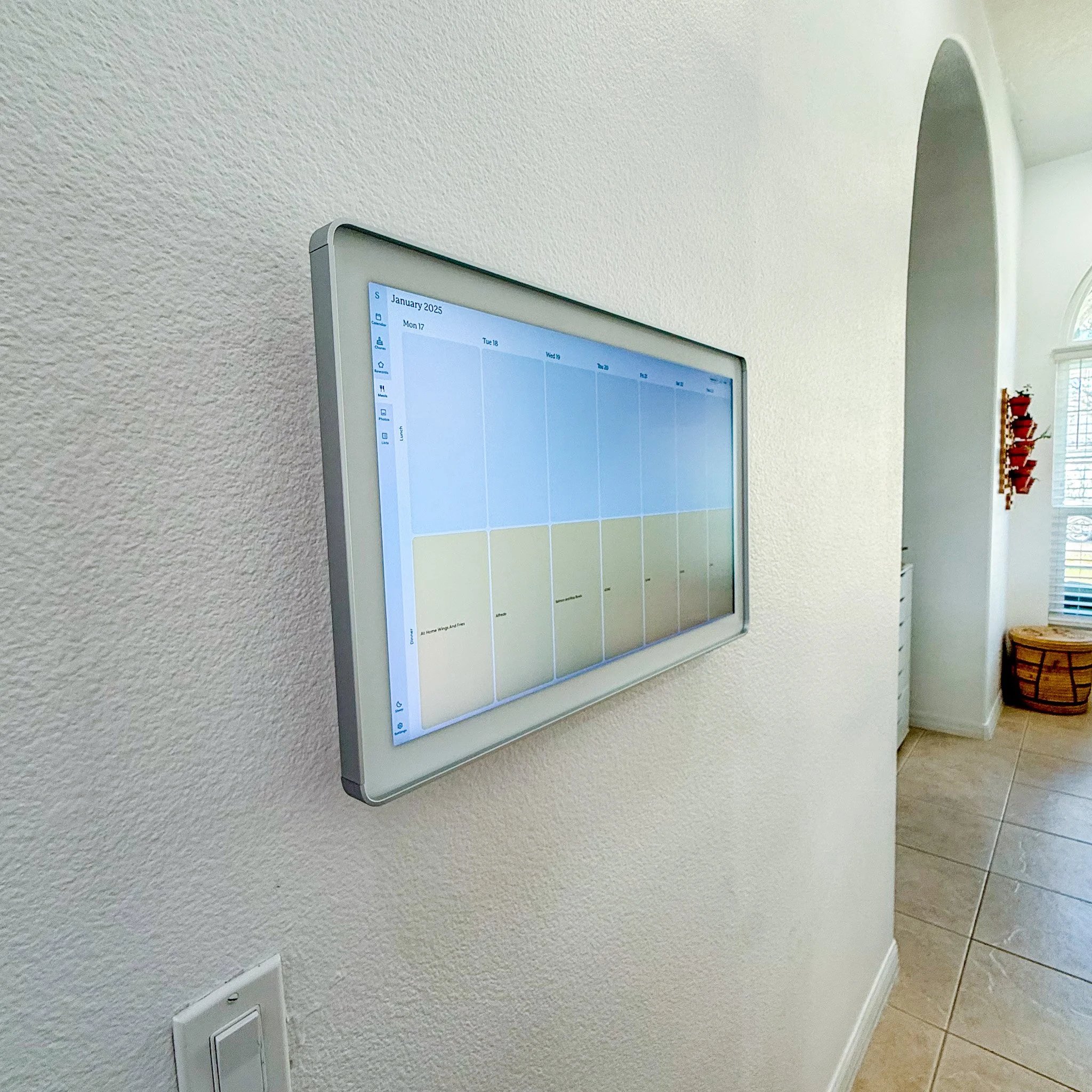
- Mount the Calendar: Choose a central location in your home, such as the kitchen or living room, for optimal accessibility.
- Connect to Wi-Fi: Ensure the device is connected to your home Wi-Fi network for seamless updates and synchronization.
- Sync Calendars: Link your Google Calendar, Outlook, or other preferred apps for automatic updates.
- Customize Your Display: Select your preferred layout and theme to personalize the experience.
- Set Up User Profiles: Create profiles for each family member to manage individual schedules and to-do lists.
Common Pitfalls and Solutions
While the Skylight Calendar is designed to be user-friendly, there are a few common pitfalls users might encounter:
- Wi-Fi Connectivity Issues: Ensure your device is within range of a strong Wi-Fi signal. Regularly update your router firmware to prevent connectivity drops.
- Subscription Management: To access all features, including photo mode, ensure your subscription is active. Set up auto-renewal to avoid service interruptions.
- User Profile Conflicts: If multiple profiles are used, ensure that each profile is correctly set up with the appropriate permissions to avoid schedule overlaps.
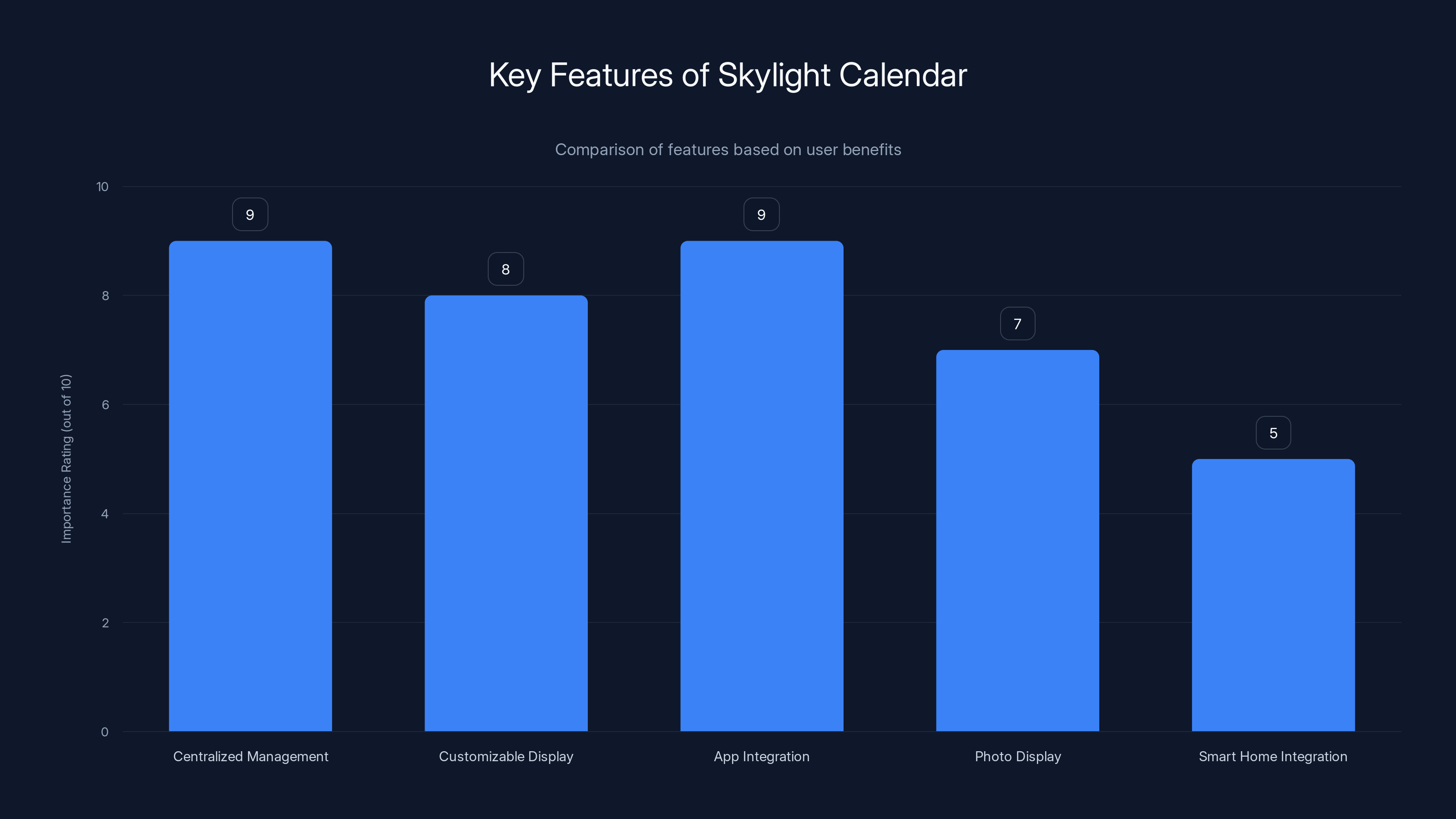
Centralized management and app integration are the most valued features of the Skylight Calendar. Estimated data based on typical user preferences.
Future Trends and Recommendations
The future of digital calendars like the Skylight Calendar looks promising, with potential advancements in AI integration. Imagine a calendar that not only manages your schedule but also anticipates your needs, such as suggesting optimal meeting times based on traffic patterns or automatically syncing with smart home devices to adjust settings based on your schedule.
Additionally, as more households embrace smart home technology, the Skylight Calendar could expand its capabilities to include voice control through integration with devices like Amazon Alexa or Google Assistant. This would allow users to add events or check their schedules hands-free, enhancing convenience even further.

Conclusion
The Skylight Calendar is more than just a gadget; it's a pivotal tool for modern home organization. Its blend of functionality, user-friendly design, and potential for future enhancements make it a must-have for anyone looking to simplify their daily routine. While the subscription model may be a deterrent for some, the value it delivers in terms of convenience and efficiency is undeniable.
For those considering the Skylight Calendar, the investment is well worth it. With ongoing updates and the possibility of future AI integration, this device is poised to remain at the forefront of digital home organization tools.

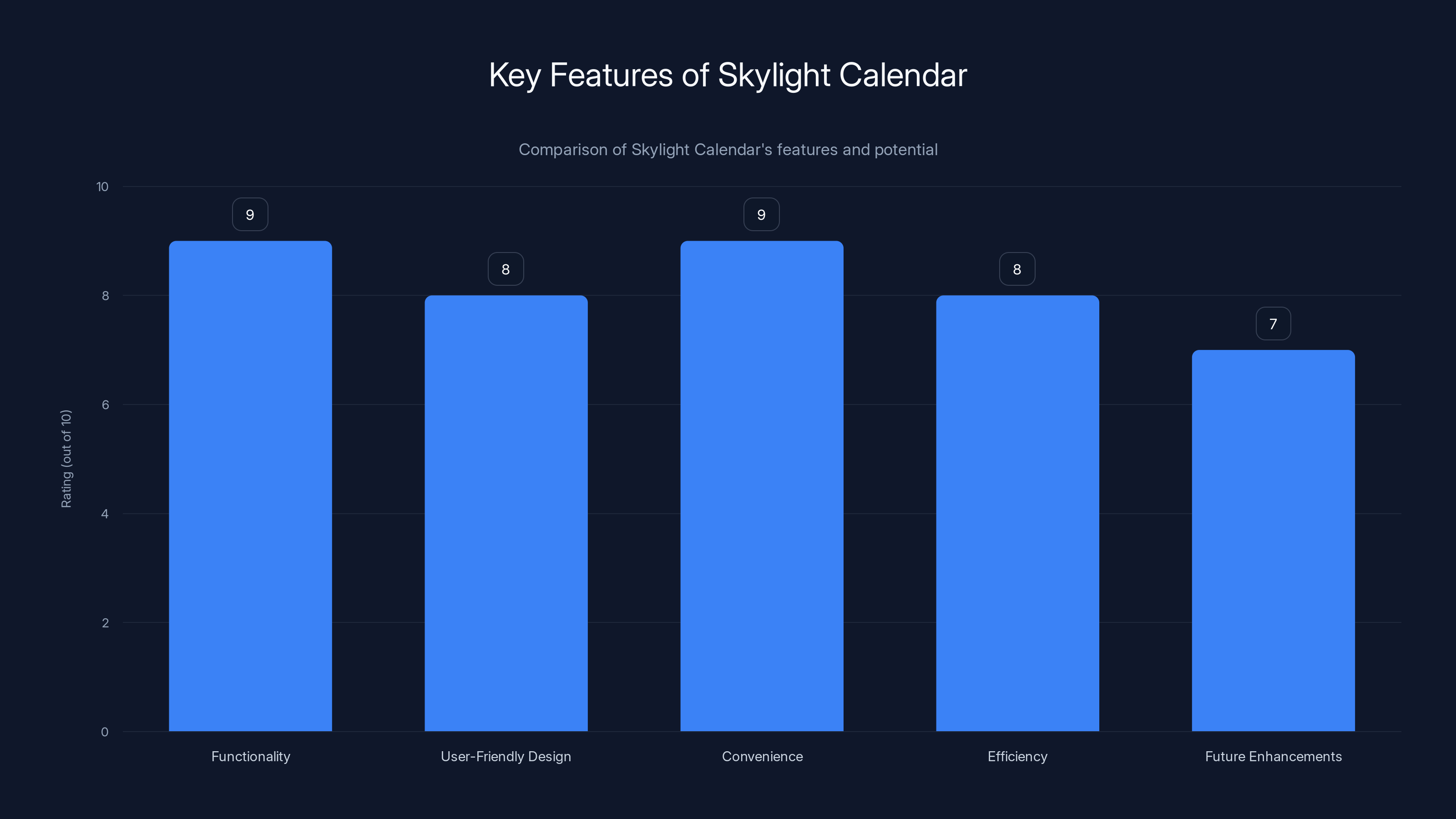
The Skylight Calendar scores highly on functionality and convenience, with room for future enhancements. Estimated data.
FAQ
What is the Skylight Calendar?
The Skylight Calendar is a digital wall calendar designed to help manage schedules, to-do lists, and display digital photos. It offers seamless integration with popular calendar apps and supports multiple user profiles.
How does the Skylight Calendar work?
The Skylight Calendar works by connecting to your home Wi-Fi network and syncing with your preferred calendar apps. It displays schedules, to-do lists, and can switch to a photo frame mode when not in active use.
What are the benefits of using the Skylight Calendar?
Benefits include centralized schedule management, customizable displays, seamless app integration, and the ability to display family photos. It simplifies household organization by providing a single platform for managing daily tasks.
How do I set up the Skylight Calendar?
To set up the Skylight Calendar, mount it in a central location, connect to Wi-Fi, sync your calendars, customize the display, and set up user profiles for each family member.
Is there a subscription required for the Skylight Calendar?
Yes, a subscription is required to access all features, including the photo mode. The subscription ensures regular updates and access to premium features.
Can the Skylight Calendar integrate with smart home devices?
While current integration is primarily with calendar apps, future updates may include compatibility with smart home devices for enhanced functionality.
What are some common issues with the Skylight Calendar?
Common issues include Wi-Fi connectivity problems, managing subscriptions, and user profile conflicts. Ensuring a strong Wi-Fi signal and keeping subscriptions up-to-date can mitigate these issues.
How often does the Skylight Calendar receive updates?
The Skylight Calendar receives regular updates to improve functionality and introduce new features. Subscription holders benefit from these updates automatically.

Key Takeaways
- The Skylight Calendar offers a comprehensive solution for managing household schedules and to-do lists.
- Its multifunctionality, including a digital photo frame mode, sets it apart from traditional calendars.
- Seamless integration with calendar apps and user-friendly design enhance its usability.
- Future trends include potential AI integration and smart home device compatibility.
- Subscription model provides access to premium features and regular updates, ensuring ongoing value.
Tags
"Skylight Calendar", "digital wall calendar", "home organization", "calendar app integration", "digital photo frame", "subscription model", "smart home technology", "AI integration", "user-friendly design", "household management"
Category
Home & Lifestyle
Key Takeaways
- Skylight Calendar: Essential tool for modern home organization.
- Integration: Syncs with Google Calendar and Outlook for seamless updates.
- User Profiles: Supports multiple profiles for personalized scheduling.
- Customizable Layouts: Offers themes and layouts to suit personal preferences.
- Subscription Required: Access all features with a subscription.
- Future Trends: Potential AI integration and smart home compatibility.
Social
"The Skylight Calendar revolutionizes home organization by merging functionality with style. Discover how this digital wall calendar can enhance your daily routine."
"Transform your home organization with the Skylight Calendar, offering seamless calendar app integration and multifunctionality."
Preview
"Discover the Skylight Calendar, a digital wall calendar that enhances home organization through seamless integration, user-friendly design, and multifunctionality. Perfect for busy families and tech enthusiasts."
Related Articles
- Microsoft's Affordable Surface Devices: A New Era of Budget Computing [2025]
- Everything You Need to Launch a Team of AI Agents [2025]
- Revolutionizing Cargo Security: The Impact of Advanced Tracking Labels [2025]
- Philips Hue’s New Connectivity Upgrade: A Smart Lighting Revolution [2025]
- Best Prime Day Vacuum Deals Offer Up to 42% Off [2026]
- Google Home's Advanced Voice Recognition: What to Expect [2025]


