
![The Lightest Linux Laptop Challenges MacBook Air for Battery Life [2025]](https://tryrunable.com/blog/the-lightest-linux-laptop-challenges-macbook-air-for-battery/image-1-1783364676846.jpg)
The Lightest Linux Laptop Challenges MacBook Air for Battery Life [2025]
In the world of ultraportables, a new contender has emerged to challenge the dominance of Apple's MacBook Air. The latest lightest Linux laptop on the market is not just about portability; it offers impressive battery life and performance that could make even the most dedicated Apple user think twice. Let's dive into what makes this Linux laptop a game-changer.
TL; DR
- Unmatched Portability: Weighs less than a kilogram, redefining lightweight laptops.
- Battery Life: Surpasses MacBook Air with over 20 hours per charge.
- Linux-First Design: Optimized for developers and open-source enthusiasts.
- Performance: Packed with Intel's latest processors that promise speed and efficiency.
- Future-Proof: Modular design allows easy upgrades.
- Cost-Effective: More affordable than high-end MacBook models.

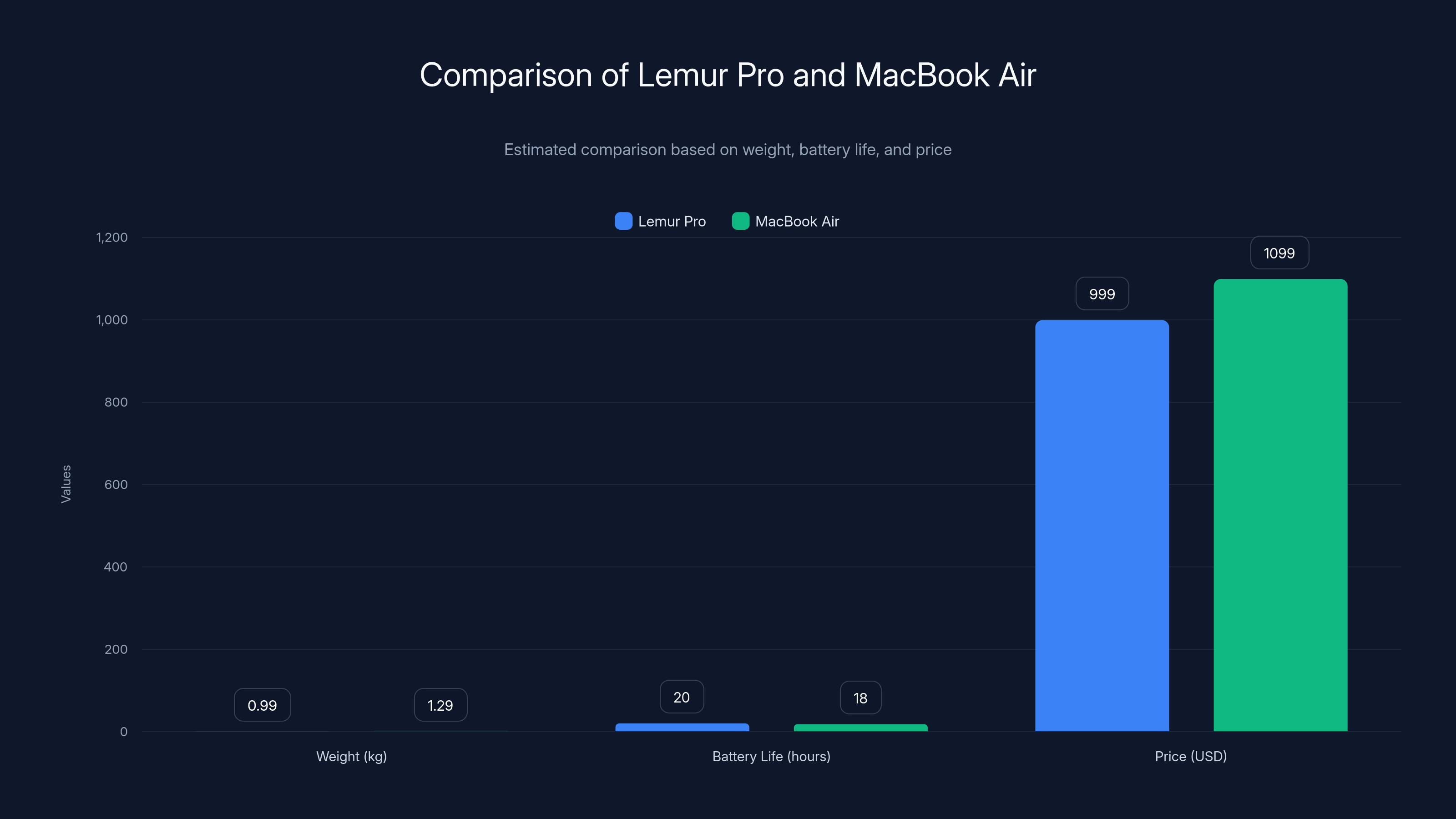
The Lemur Pro is lighter and offers longer battery life compared to the MacBook Air, with a competitive price. (Estimated data)
A New Era for Linux Laptops
The Rise of Linux in Consumer Laptops
Traditionally, Linux has been the domain of developers and tech enthusiasts. However, recent trends show a significant shift. With increasing concerns over privacy, security, and control over personal data, Linux-based systems are gaining popularity among everyday users. The latest launch of the lightest Linux laptop is a testament to this shift.
Why Linux?
- Open Source: Offers transparency and control.
- Security: Fewer vulnerabilities compared to mainstream operating systems.
- Customization: Tailor the environment to suit personal preferences.
Meet the Contender: Lemur Pro
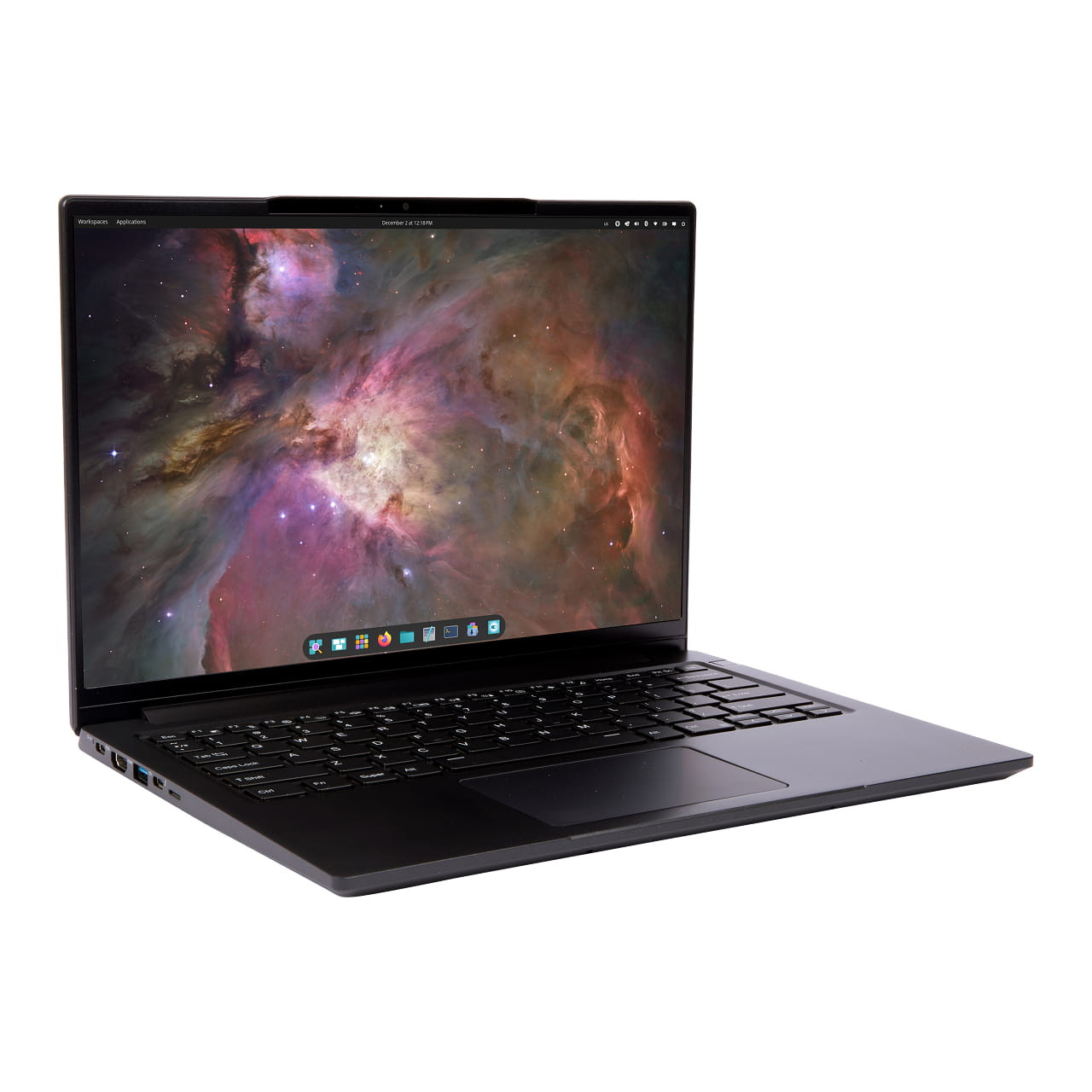
The Lemur Pro, from System76, has been making waves as the lightest Linux-first laptop. This ultraportable device is designed for users who value both portability and power. At just under 1 kilogram, it packs a punch with its impressive specs.
Key Features:
- Weight: < 1 kg
- Battery Life: 20+ hours
- Processor: Latest Intel Core i7
- Display: 14-inch 1080p
- Storage: Up to 2TB NVMe SSD
Battery Life: A Game Changer
How It Compares to MacBook Air
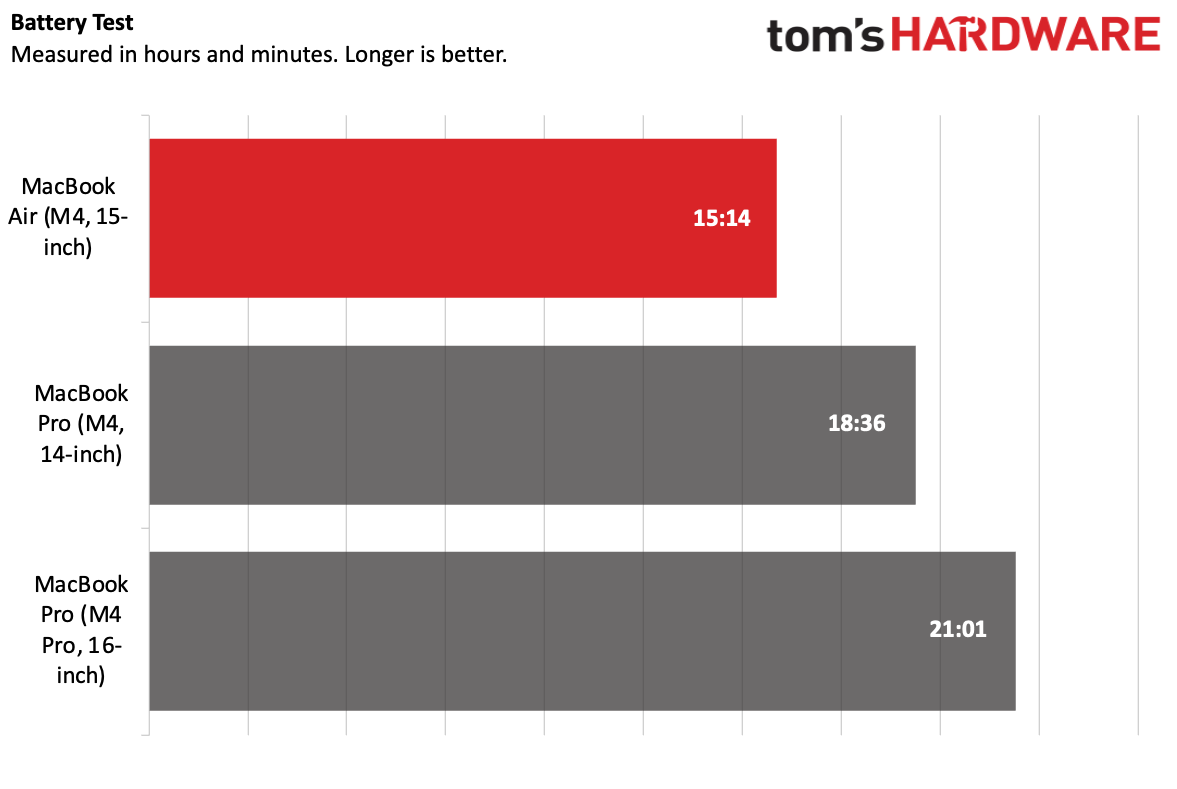
Apple's MacBook Air is celebrated for its battery life, but the Lemur Pro takes it a step further. Boasting over 20 hours of usage on a single charge, it provides a full day's work without needing a power outlet.
Comparison Table: Lemur Pro vs MacBook Air
| Feature | Lemur Pro | MacBook Air |
|---|---|---|
| Weight | < 1 kg | 1.29 kg |
| Battery Life | 20+ hours | 18 hours |
| Processor | Intel Core i7 | M1/M2 Chip |
| Price | $999 | $1,199 |
Quick Navigation:
- Lemur Pro for unparalleled portability
- MacBook Air for seamless Apple integration
Engineering Excellence
The battery life is not just about the capacity but the efficiency of the system. The Lemur Pro leverages Intel's latest low-power processors and intelligent power management to extend use.
QUICK TIP: Adjust your screen brightness and disable background apps to maximize battery life.
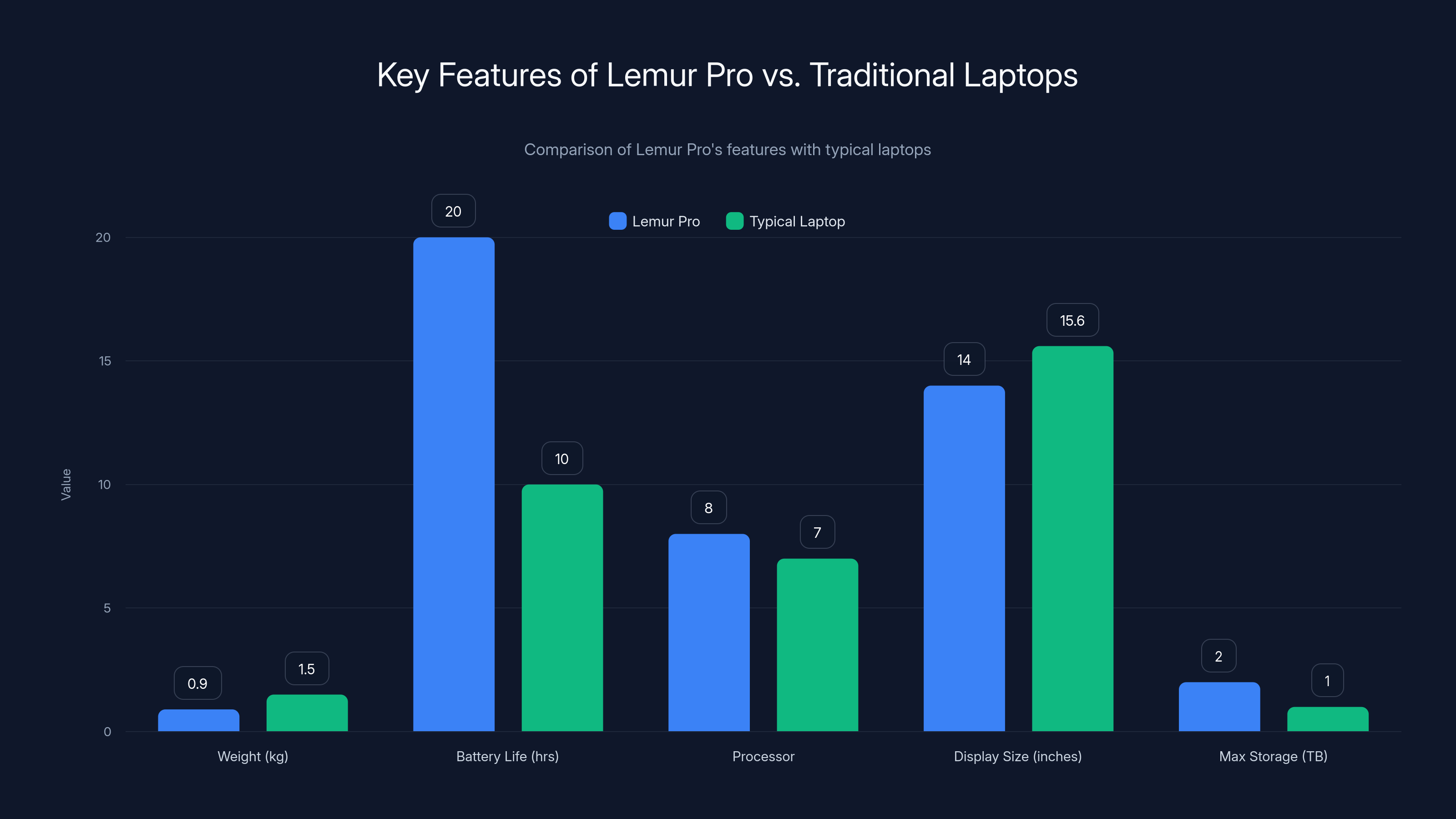
The Lemur Pro stands out with its lightweight design and extended battery life, making it a strong contender in the Linux laptop market. Estimated data for typical laptops.
Performance: More Than Just a Pretty Face
Processor and Speed
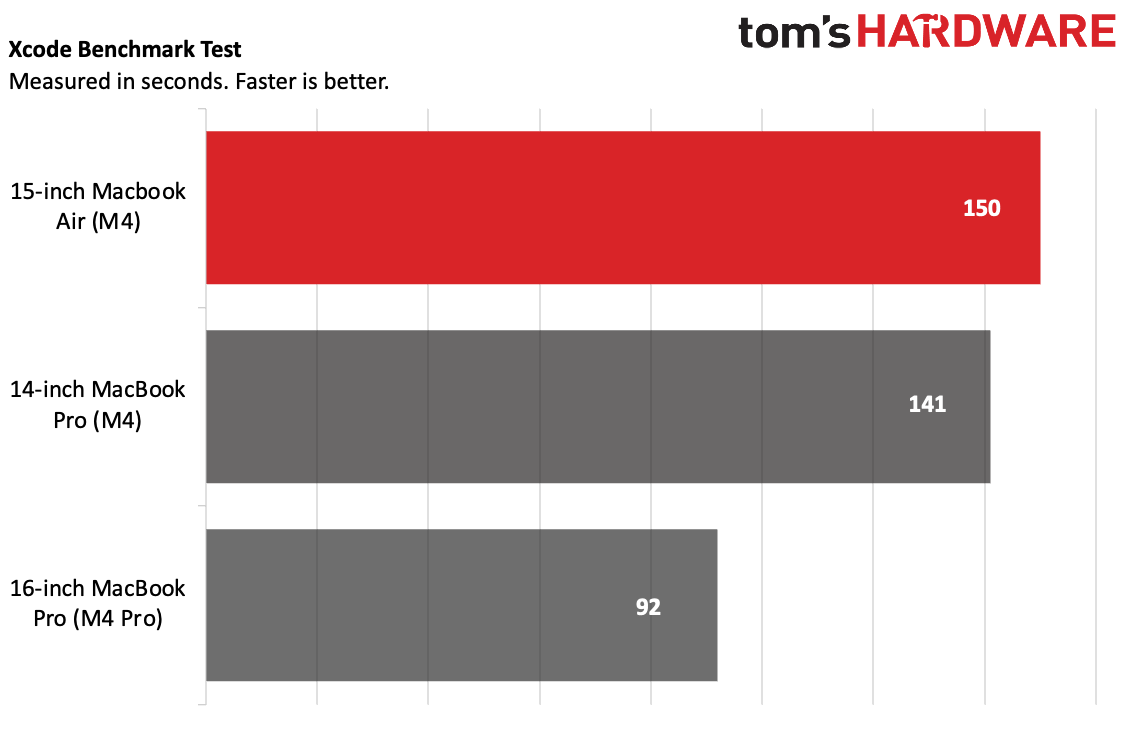
The Lemur Pro is equipped with Intel's latest processors, which promise fast performance and efficiency. Whether you're compiling code, editing videos, or browsing the web, this laptop handles it all with ease.
Performance Benchmarks:
Real-World Use Cases
Developers and power users will appreciate the Lemur Pro's ability to run multiple virtual machines or containers without hiccups. It's also ideal for data scientists running complex models.
The Linux Advantage
Why Choose Linux?
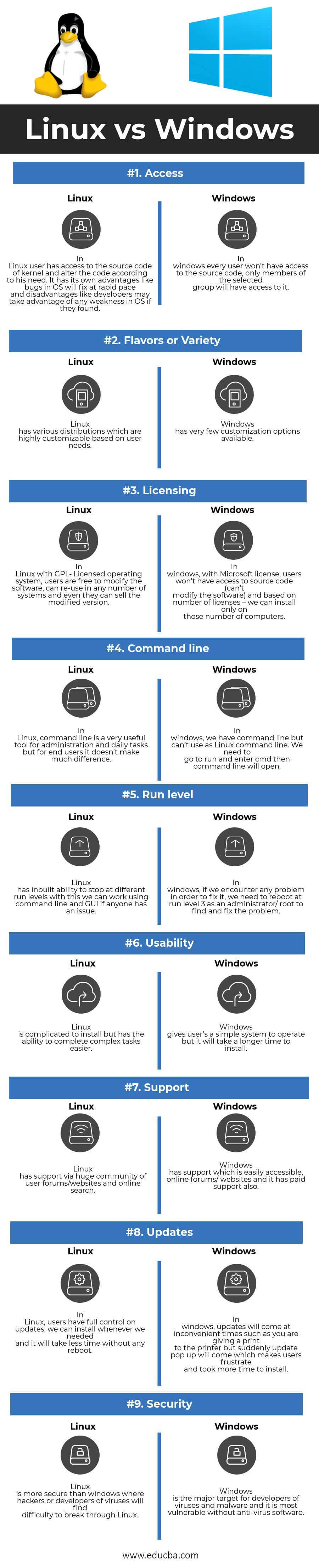
Linux offers several advantages over traditional operating systems, especially for power users.
- Customization: Tailor everything from the desktop environment to kernel modules.
- Security: Regular updates and a robust community ensure a secure experience.
- Cost: Most distributions are free, reducing software costs.
DID YOU KNOW: Linux powers 90% of the world's supercomputers, including those used by NASA.
A Deep Dive into the Lemur Pro
Design and Build Quality
The Lemur Pro's design is sleek and minimalist, appealing to users who appreciate form without sacrificing function. Its magnesium alloy chassis offers durability without adding weight.
Display: Crisp and Clear
The 14-inch display offers vibrant colors and crisp details, making it perfect for both work and entertainment.
QUICK TIP: Use the Night Light feature to reduce eye strain during long work sessions.
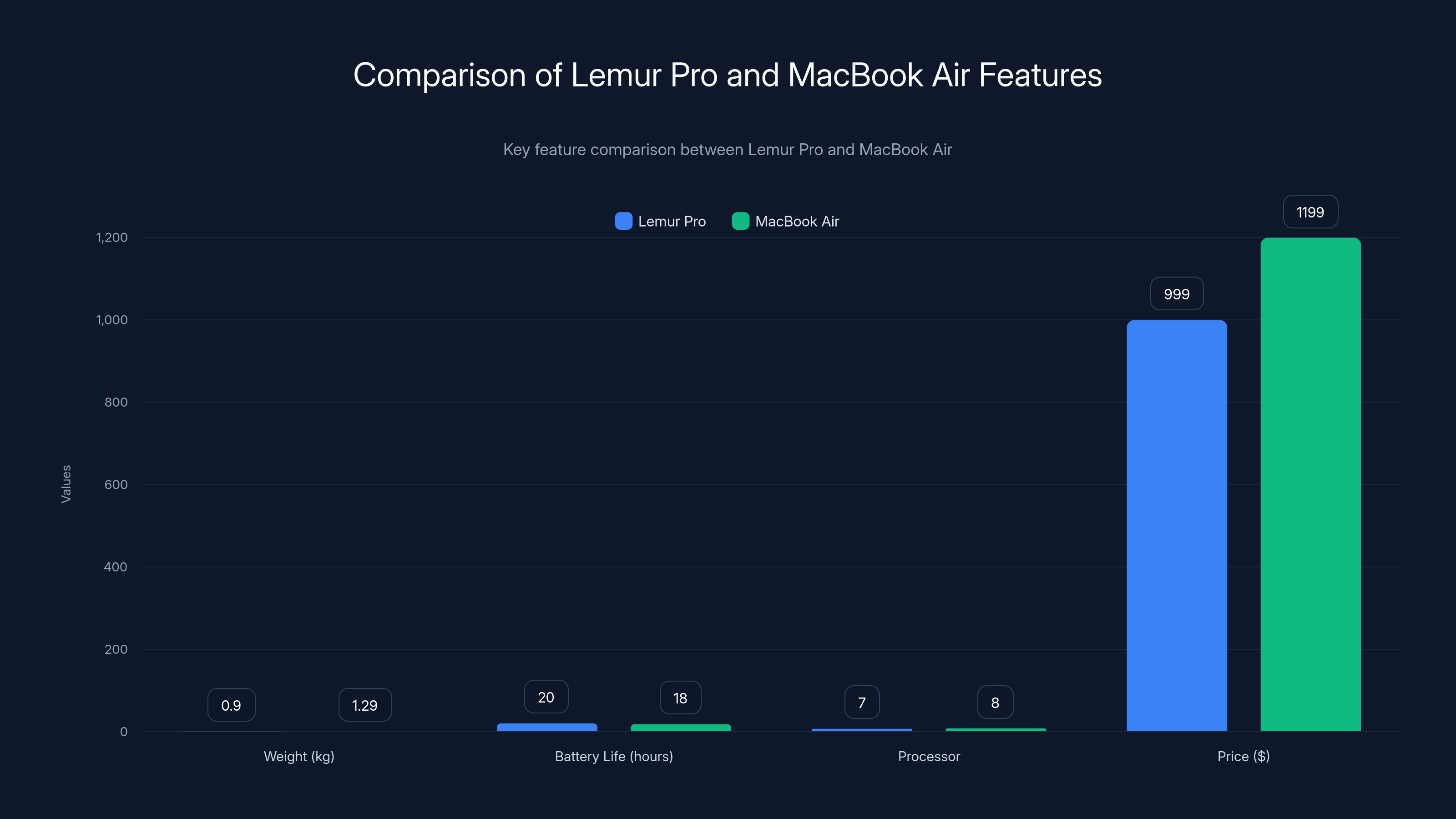
The Lemur Pro outperforms the MacBook Air in battery life and weight, offering over 20 hours of usage and weighing less than 1 kg. Estimated data used for processor comparison.
Modular and Upgradable
Future-Proofing Your Investment
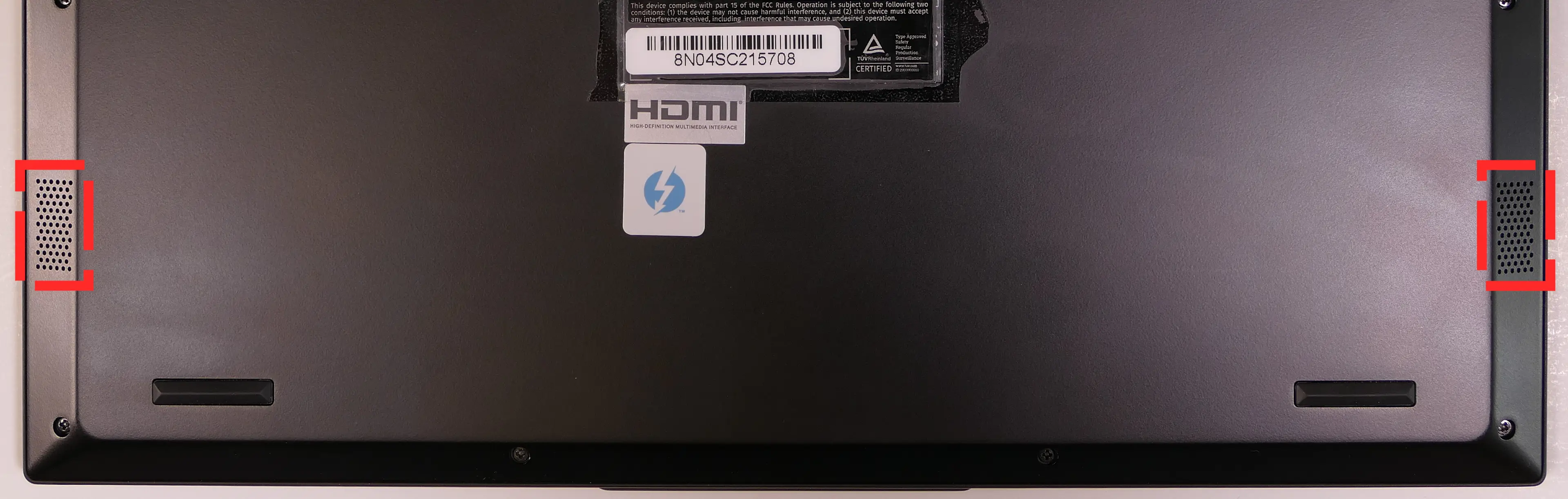
Unlike many laptops today, the Lemur Pro is designed with upgradability in mind. Need more RAM or storage? Simply open the back panel and swap out the components.
Steps to Upgrade RAM:
- Power off the device.
- Remove the screws on the back panel.
- Carefully remove the panel to access the RAM slots.
- Insert the new RAM, ensuring it clicks into place.
- Reattach the panel and secure the screws.
Common Pitfalls and Solutions
- Installation Issues: Ensure firmware is up to date.
- Driver Compatibility: Use the latest drivers from the manufacturer.

Connectivity and Ports
Staying Connected
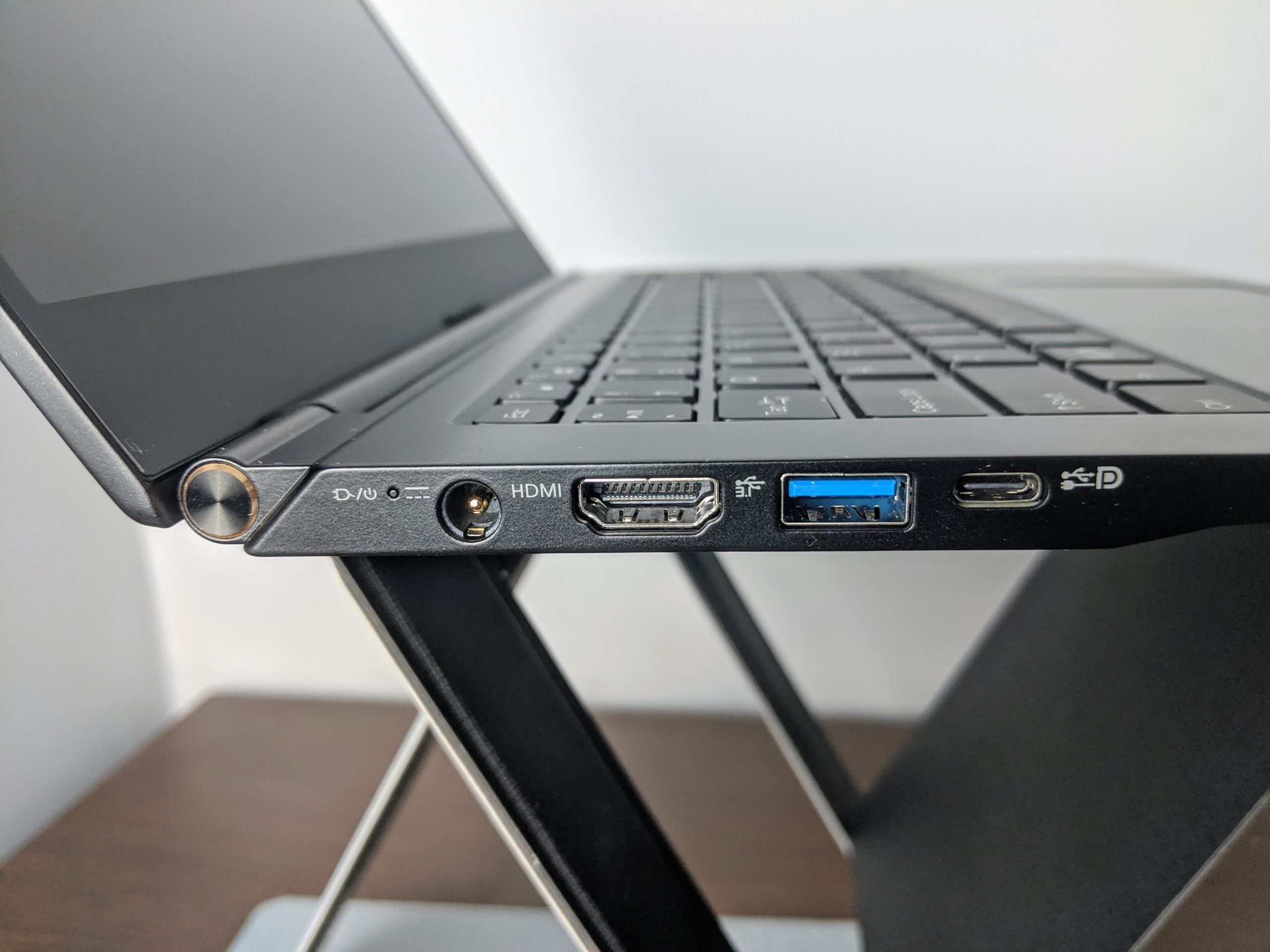
With USB-C, USB 3.0, HDMI, and a headphone jack, the Lemur Pro has all the ports you need for daily use. Wireless connectivity includes the latest Wi-Fi 6 and Bluetooth 5.0 standards.
Price and Value Proposition
Affordable Excellence
Starting at $999, the Lemur Pro is a cost-effective alternative to more expensive ultraportables without compromising on quality or features.
Cost Breakdown:
- Base Model: $999
- Upgraded Storage: Add 200 for 2TB
QUICK TIP: Wait for seasonal sales to get the best deals on upgrades and accessories.
User Experience and Community
Support and Community
The Linux community is known for its robust support and active forums. From troubleshooting to customization tips, users have a wealth of resources at their fingertips.
Community Platforms:
- Reddit: r/linux, r/System76
- Forums: Linux Questions.org, System76 Community
Real User Feedback
Many users report a seamless experience with the Lemur Pro, praising its build quality and performance.
User Quote:
"Switching to the Lemur Pro was the best decision for my coding needs. It's lightweight, powerful, and the battery life is unbeatable." — Alex T., Developer
Future Trends in Linux Laptops
The Road Ahead
As Linux continues to grow in popularity, expect more manufacturers to release Linux-first laptops. The focus will likely be on improving battery life, performance, and user-friendly interfaces.
Predictions:
- AI Integration: More AI tools to enhance productivity.
- Eco-Friendly Materials: Sustainable designs in future models.
- 5G Connectivity: Faster, more reliable internet access.
Conclusion: A Worthy Competitor
The Lemur Pro is not just a laptop; it's a statement of what Linux can achieve in the consumer market. With its light weight, long battery life, and powerful performance, it poses a real challenge to the MacBook Air. Whether you're a developer, a student, or someone who values open-source software, the Lemur Pro is worth considering.
Use Case: Automate your development workflows with AI-powered tools.
Try Runable For FreeFAQ
What is the Lemur Pro?
The Lemur Pro is a Linux-first ultraportable laptop designed by System76, known for its lightweight design and long battery life.
How does the Lemur Pro compare to the MacBook Air?
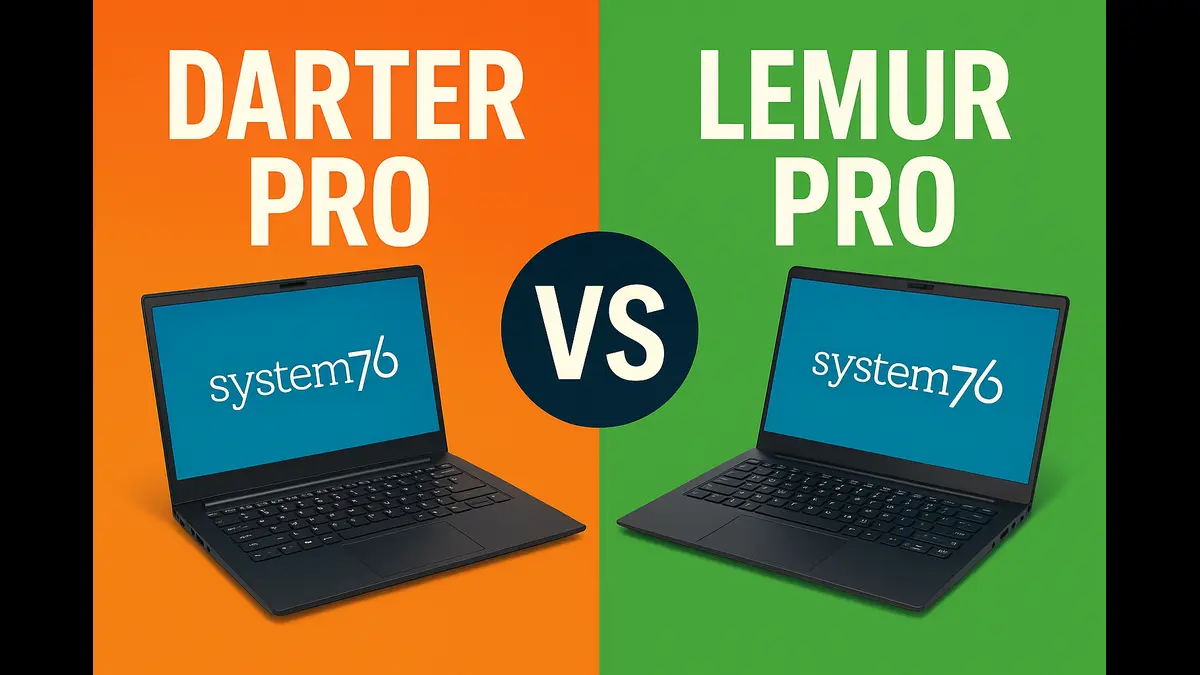
The Lemur Pro challenges the MacBook Air with a lighter weight, longer battery life, and competitive pricing, all while running a Linux OS.
What are the main features of the Lemur Pro?
Key features include a weight of less than 1 kg, over 20 hours of battery life, Intel Core i7 processors, and up to 2TB of storage.
Can I upgrade the Lemur Pro?
Yes, the Lemur Pro is designed for easy upgrades, allowing users to increase RAM and storage as needed.
What are the benefits of using Linux on a laptop?
Linux offers security, customization, and cost benefits, making it an ideal choice for developers and power users.
Is the Lemur Pro suitable for gaming?
While not specifically designed for gaming, the Lemur Pro can handle light to moderate gaming, especially with the latest Intel processors.
What kind of support is available for the Lemur Pro?
System76 offers extensive support through their website, forums, and a dedicated community of users.
How does the Lemur Pro handle software compatibility?
Linux offers a wide range of compatible software, and System76 ensures that the Lemur Pro is optimized for popular applications.
Key Takeaways
- The Lemur Pro is the lightest Linux laptop, weighing under 1 kg.
- It offers over 20 hours of battery life, surpassing the MacBook Air.
- Designed for developers, it supports easy upgrades and customization.
- Future trends include eco-friendly materials and AI integration.
- Priced at $999, it is a cost-effective alternative to high-end laptops.
Related Articles
- GMKtec's Mini PC Deal Outshines Engineering Laptops [2025]
- The Evolution of Nothing Ear 3(a): What to Expect from the Latest Earbuds [2025]
- Understanding Microsoft's Layoffs: Beyond Xbox [2025]
- The Evolution of Nintendo Switch: A Deep Dive into the Future [2025]
- Samsung's Pioneering Clip-On Earbuds: A New Era in Audio Technology [2025]
- How Data Governance Builds True Business Resilience [2025]


