
![Mastering Transparency: Navigating Apple's Liquid Glass in iOS 26.2 [2025]](https://runable.blog/blog/mastering-transparency-navigating-apple-s-liquid-glass-in-io/image-1-1765646718554.jpg)
Mastering Transparency: Navigating Apple's Liquid Glass in iOS 26.2 [2025]
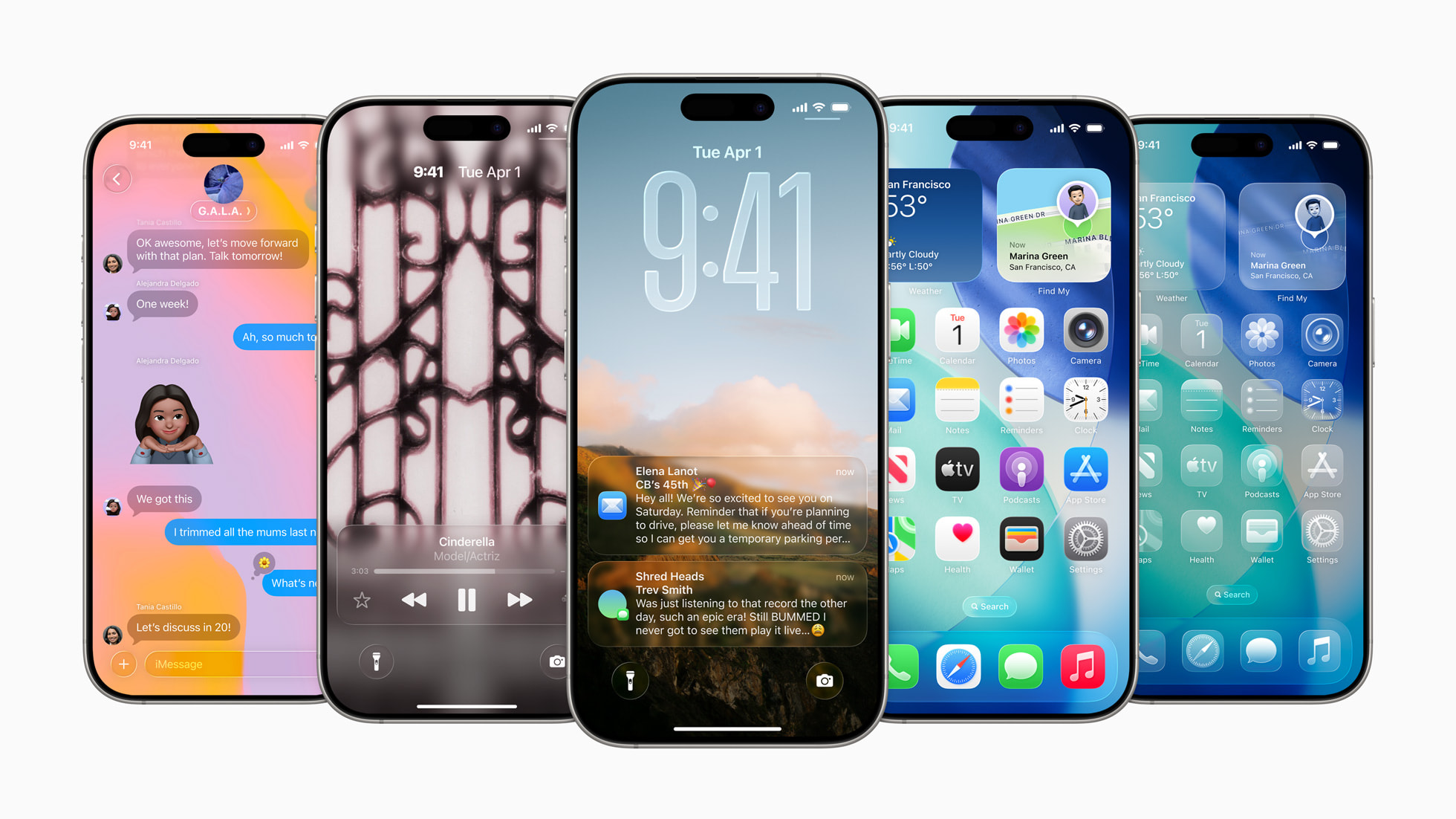
Apple's iOS 26.2 update is making waves, particularly with its enhanced Liquid Glass customization options. Previously, Liquid Glass was a visual treat, but not without its controversies. Some users found the transparency overwhelming, especially on the Lock Screen. This update introduces the ability to adjust the transparency of the Lock Screen clock, a feature welcomed by many.
TL; DR
- Key Point 1: iOS 26.2 reintroduces the ability to adjust Liquid Glass transparency, focusing on the Lock Screen. User feedback led to these changes.
- Key Point 2: Practical implementation includes customizable transparency sliders.
- Key Point 3: Future trends point to more AI integration in display technology.
- Bottom Line: iOS 26.2 enhances usability with more intuitive transparency controls.
Why Liquid Glass Matters
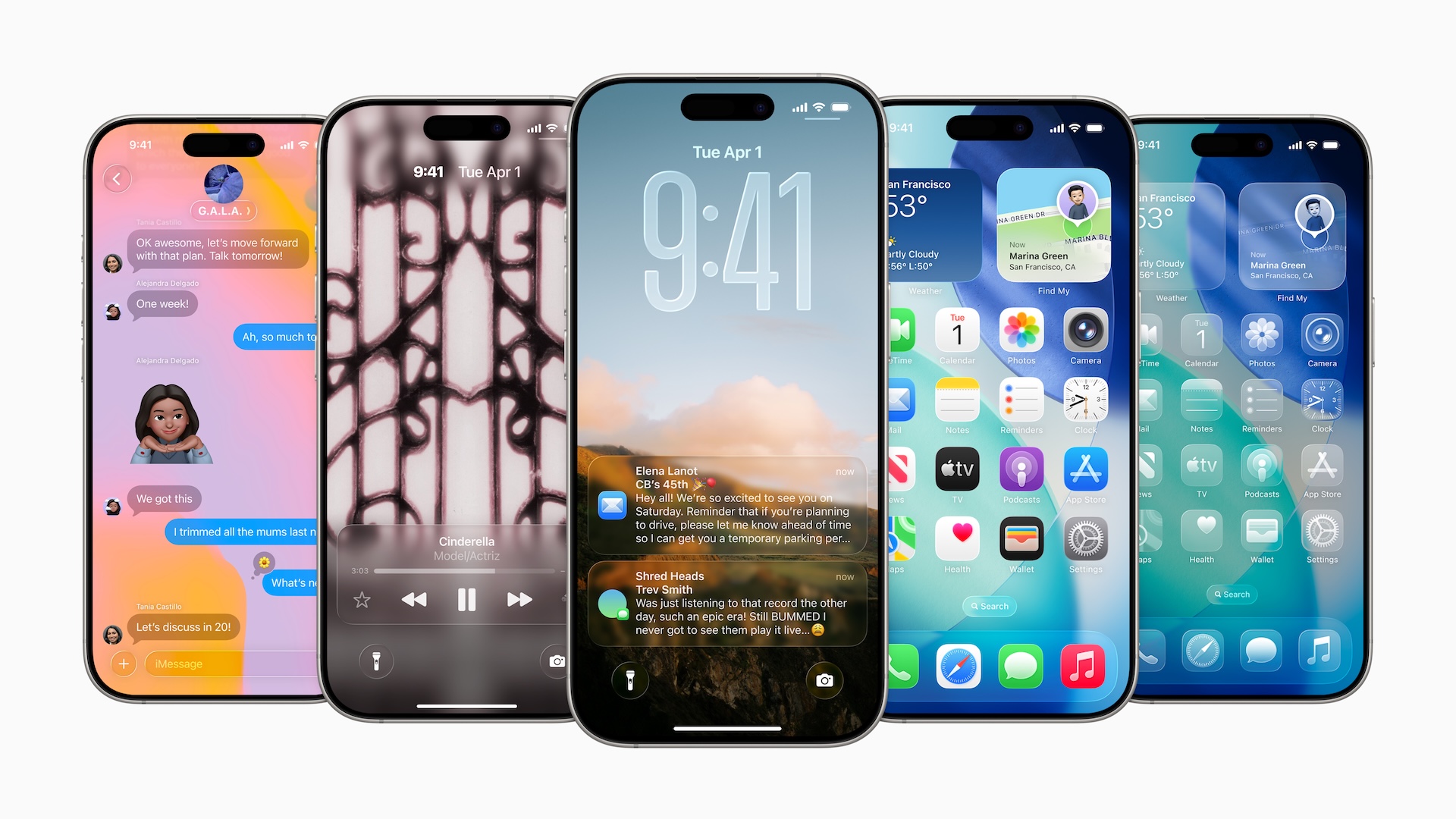
Liquid Glass, introduced with iOS 26, was part of Apple's attempt to modernize their UI by blending digital elements with a glass-like appearance. This design aimed to create a more immersive experience and prepare for a future where digital interfaces might extend beyond traditional screens, potentially into AR environments like AI smart glasses.
The Problem with Liquid Glass
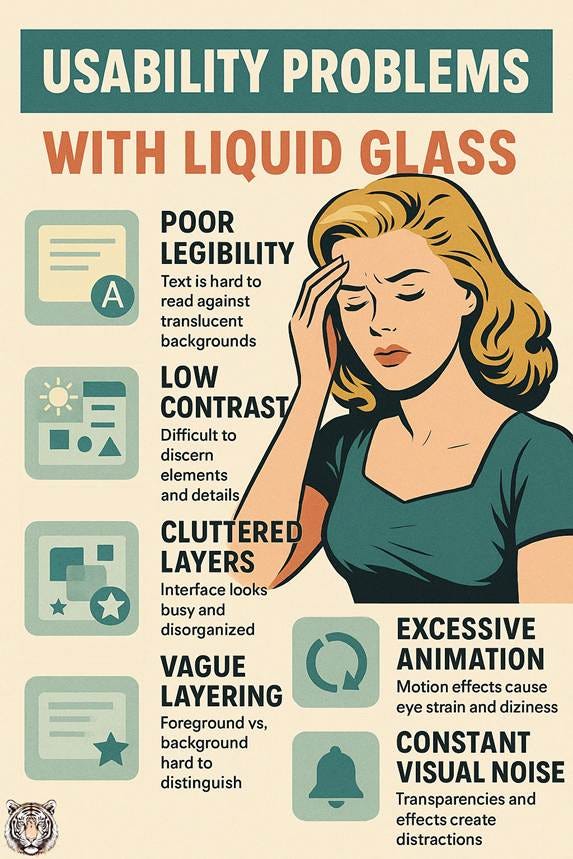
The main gripe with Liquid Glass was its overuse of transparency. Many users found that essential information, such as notifications and artist names, became difficult to read. The transparency, while visually appealing, often interfered with usability.
The Solution: Adjusting Transparency
In response to user feedback, iOS 26.2 now allows users to adjust the transparency of certain UI elements, most notably the Lock Screen clock. This can be done through an intuitive slider found in the settings menu, as detailed by Macworld.
The Best iOS 26.2 Features at a Glance
| Feature | Best For | Key Benefits | iOS Version |
|---|---|---|---|
| Transparency Control | Customization | Enhanced readability | 26.2 |
| AI Integration | Future-proofing | Smart glasses compatibility | 26 |
Quick Navigation:
Transparency Control
What It Does
The new transparency control in iOS 26.2 allows users to adjust how transparent various UI elements appear. This is particularly useful for the Lock Screen, where important information must remain legible at a glance.
Key Features
- Customizable Sliders: Adjust transparency levels to your preference.
- Preset Options: Choose from preset transparency levels for quick adjustments.
- Real-Time Preview: See changes as you adjust, directly on the screen.
Real-World Use Case
Imagine you're in a meeting and need to quickly glance at your phone to check the time. With iOS 26.2, you can ensure the clock on your Lock Screen is fully legible, even if you've opted for a highly stylized background.
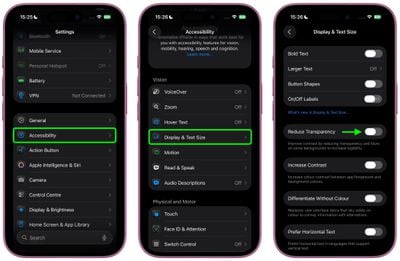
How to Adjust Transparency
- Go to Settings.
- Tap Display & Brightness.
- Select Transparency.
- Use the slider to adjust the transparency to your liking.
Pricing Context
While the update is free, it emphasizes Apple's commitment to user feedback and iterative design improvements, as noted by Forbes.
Honest Assessment
Pros:
- Improved readability.
- Greater user control.
Cons:
- Some users may find too many customization options overwhelming.
AI Integration
Future-Proofing with AI
Apple's push towards AI integration in interfaces is setting the stage for future technologies, such as smart glasses. The design language of Liquid Glass could easily transition into an AR environment, making information overlay seamless, as discussed in AppleInsider.
Key Features
- Contextual Awareness: AI adjusts interface transparency based on user activity.
- Adaptive Brightness: Uses AI to adjust screen brightness and transparency in real-time.
Common Pitfalls and Solutions
Over-customization
Pitfall: Users may over-adjust transparency settings, leading to a cluttered or inconsistent interface.
Solution: Stick to preset options for a balanced approach.
Settings Misconfiguration
Pitfall: Incorrect settings might lead to a non-responsive interface.
Solution: Use the reset feature to return to default settings if needed.
Future Trends and Recommendations
AR Integration
The logical next step for Liquid Glass is AR. With smart glasses gaining traction, Liquid Glass could provide the perfect UI for augmented reality experiences, as suggested by TechRadar.
Personalized AI
Expect AI to play a bigger role in customization, learning user preferences, and automatically adjusting settings for optimal usability.
Recommendations
- Stay Updated: Ensure your device is running the latest iOS to benefit from new features.
- Experiment: Try different transparency levels to find what works best for you.
Conclusion
iOS 26.2's reintroduction of transparency controls addresses user concerns and sets the stage for future innovations. Apple's commitment to enhancing usability while preparing for a future of AI-integrated interfaces is evident, as highlighted by TechCrunch.
FAQ
What is Liquid Glass?
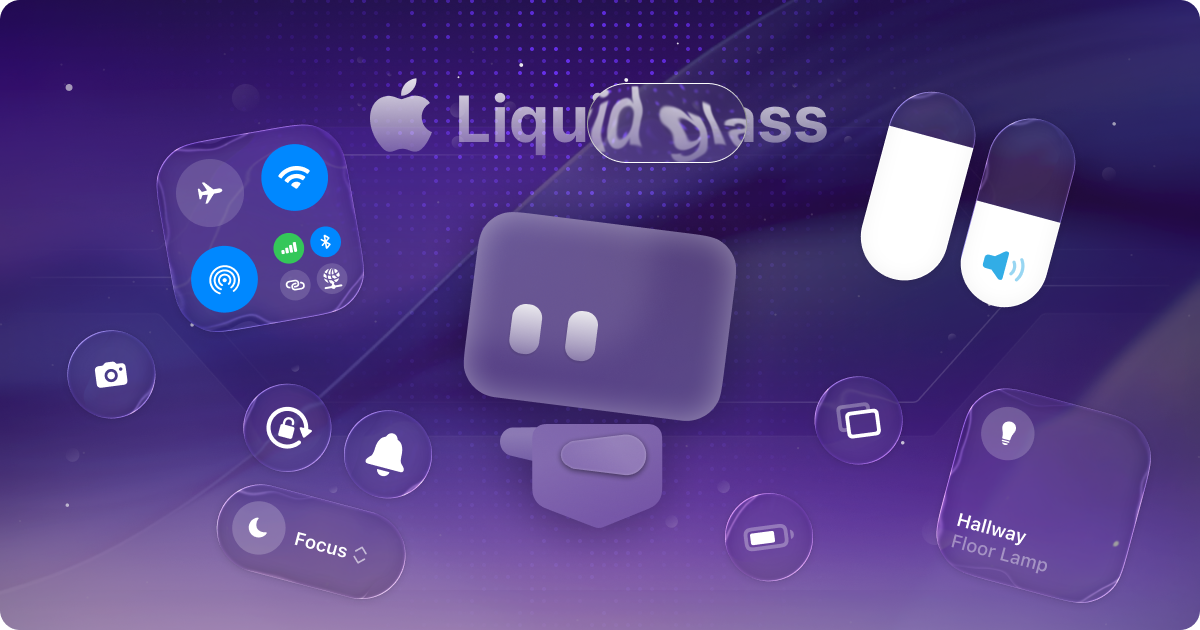
Liquid Glass is a design language that gives UI elements a glass-like transparency and light-refracting quality.
How to adjust transparency in iOS 26.2?
Go to Settings > Display & Brightness > Transparency to use the slider.
Is Liquid Glass here to stay?
With AI advancements and AR development, Liquid Glass is likely to evolve rather than disappear.
How much does iOS 26.2 cost?
The update is free for all compatible Apple devices.
Can I disable Liquid Glass?
While you can't disable it entirely, you can adjust multiple transparency settings to minimize its impact.
Is iOS 26.2 worth the update?
Yes, especially if you value customization and improved readability.
Key Takeaways
- iOS 26.2 enhances user control with transparency settings.
- Liquid Glass prepares interfaces for future AR integration.
- AI plays a growing role in interface customization.
- User feedback continues to shape iOS updates.
- Future trends include more seamless AR experiences.
Related Articles
- JuicyChat.AI: Exploring the Future of AI Conversations [2025]
- [2025] OpenAI Fires Back at Google: Unveiling GPT-5.2
- [2025] The Rise of Super Apps: Crypto Payments & Encrypted Chat
- [2026] The 7 Best AI Presentation Makers for Next-Level Storytelling
- [2025] ElevenLabs' $6.6B Valuation: Beyond Voice AI


