
![Dell 27 Plus S2725HSM Business Monitor Review: The Essential Office Companion [2025]](https://tryrunable.com/blog/dell-27-plus-s2725hsm-business-monitor-review-the-essential-/image-1-1783326838859.jpg)
Dell 27 Plus S2725HSM Business Monitor Review: The Essential Office Companion [2025]
The Dell 27 Plus S2725HSM monitor emerges as a reliable choice for businesses aiming to equip their workforce with efficient and affordable displays. While it may not boast the dazzling features of high-end monitors, its simplicity and robustness make it a valuable asset in many professional settings.
TL; DR
- Affordable Quality: A budget-friendly solution for standard office tasks with a 27-inch Full HD display.
- Connectivity: Equipped with dual HDMI ports, ideal for seamless switching between devices.
- Design & Ergonomics: Classic design with basic adjustability ensures comfort during prolonged use.
- Energy Efficient: Rated for low power consumption, reducing operational costs.
- Business Focused: Optimized for productivity with clear visuals and reliable performance.
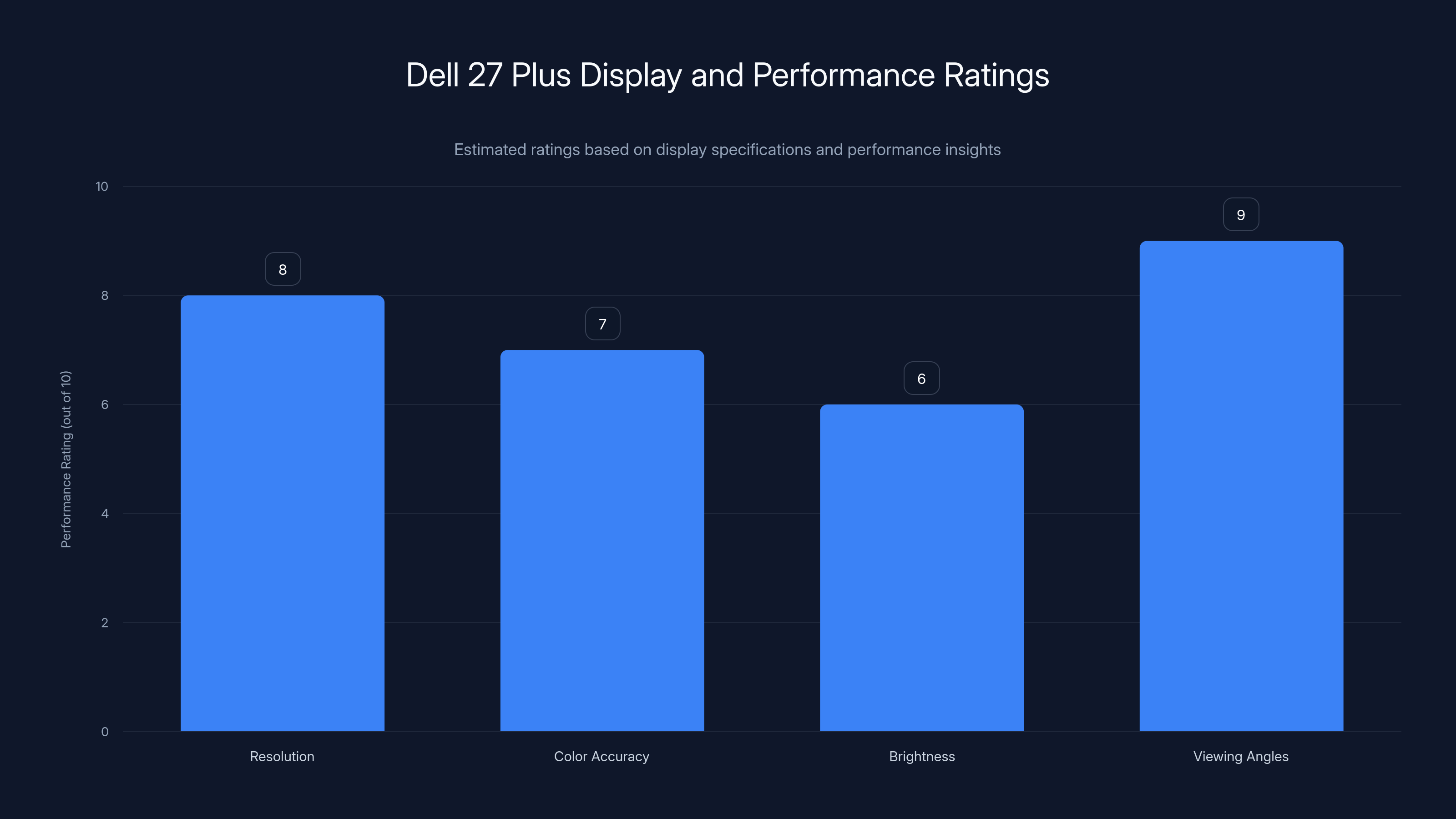
The Dell 27 Plus excels in viewing angles and resolution, making it suitable for office tasks. Estimated data.
Introduction
In a world swamped with ultra-high-definition displays and feature-packed monitors, the Dell 27 Plus S2725HSM quietly asserts its presence. It doesn't try to compete with the giants in terms of resolution or advanced features. Instead, it offers a practical, straightforward solution for business environments that value functionality and cost-effectiveness over frills.
What to Expect
This monitor is crafted for the everyday office worker, remote employees, and anyone who requires a dependable screen without breaking the bank. With its Full HD resolution, dual HDMI ports, and energy-efficient design, it covers the essentials while allowing IT teams to manage costs efficiently.

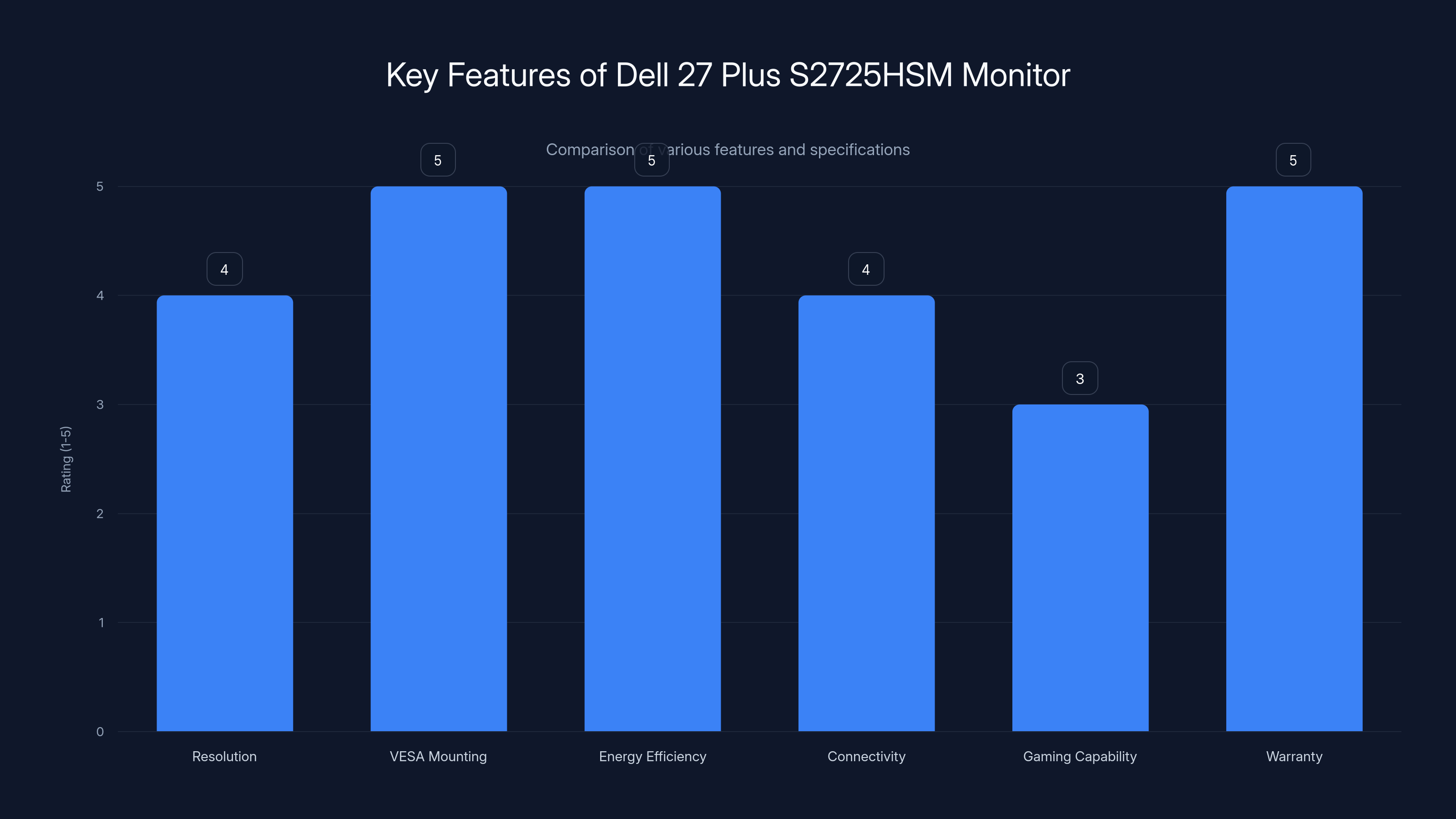
The Dell 27 Plus S2725HSM excels in energy efficiency and VESA mounting, with strong connectivity options and a solid warranty. Estimated data for feature ratings.
Design and Build Quality
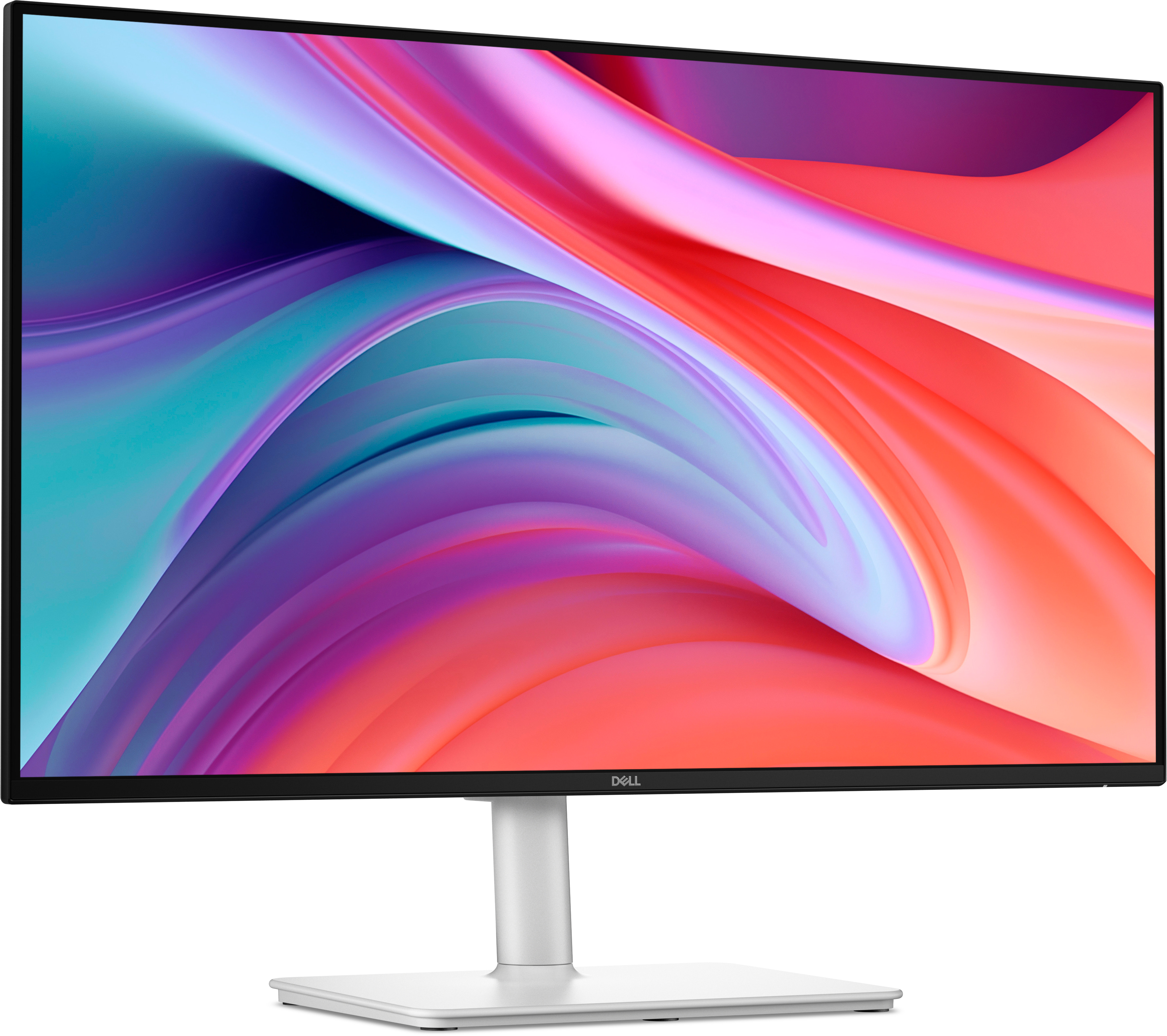
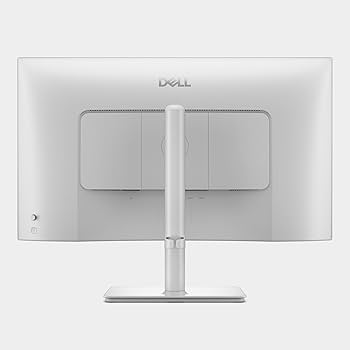
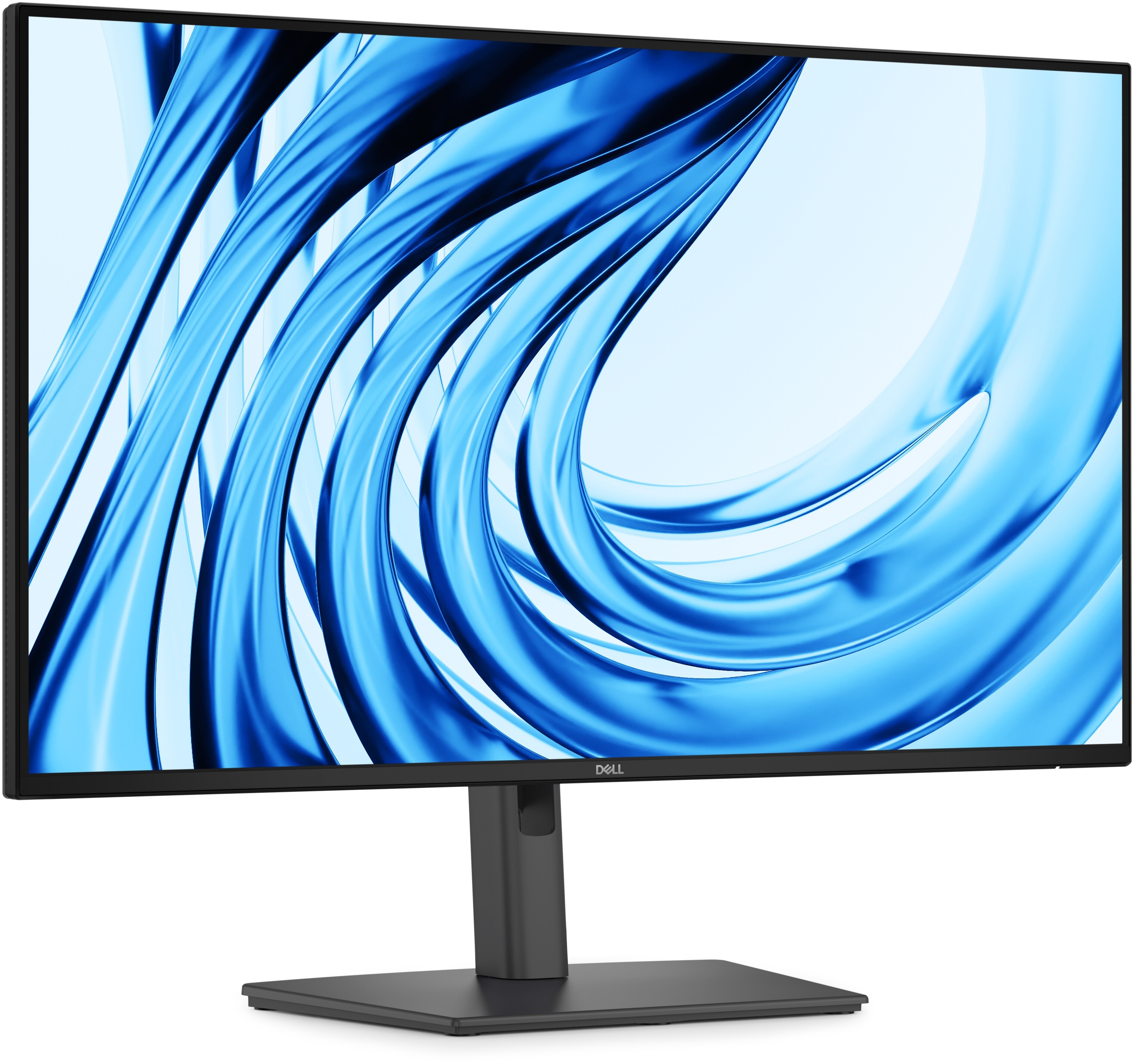
The Dell 27 Plus S2725HSM embraces a minimalist aesthetic. Its black, matte finish and slender bezels lend it a professional appearance suitable for any office setting. While it may not turn heads, its design ensures it quietly integrates into your workspace.
Key Design Features:
- Matte Finish: Reduces glare and reflections, crucial for long hours of work.
- Slim Bezels: Maximize screen real estate while maintaining a compact footprint.
- Adjustable Stand: Offers tilt functionality to enhance viewing comfort.
Build Quality
Despite its budget-friendly price, the build quality is commendable. The stand provides stable support, and the materials used are durable enough to withstand the rigors of daily office use.
Display and Performance
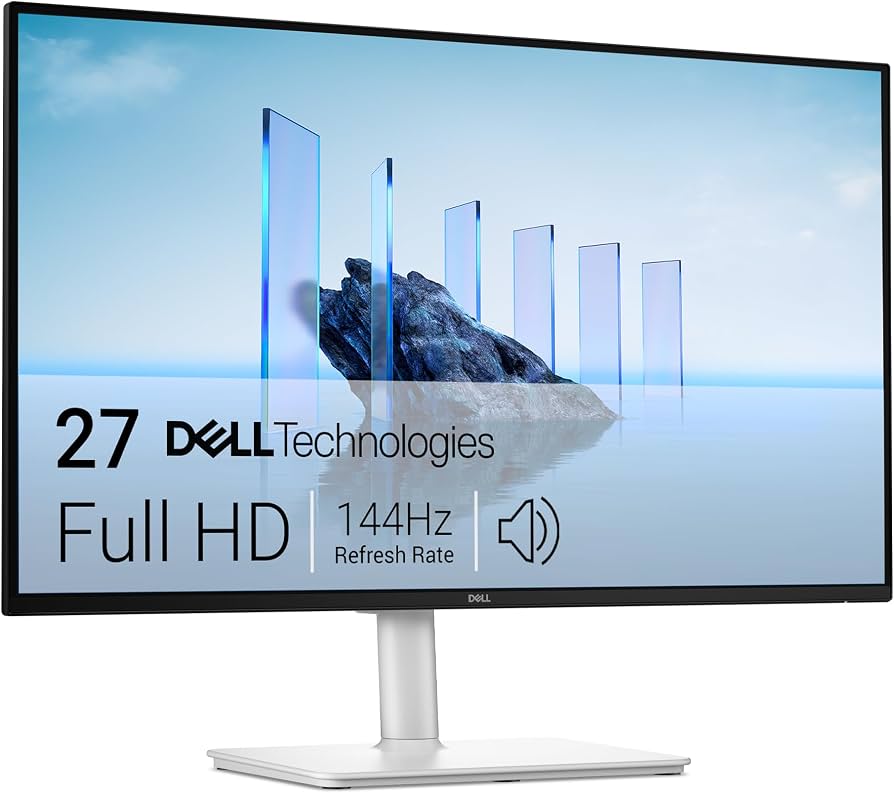
The heart of any monitor is its display, and the Dell 27 Plus doesn't disappoint for its intended purpose. With a resolution of 1920x1080, it offers crisp text and vivid colors, adequate for document editing, browsing, and video conferencing.
Display Specifications
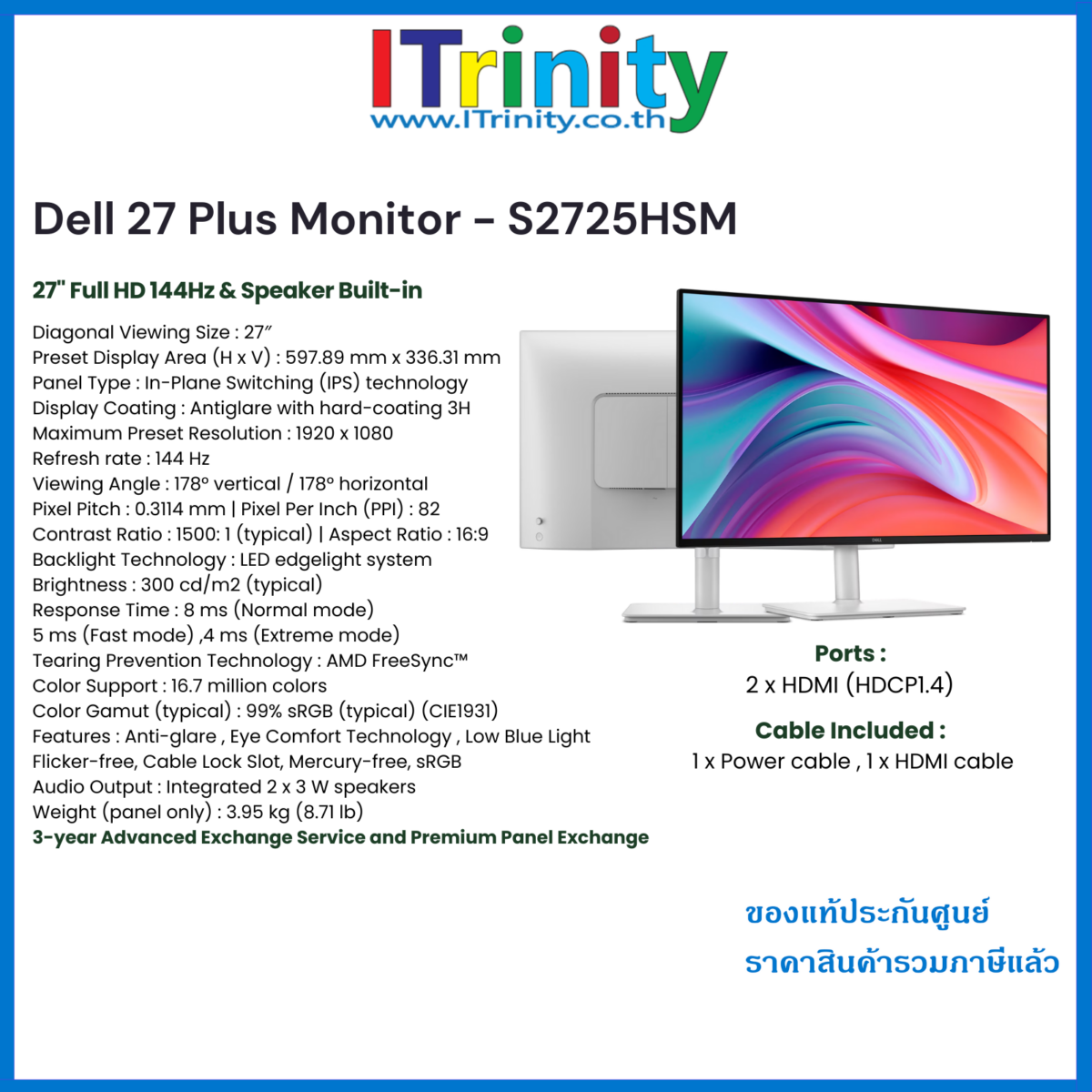
- Resolution: Full HD 1920x1080
- Panel Type: IPS
- Refresh Rate: 60 Hz
- Response Time: 8ms
The screen's IPS panel provides wide viewing angles, ensuring that colors remain consistent even when viewed from the sides. This is especially useful in collaborative work environments or meetings.
Performance Insights:
- Color Accuracy: While not suitable for professional graphic design, it delivers more than adequate color fidelity for general office tasks.
- Brightness: Adequate for typical indoor lighting conditions, though it may struggle in direct sunlight.
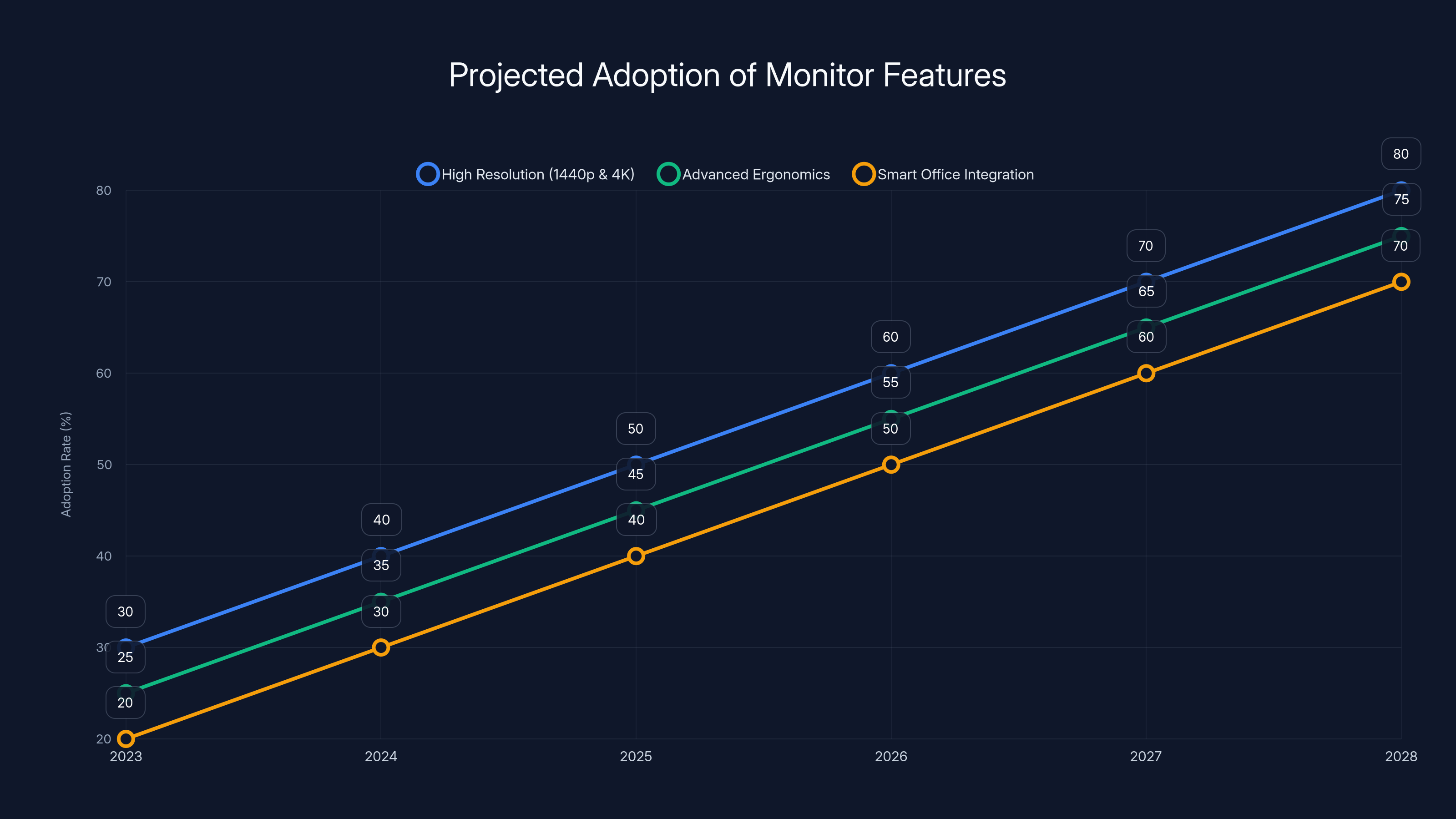
Projected data shows increasing adoption of high resolution, advanced ergonomics, and smart office integration in business monitors by 2028. Estimated data.
Connectivity Options
With two HDMI ports, the Dell 27 Plus S2725HSM facilitates easy connection to multiple devices. This is particularly beneficial in office environments where users might need to switch between a desktop and a laptop quickly.
Port Configuration
- 2x HDMI 1.4
- 1x VGA Port
- Audio Line-Out
The inclusion of legacy VGA support is a nod to businesses still using older hardware. The audio line-out allows for easy connection to external speakers, enhancing multimedia experiences.
Ergonomics and Usability
While the stand offers only tilt adjustments, it supports VESA mounting, allowing users to customize their setup further with third-party stands or mounts.
Ergonomic Features
- Tilt Adjustment: -5° to 21°
- VESA Mount Compatibility: 100x100mm
For workplaces that prioritize ergonomics, investing in a VESA-compatible mount might be worthwhile to achieve the perfect setup for each user.
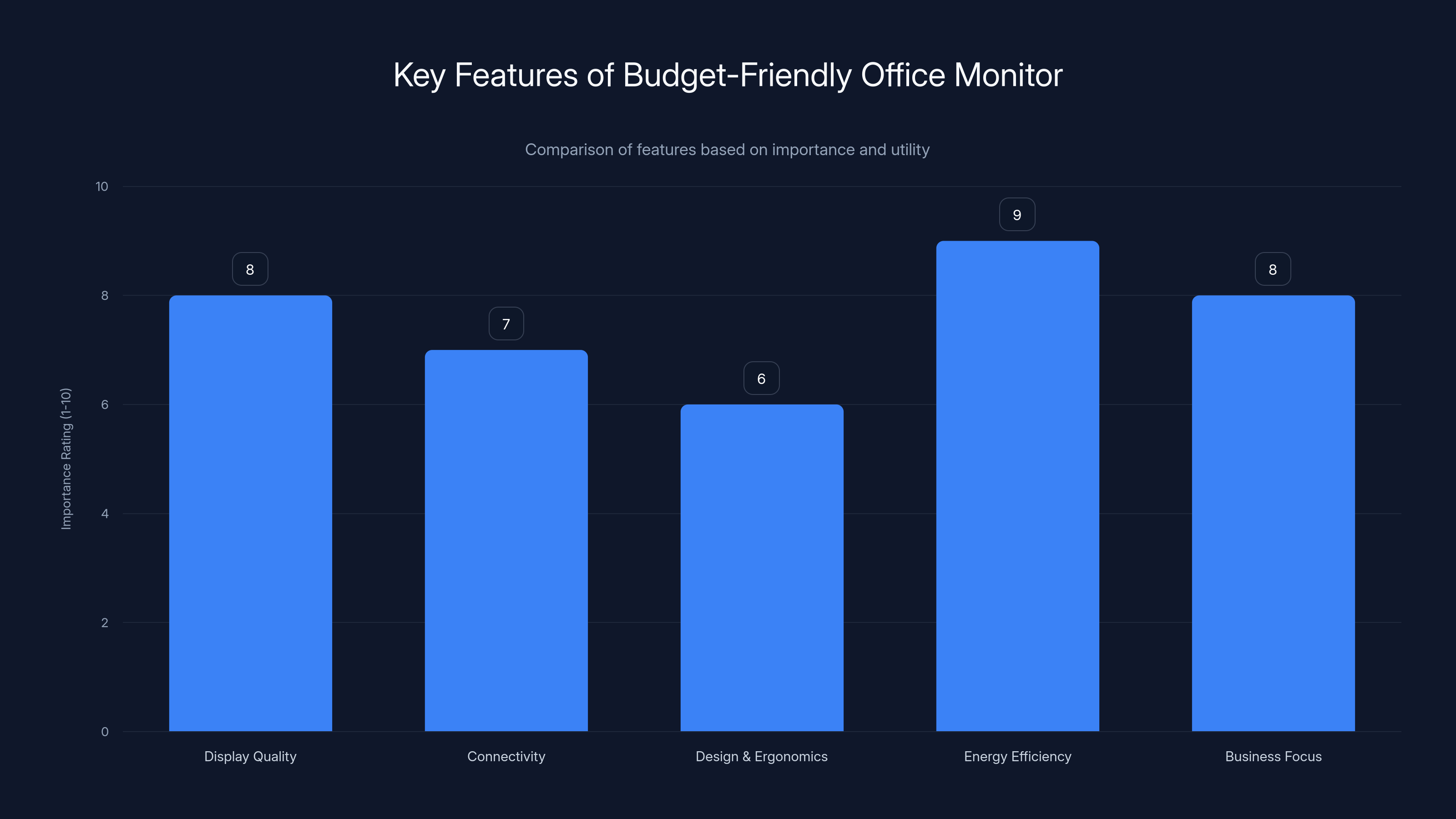
This bar chart estimates the importance of various features of a budget-friendly office monitor, highlighting energy efficiency and display quality as top priorities. Estimated data.
Energy Efficiency and Environmental Impact
The Dell 27 Plus S2725HSM is designed with energy efficiency in mind. It's ENERGY STAR certified, ensuring it consumes minimal power, which is beneficial for both the environment and your utility bill.
Green Credentials
- ENERGY STAR Certified
- Power Consumption: Less than 20W during typical use
- Recyclable Packaging: Dell uses eco-friendly materials for packaging
Reducing energy consumption is crucial in large office setups, where multiple monitors can significantly impact overall electricity use.
Real-World Use Cases
The Dell 27 Plus S2725HSM shines in various business scenarios, from general office tasks to specific industry applications.
General Office Use
For tasks involving word processing, spreadsheets, and email management, this monitor offers a reliable and comfortable viewing experience. Its Full HD resolution ensures text clarity, crucial for reducing eye strain during long work hours.
Remote Work
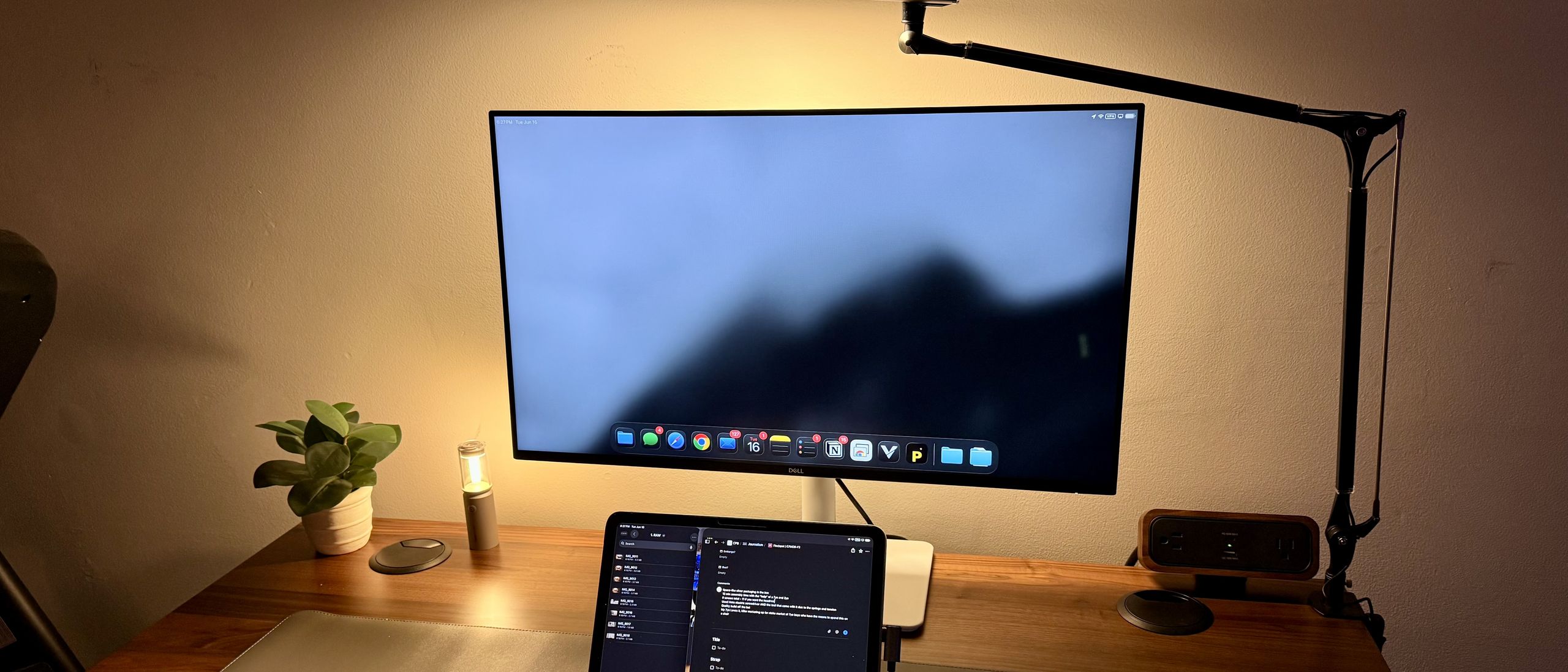
With more companies embracing remote work, having a dependable monitor at home is essential. The Dell 27 Plus S2725HSM provides the necessary screen real estate for multitasking with multiple windows.
Industry-Specific Applications
For industries like finance, where data visualization is key, the wide viewing angles of the IPS panel allow for effective collaboration when discussing numbers and charts.
Common Pitfalls and Solutions
While the Dell 27 Plus S2725HSM is a strong contender in its category, users should be aware of a few limitations.
Limited Adjustability
The stand's lack of height adjustment might be a drawback for some users. However, this can be addressed by using a VESA mount for better positioning.
Color Calibration
Out of the box, the color settings might not be perfect for all users. A quick calibration using software tools or built-in monitor settings can vastly improve color accuracy.
Future Trends in Business Monitors
As technology evolves, so do the expectations from business monitors. Here are some trends that may impact future models like the Dell 27 Plus S2725HSM.
Increasing Resolution Standards
While 1080p is sufficient for most office tasks, higher resolutions like 1440p and 4K are becoming more common, offering even greater clarity for detailed work.
Enhanced Ergonomics
Future monitors will likely offer more advanced ergonomic features, including height, pivot, and swivel adjustments, catering to a wider range of user preferences.
Integration with Smart Office Solutions
Business monitors are increasingly integrating with smart office ecosystems, allowing for more seamless interaction with other devices and improved productivity through automation.
Recommendations for Buyers
When considering the Dell 27 Plus S2725HSM, evaluate your specific needs and workspace setup. Here are some tips to make the most of your purchase:
- Assess Your Workspace: Ensure the monitor's size and stand adjustability fit your desk and ergonomic needs.
- Consider Future Proofing: While this monitor is a great entry-level choice, consider higher resolution models if your work demands extensive visual detail.
- Leverage Warranty and Support: Dell offers reliable customer support, which can be a valuable resource if issues arise.
Conclusion
The Dell 27 Plus S2725HSM is a testament to the fact that simplicity and functionality can coexist beautifully. It's a monitor that delivers on its promises without unnecessary frills, making it an excellent choice for businesses seeking reliable, cost-effective display solutions.
Whether you're outfitting an office or setting up a home workspace, this monitor stands out as a practical option designed to meet the demands of modern work environments.
FAQ
What is the resolution of the Dell 27 Plus S2725HSM?
The Dell 27 Plus S2725HSM features a Full HD resolution of 1920x1080, offering clear and crisp visuals suitable for most office tasks.
Does the Dell 27 Plus S2725HSM support VESA mounting?
Yes, this monitor supports VESA mounting with a 100x100mm pattern, allowing for greater flexibility in positioning and ergonomics.
How energy efficient is the Dell 27 Plus S2725HSM?
The monitor is ENERGY STAR certified, with power consumption typically less than 20 watts during normal use, making it environmentally friendly and cost-effective.
What are the main connectivity options for this monitor?
It offers dual HDMI ports and a VGA port, providing versatility for connecting multiple devices.
Can the Dell 27 Plus S2725HSM be used for gaming?
While it is not specifically designed for gaming, its 60 Hz refresh rate and Full HD resolution make it capable of handling casual gaming sessions.
What is the warranty period for the Dell 27 Plus S2725HSM?
Dell usually offers a standard 3-year warranty on monitors, including the Dell 27 Plus S2725HSM, covering defects and service issues.
Key Takeaways
- The Dell 27 Plus S2725HSM is an affordable, reliable business monitor with a 1080p IPS display.
- Equipped with dual HDMI and VGA ports, it offers versatile connectivity options.
- The monitor's energy efficiency is ideal for reducing operating costs in large offices.
- Lacks advanced ergonomic features but supports VESA mounting for flexibility.
- Future trends suggest a shift towards higher resolutions and smart office integrations.
Related Articles
- The Ultimate Guide to Keyboards for Number Pad Enthusiasts [2025]
- Top 5 Essential Business Travel Gadgets for Seamless Remote Work [2025]
- Transform Your Laptop into a Multi-Display Powerhouse with a Folding Triple-Screen Monitor [2025]
- Revolutionizing Scrolling: The Rotary Mouse Review [2025]
- The Portable Monitor Hub: Real-World Performance Unveiled [2025]
- The Busy Bar: A Modern Solution for Uninterrupted Focus [2025]


