
![Best iPad Cases 2026: Protection Without Compromise [2026]](https://tryrunable.com/blog/best-ipad-cases-2026-protection-without-compromise-2026/image-1-1767090989285.jpg)
Best iPad Cases 2026: Protection Without Compromise
Your iPad is an investment. Whether you're using it for work, creative projects, or casual browsing, dropping it once is all it takes to turn a $329 device into a very expensive paperweight. But here's what most people get wrong about iPad cases: buying the cheapest option isn't actually saving you money, and buying the most protective option means hauling around something that weighs more than a paperback book.
The sweet spot exists somewhere in the middle, and finding it depends entirely on how you actually use your iPad. Are you a coffee-shop sketcher who needs to protect your Apple Pencil? A road warrior who needs a keyboard? Someone whose iPad mostly stays on a desk but occasionally survives drops? Your answer matters because the "best" case for you might be completely wrong for someone else.
Over the past year, I've tested more iPad cases than I care to admit. I've dropped them, stuffed them in backpacks, used them with keyboards, and yes, occasionally watched expensive glass screens get uncomfortably close to hardwood floors. What I've learned is that the market has fragmented into clear categories, and understanding those categories helps you make the right choice without wasting money on features you'll never use.
This guide breaks down the best iPad cases for 2026 across those categories. We're talking about slim cases that barely add thickness, rugged alternatives built to survive war zones, keyboard cases that actually make you want to type, and everything in between. I've included specific pricing, real-world durability information, and honest assessments of which cases deliver actual value and which ones rely on hype.
The goal? You'll finish this guide knowing exactly which case matches your lifestyle, not just your iPad model.
TL; DR
- Best Overall Protection: ProCase iPad cases combine $13-25 pricing with magnetic closures and Apple Pencil compatibility
- Best Premium Option: OtterBox Symmetry 360 Elite adds clear scratch-resistant backs and edge protection without significant weight penalty
- Most Durable Choice: OtterBox Defender Series passes 24+ drop and shock tests with built-in screen protection, worth the bulk
- Best Keyboard Case: Apple Magic Keyboard offers 90-130 degree adjustability but costs $300-350, making it a major investment
- Best Budget Keyboard: Logitech Combo Touch delivers keyboard functionality at roughly 50% the cost of Apple's option

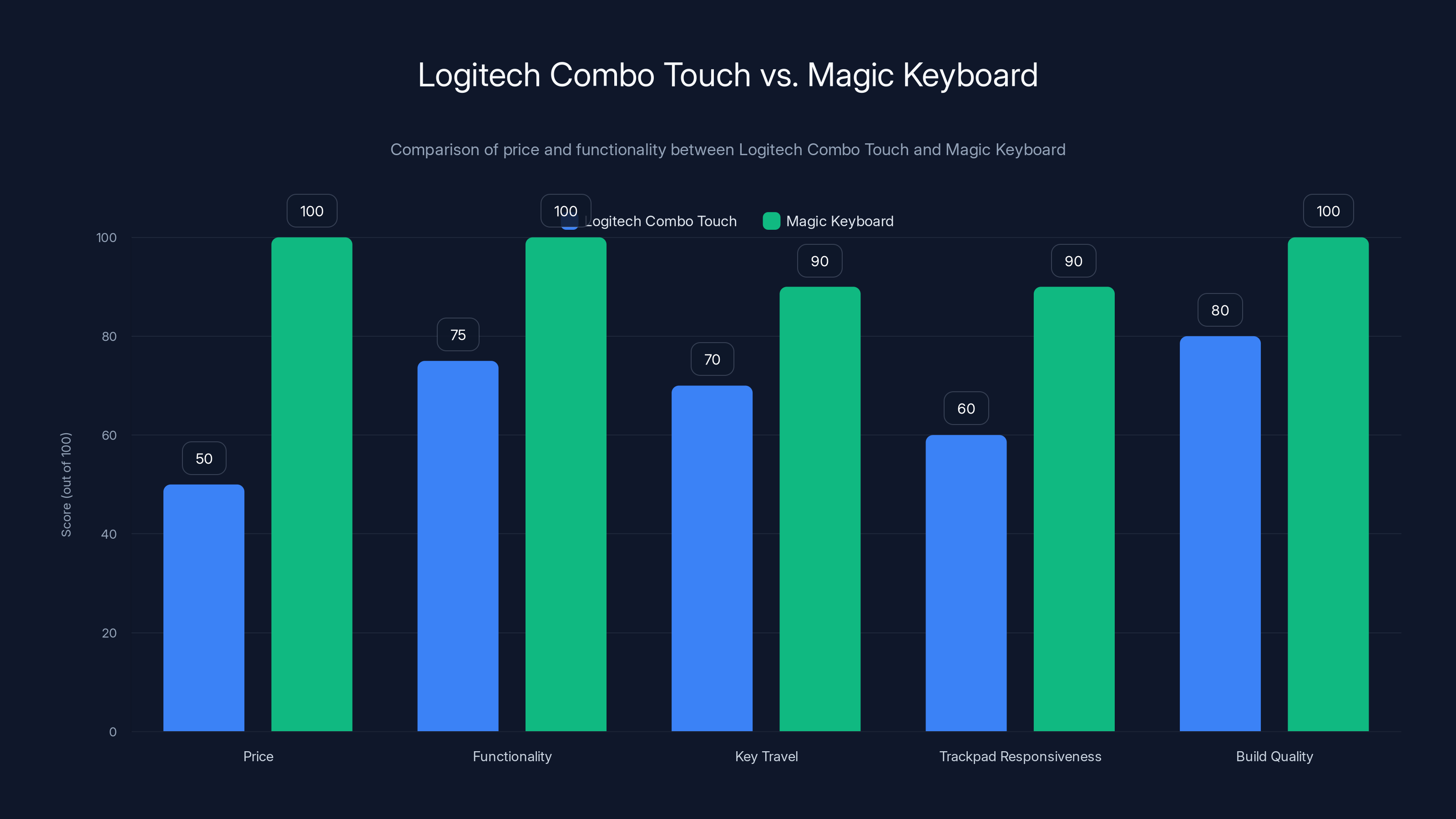
The Logitech Combo Touch offers 75% of the functionality of the Magic Keyboard at half the price, making it a cost-effective alternative. Estimated data.
Understanding iPad Case Categories: What Actually Matters
Walk into any electronics store (or spend five minutes scrolling online) and you'll see iPad cases everywhere. The sheer variety feels overwhelming until you understand the fundamental categories. Each category solves different problems, and most of them weren't invented by marketing teams trying to upsell you.
Slim folio cases are designed for people who want minimal added bulk. These are typically thin plastic shells with a front cover that flips down. They're lightweight, they don't make your iPad feel fundamentally different, and they protect against dust and minor scratches. The tradeoff? If you drop it, you're praying the impact doesn't hit a corner.
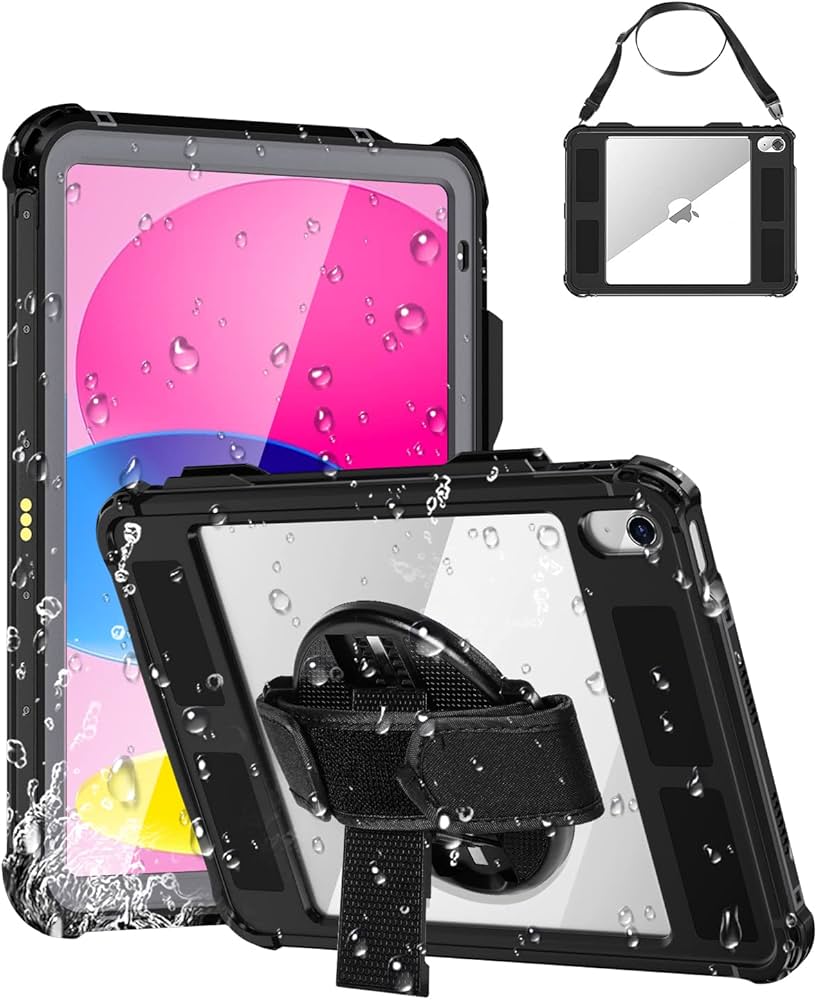
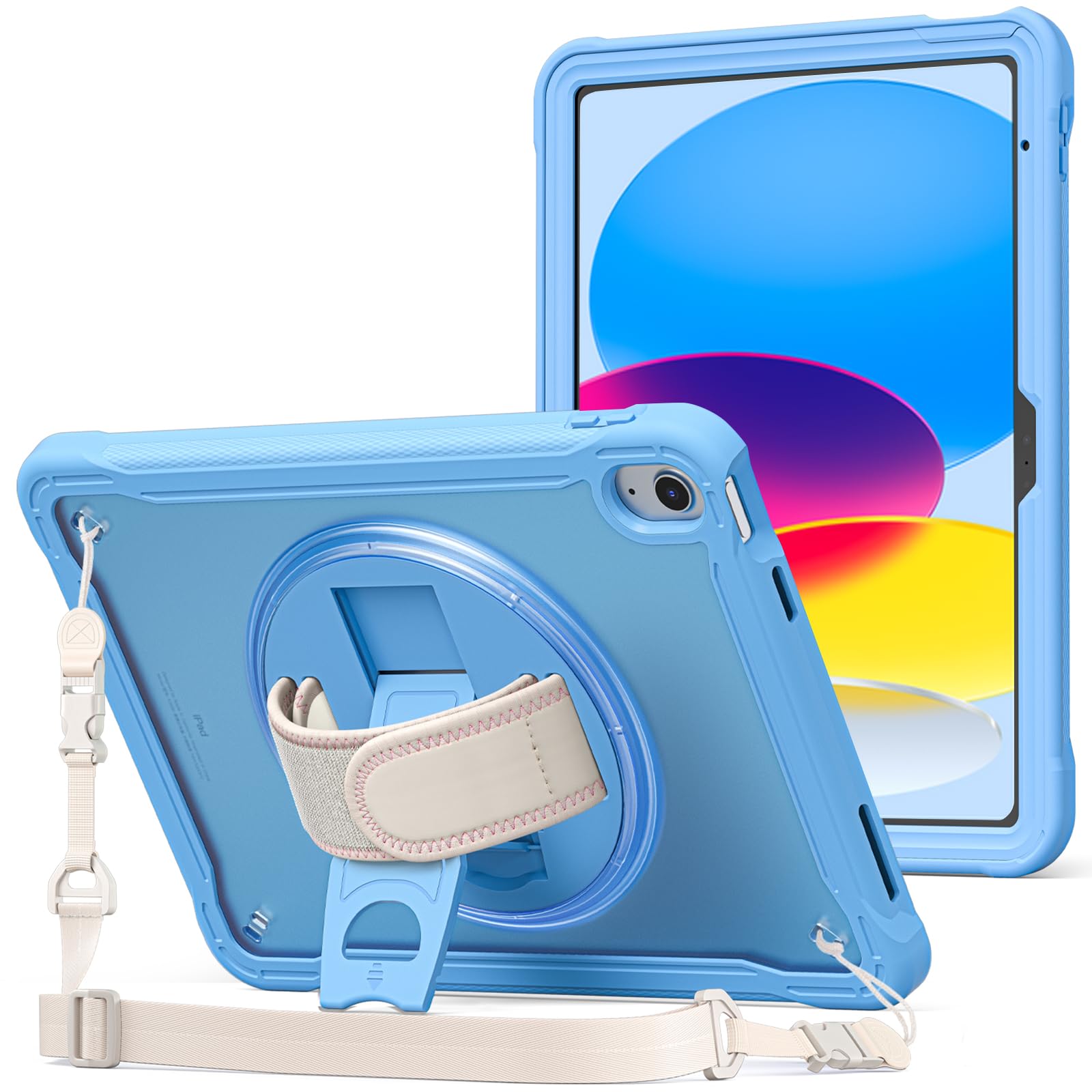
Rugged cases exist for people who work in actual harsh environments or just have unreasonably slippery hands. These cases are thicker, heavier, and built with reinforced corners, shock-absorbing materials, and sometimes even screen protectors. They're not elegant, and they make your iPad feel like you're carrying a tank, but they actually earn their price tag when your iPad survives a five-foot drop without a scratch.
Keyboard cases are a category of their own because they fundamentally change what your iPad can do. Some people use these exclusively because they convert their iPad into something resembling a laptop. Others never use them because they're another thing to carry and charge. The value proposition depends entirely on whether you actually type on your iPad regularly.
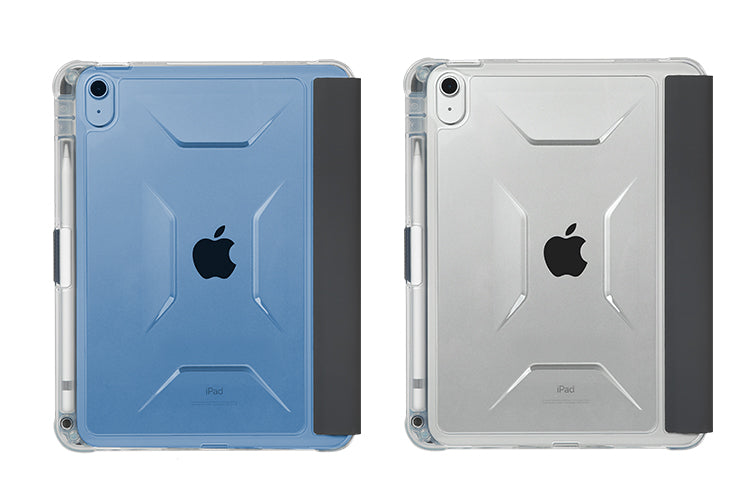
Minimalist cases with Apple Pencil storage are the weird middle ground that's grown increasingly popular. They provide basic protection while also solving the "where the heck did I put my stylus" problem. If you sketch or take handwritten notes, these solve a real annoyance.
The question you need to answer first is simple: which category matches your actual use case? Not the use case you think sounds cool, but the one that describes how you actually interact with your iPad most of the time.
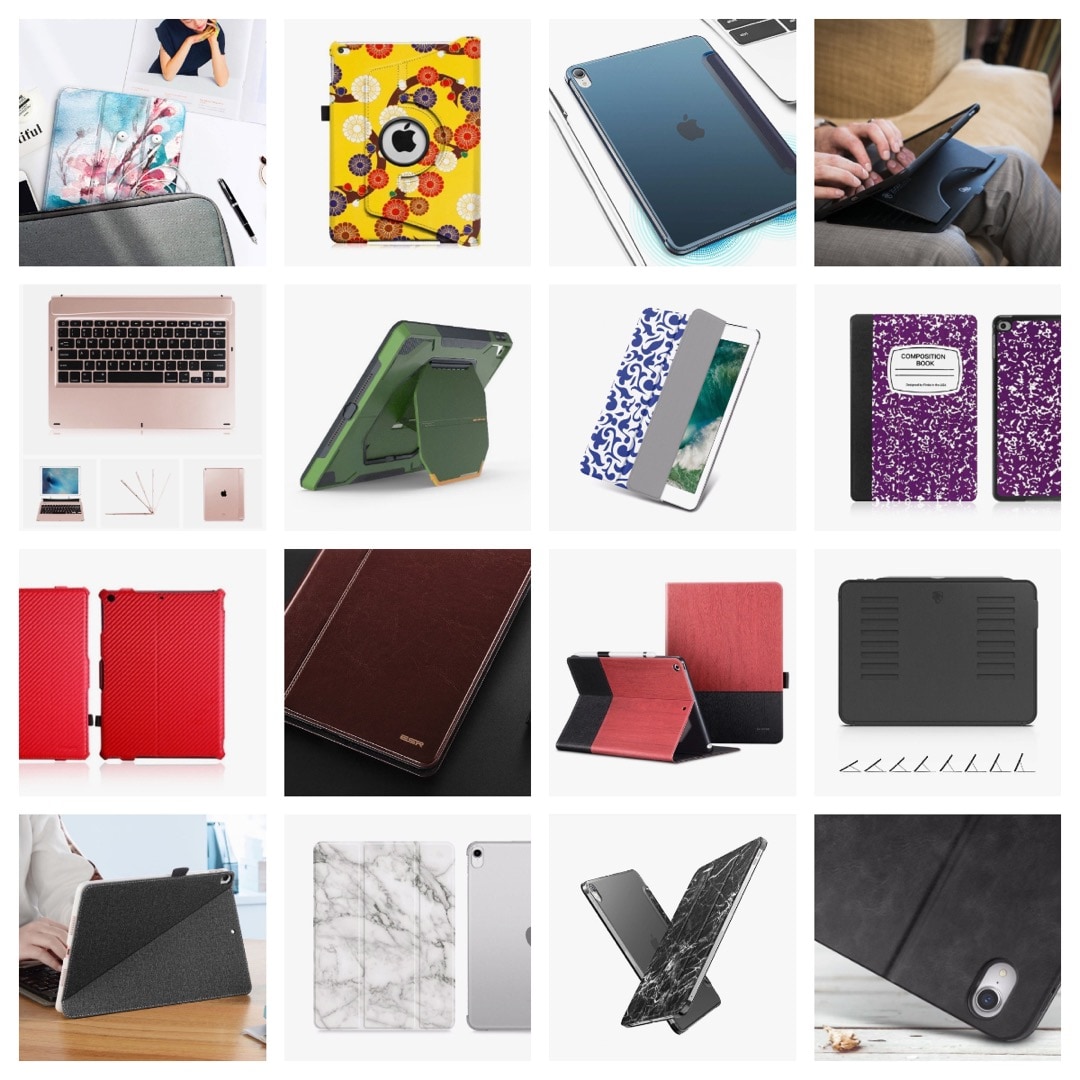
The ProCase iPad Case: Budget-Friendly Protection That Actually Works
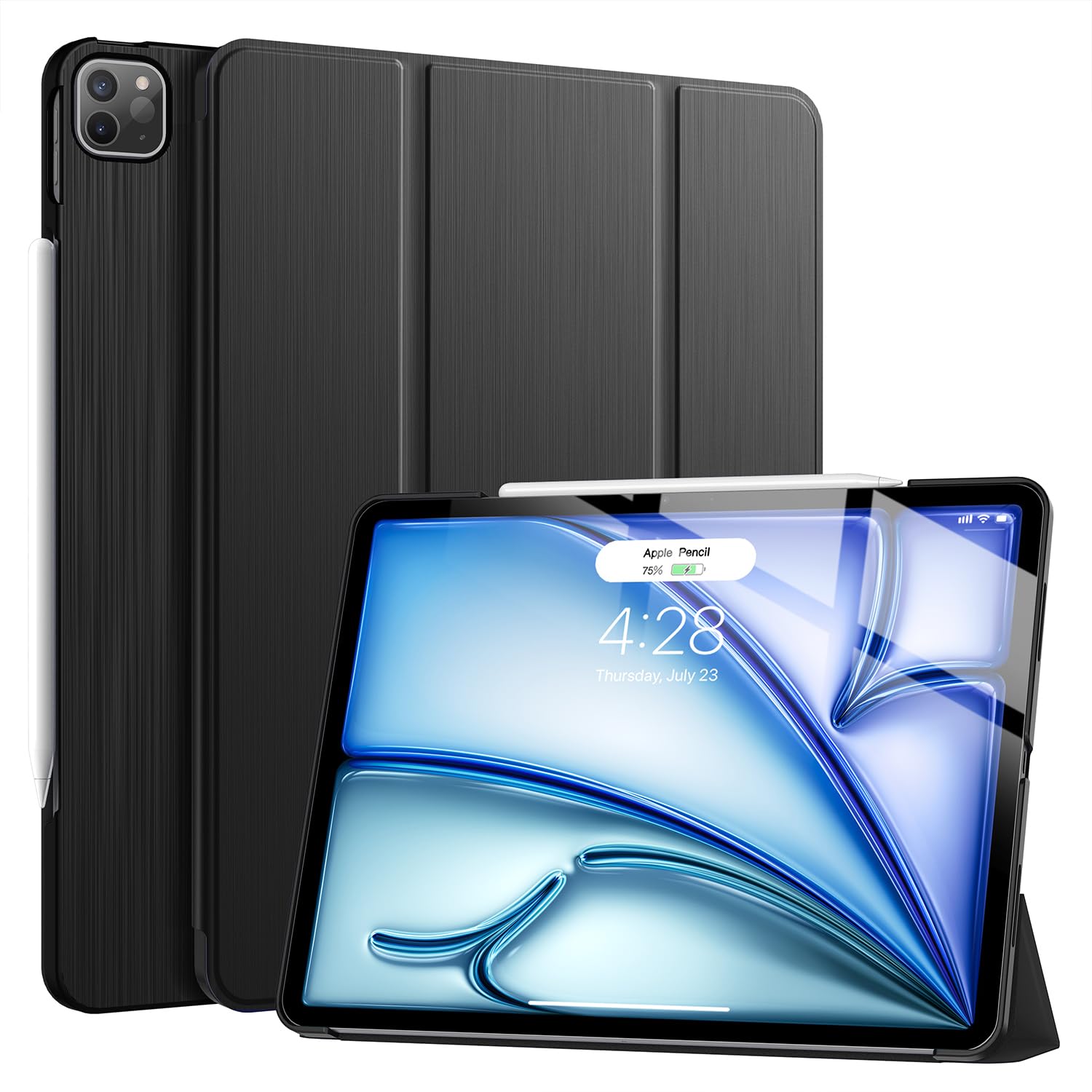
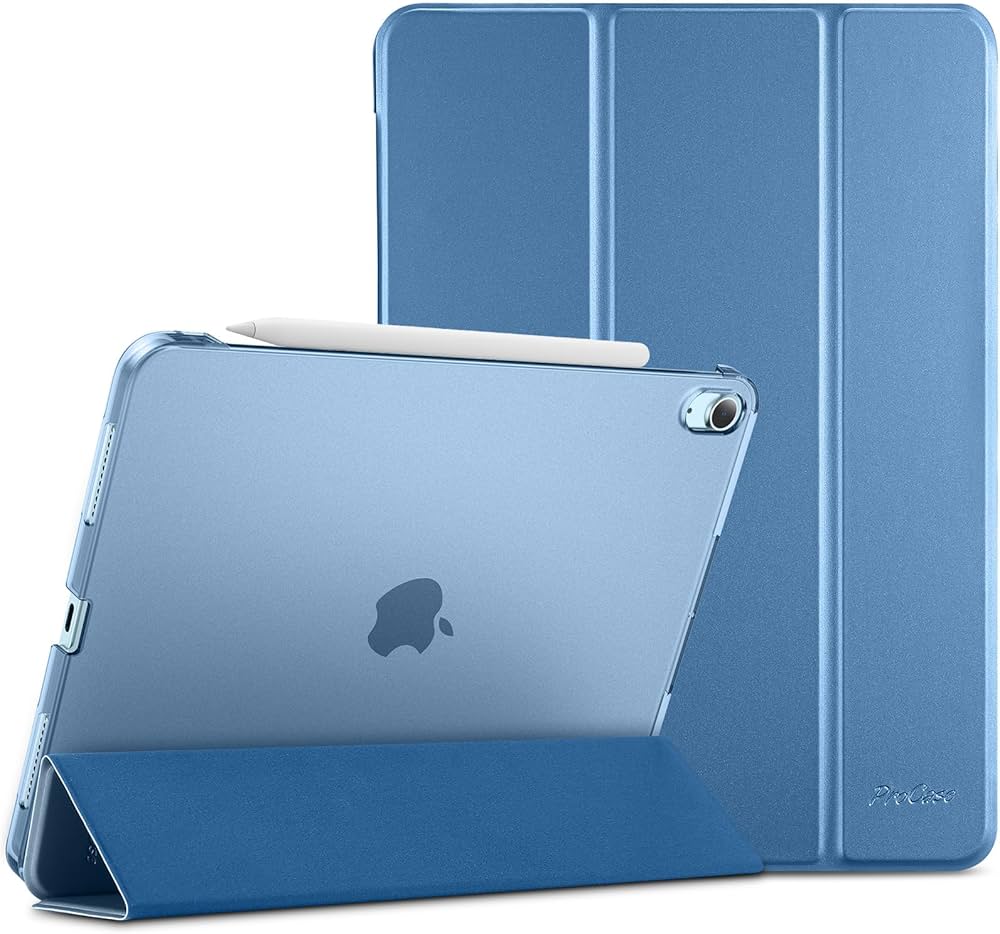
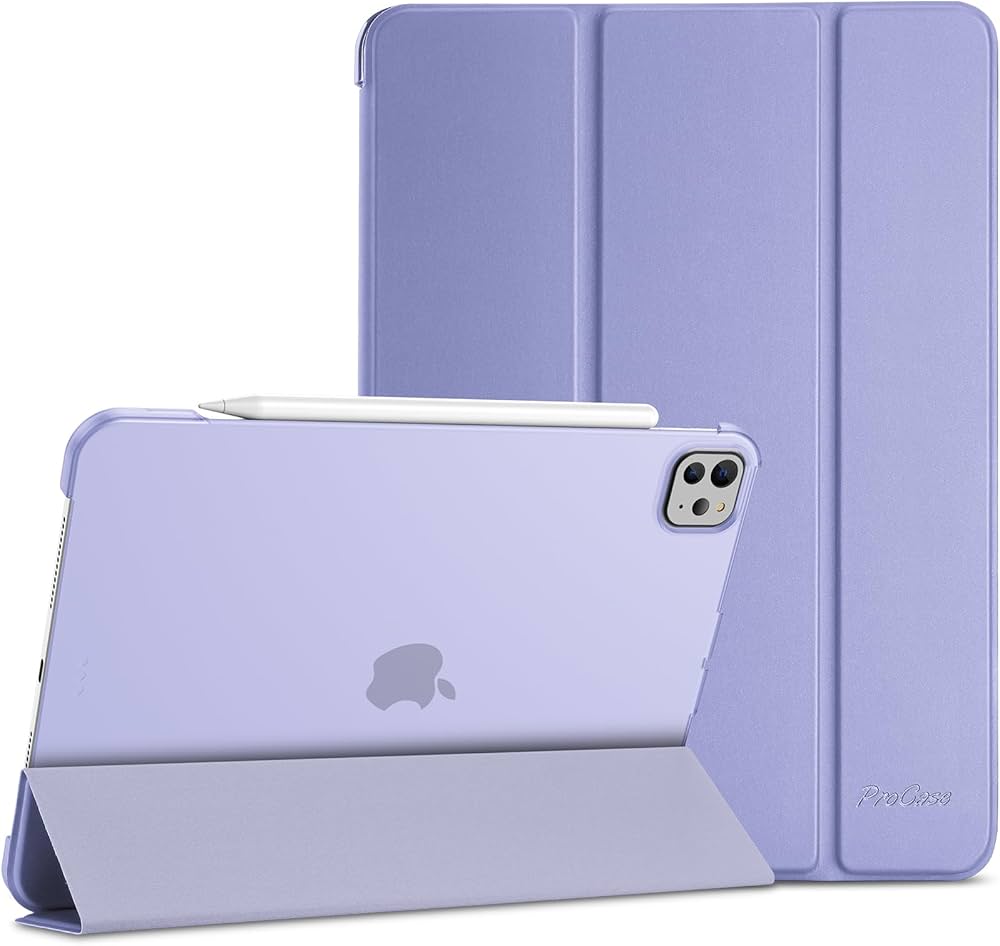
Let's start with the obvious choice for most people: ProCase makes some of the best-value iPad cases on the market, and I say that without any hesitation. Their most popular design, the Thin Hard Protective Smart Folio, costs between
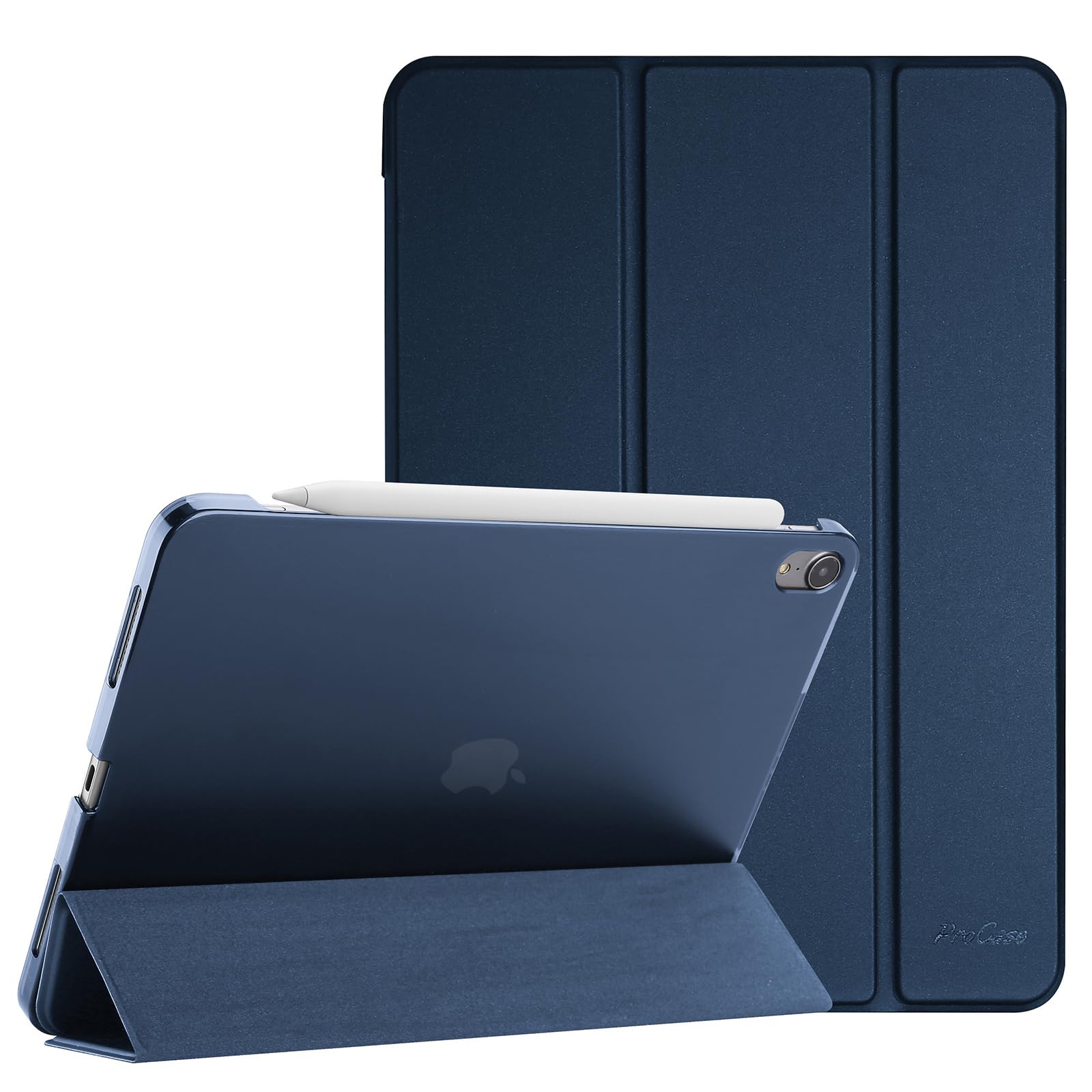
At that price point, your expectations might be low. Cheap cases often feel flimsy, with plastic that cracks if you look at it wrong and zippers that give up after three months. ProCase is different. The case uses a thin but surprisingly rigid hard plastic shell on the back, paired with a leather-textured front flap that magnetically closes over the screen. It feels more expensive than it costs, which is the highest compliment you can give an inexpensive product.
The magnetic closure is properly calibrated, meaning it actually stays closed when you want it to but doesn't require Hulk-level strength to open. The auto sleep/wake feature works reliably with every iPad model ProCase supports. And this is important: the case leaves enough space around the edges that you can still use the iPad's speakers without them being muffled into oblivion.
For iPad models that support the second-generation Apple Pencil, ProCase has thoughtfully included a magnetic slot on the right edge where the stylus sits. It's not the most elegant solution, but it works, and it means you're not searching through your bag wondering where your $129 stylus disappeared to.
What ProCase doesn't do is provide impact protection. If you drop this case from waist height onto a hard corner, the impact goes straight to your iPad. The plastic shell on the back is more about preventing scratches and providing some torsional rigidity than absorbing shock. If durability in drop scenarios is a priority, you need to look elsewhere.
The case comes in various color options, though the color selection varies depending on which iPad generation you're buying for. Most people gravitate toward black or gray, which makes sense because those colors hide dust better and look professional enough for work environments.
I've tested ProCase for several months now, and the only wear I've observed is minor scuffing on the plastic back from regular use in a backpack. The magnetic closure is still as strong as day one, which suggests the mechanism is robust. At this price point, that's legitimately impressive.

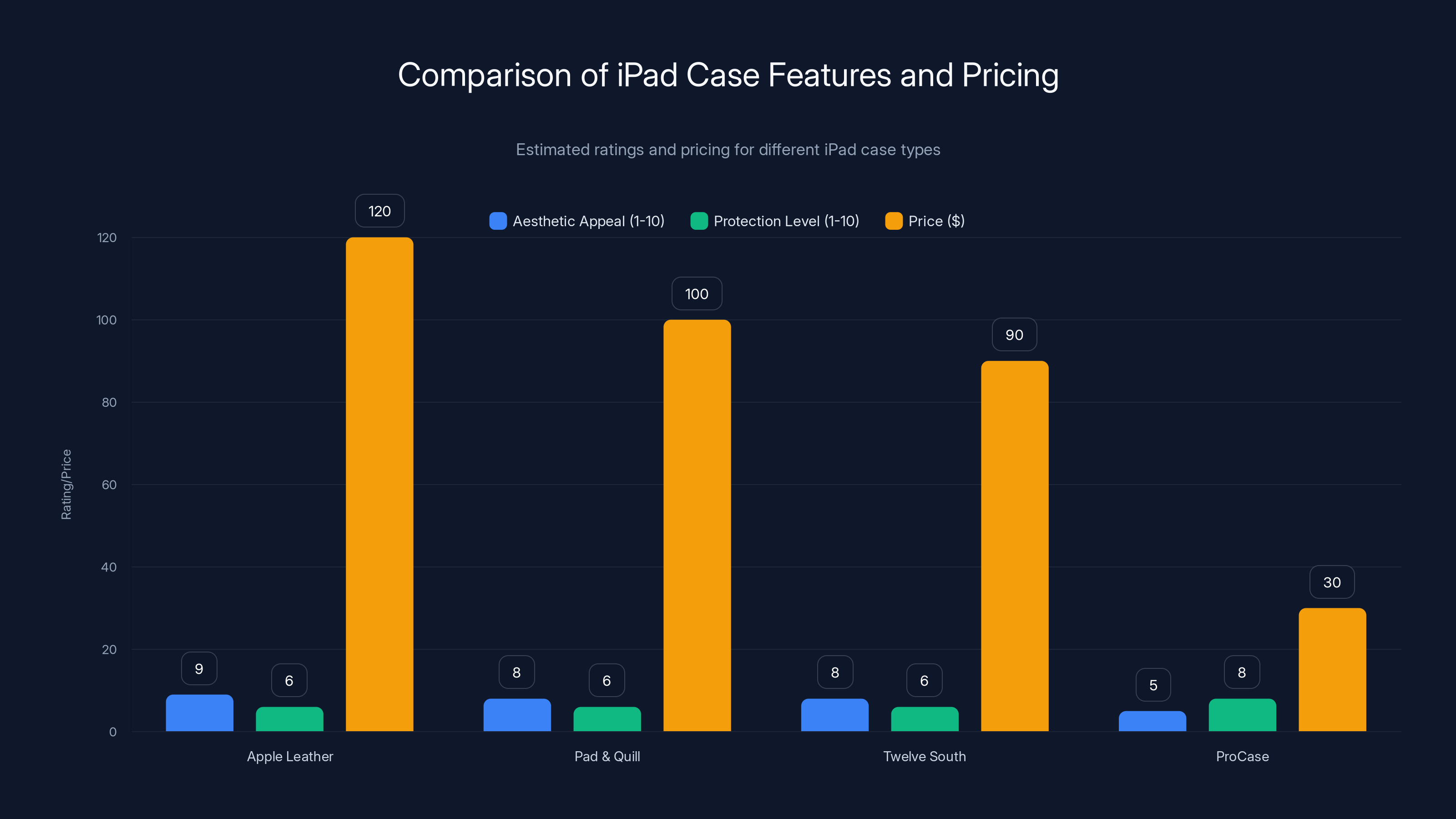
Premium leather folios offer high aesthetic appeal but moderate protection at a higher price point compared to ProCase. Estimated data.
The OtterBox Symmetry 360 Elite: Better Design With Meaningful Protection
OtterBox built its reputation on phone cases that survive absurd durability tests. Their Symmetry 360 Elite series brings that same philosophy to tablets while somehow managing to look like they actually belong on an expensive device.
The key differentiator is the clear, scratch-resistant back panel. Most case manufacturers just encase the back in solid plastic or fabric, which either looks boring or adds unnecessary weight. OtterBox's transparent design shows off the iPad's aluminum and glass back while still providing protection. The back panel is genuinely scratch-resistant, and after months of use, I haven't spotted a single mark where I would have expected them with other cases.
The edge protection is what pushes Symmetry cases into the worthwhile category. The sides and corners get thicker reinforcement than most slim cases, using what OtterBox calls "elevated edge design." In practical terms, this means that if your iPad takes a tumble and lands corner-first on a hardwood floor, there's actually material there to absorb the impact before the screen does.
OtterBox added a clever detail with the front cover: an extra flap that secures the main cover closed, preventing that annoying scenario where your case falls open in your bag and the screen flap dangles uselessly. For Apple Pencil users, there's a dedicated slot on the front cover for second-generation styluses, which is more convenient than ProCase's edge slot.
The Symmetry 360 comes in multiple colorways, and the clear back means you can actually see different color patterns and finishes through the case. Some people love this; others find it aesthetically distracting. Worth considering before you buy.
Weighting matters too. Symmetry cases are heavier than ProCase, but not by a dramatic amount. We're talking maybe an extra 2-3 ounces, which you'll notice when you first pick up the case but which disappears into background awareness after a few hours of use.
The only real limitation is that Symmetry isn't offering the same level of shock protection as OtterBox's Defender series. If you work in construction or just have a documented history of dropping things, you need to consider that trade-off. For office workers and general consumers, the Symmetry strikes a solid balance between protection and practicality.

The OtterBox Defender Series: Maximum Protection for Maximum Risk-Takers
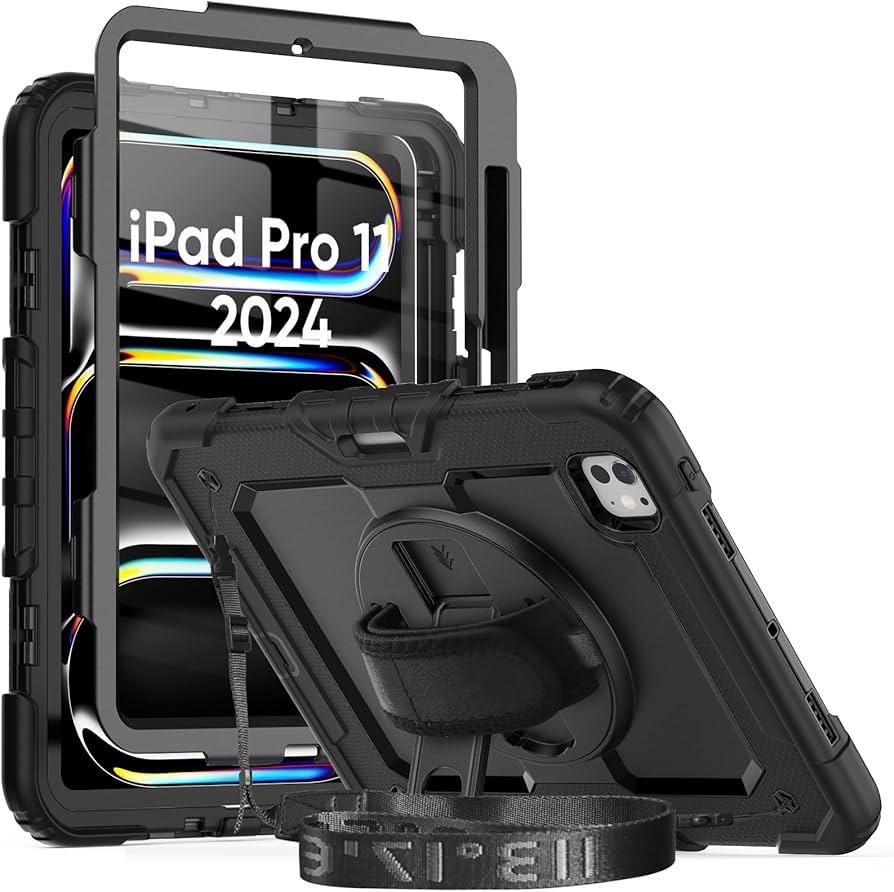
If your iPad's main job is surviving impacts, the OtterBox Defender series isn't just a case, it's insurance. These are the tank cases, the ones that look military-grade because they actually are, in spirit if not in literal specification.
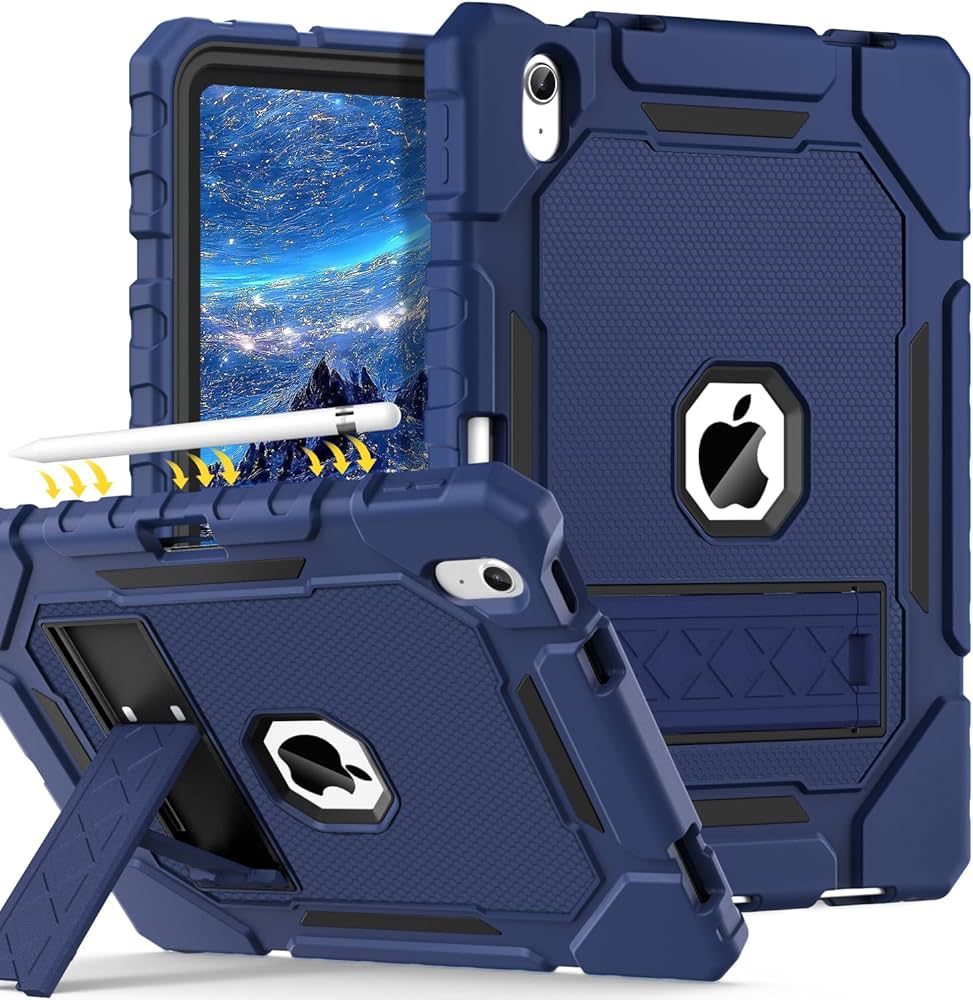
Let's start with the durability claims: OtterBox reports that Defender cases have passed more than 24 shock, abrasion, and drop tests. That's not marketing hyperbole if you've actually looked at the drop tests themselves. They're dropping tablets from five, six, and sometimes seven feet onto concrete, tile, and hardwood. The fact that devices survive with intact screens is genuinely impressive.
The design is unapologetically bulky. The case wraps around edges in multiple layers of different materials, combining rubber shock absorption with hard plastic impact resistance. There's a built-in screen protector that covers the display edge-to-edge, which eliminates the risk of screen damage from corner impacts. The single port on modern iPads gets its own protective cover, so water and dust can't compromise charging functionality.
What makes Defender cases work in real-world scenarios is the philosophy behind their design. Instead of trying to make the case look sleek while protecting the tablet, Defender accepts that protection requires bulk and designs accordingly. The Shield Stand, which you can detach and reposition, becomes genuinely useful. You get multiple viewing angles without fiddling with the case.
The weight penalty is real. A Defender case adds probably 12-16 ounces depending on iPad size, which changes how the device feels in your hands. This matters if you're using your iPad for extended periods while holding it. If your iPad mostly sits on a desk or in a bag, the weight becomes irrelevant.
Using a Defender case means accepting that your beautiful iPad is now wrapped in impact-absorbing materials that look industrial. Some people are fine with this. Others, who prioritize aesthetics, will find the visual compromise too steep. There's no wrong answer; it's entirely about what matters to you.
The price point is higher than Symmetry cases, which makes sense given the complexity of the design and the materials involved. But if you need serious protection and don't want to worry about your iPad's survival, Defender cases actually justify their cost.
Apple's Magic Keyboard: The Luxury Productivity Choice
Apple's Magic Keyboard for iPad Pro is the keyboard case equivalent of buying the expensive version of something just because it has an Apple logo. Except, and this is important, it actually justifies the premium in most scenarios.
Let's acknowledge the elephant in the room immediately: the price is astronomical. The Magic Keyboard costs
What you're paying for is execution. The iPad attaches magnetically and hovers above the keyboard, creating actual space between the device and the keys. This means air circulation so your iPad doesn't thermal throttle during heavy use, and it means the keyboard doesn't interfere with the tablet's cameras or touch sensors.
The adjustability is excellent, with support for angles from 90 to 130 degrees. In practice, this means you can configure the iPad for typing, watching videos, standing presentations, or sketching with Apple Pencil. Each angle feels intentional and stable. You won't accidentally drop your iPad or worry the stand is going to collapse.
The keyboard itself is brilliant. Apple's scissor-switch mechanism provides excellent tactile feedback and quiet key operation. Coming from mechanical keyboards, I'd normally find these shallow switches unsatisfying, but there's something about the Magic Keyboard that makes typing feel natural and effortless. The trackpad is genuinely large enough for multitouch gestures, and the glass surface is smooth enough that your fingers glide without friction.
The critical limitation is drop protection. The edges don't wrap around the iPad, which means if you drop it, you're hoping the impact comes on the back or screen rather than the edges. This is a genuine concern if you're clumsy or work in an environment where falls are probable rather than just possible.
The charging situation is elegant in theory and occasionally annoying in practice. The Magic Keyboard connects via USB-C pass-through, which lets your iPad charge while connected to the keyboard. In theory, this is great. In reality, it means you need to position the whole setup with the charging port accessible, which isn't always convenient depending on your workspace.
For iPad Pro users who spend significant time typing, the Magic Keyboard makes sense. The productivity gains from having a proper keyboard and trackpad are real. For casual iPad users or people using regular iPad models (the Magic Keyboard only works with iPad Pro), the price becomes harder to justify.
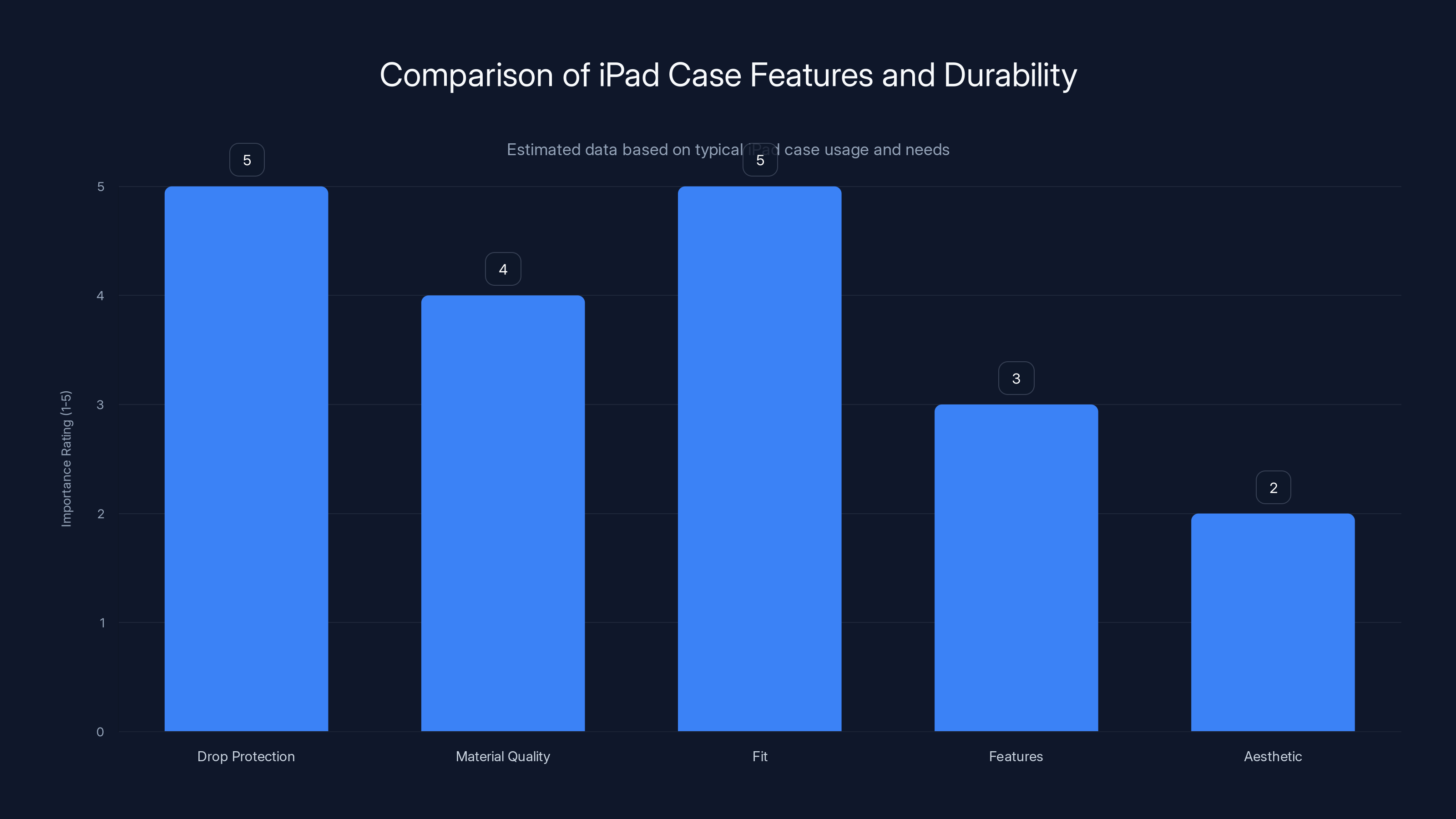
Drop protection and proper fit are the most critical features for iPad cases, rated highest in importance. Estimated data based on typical user priorities.
The Logitech Combo Touch: Keyboard Functionality Without the Luxury Price
If Magic Keyboard pricing made your eyes water, Logitech's Combo Touch is the alternative that doesn't require selling a kidney. This keyboard case costs roughly 50% less than Apple's option while delivering 75% of the functionality, which is actually a pretty good trade-off in the real world.
Logitech designed the Combo Touch with flexibility as the priority. The keyboard detaches from the case, which means you can use the case as a standard folio when you don't need keys, and you can use just the keyboard separately if you want to position your iPad at a specific angle for sketching or video watching. This flexibility matters more than it sounds.
The kickstand on the case provides decent adjustment without the smooth engineering of the Magic Keyboard. You get a couple of discrete positions rather than continuous angle adjustment, but the positions are actually useful for most scenarios. The stand holds the iPad steady enough for typing.
The keyboard itself is small and shallow, which is both its strength and weakness. The shallow key travel means less impact noise and faster actuation, which is great in quiet libraries or offices where aggressive typing sounds annoying. It also means you might take a few days to adjust if you're coming from a full-size keyboard. The trackpad is serviceable but noticeably smaller and less responsive than the Magic Keyboard.
Key travel aside, typing on the Combo Touch is legitimately comfortable for extended sessions. I've written entire articles on this keyboard without developing hand fatigue. The key spacing is standard, so muscle memory from other keyboards transfers immediately.
The build quality is respectable without being premium. After several months of daily use, my Combo Touch shows minimal wear. The keys haven't developed that sticky feeling that kills cheaper keyboards, and the fabric covering the case hasn't started peeling or degrading. You're not getting Magic Keyboard durability, but you're getting significantly better quality than the $100-150 price would suggest.
The main consideration is compatibility. Logitech makes different versions for different iPad models, and you need to verify which one matches your device before ordering. The product listings are clear, but mistakes happen. Double-check the part number before buying.
If you spend 30% of your iPad time typing and 70% consuming content or sketching, the Combo Touch delivers better overall value than the Magic Keyboard. If your ratio flips and you're typing 70% of the time, the Magic Keyboard's superior keyboard and trackpad might justify the extra cost.
Minimalist Cases with Apple Pencil Storage: Solving the Stylus Problem
If you use an Apple Pencil regularly, you've experienced the profound frustration of not being able to find it. You know it's somewhere nearby, but where? Under the couch? In the bag? Did you leave it at the coffee shop yesterday?
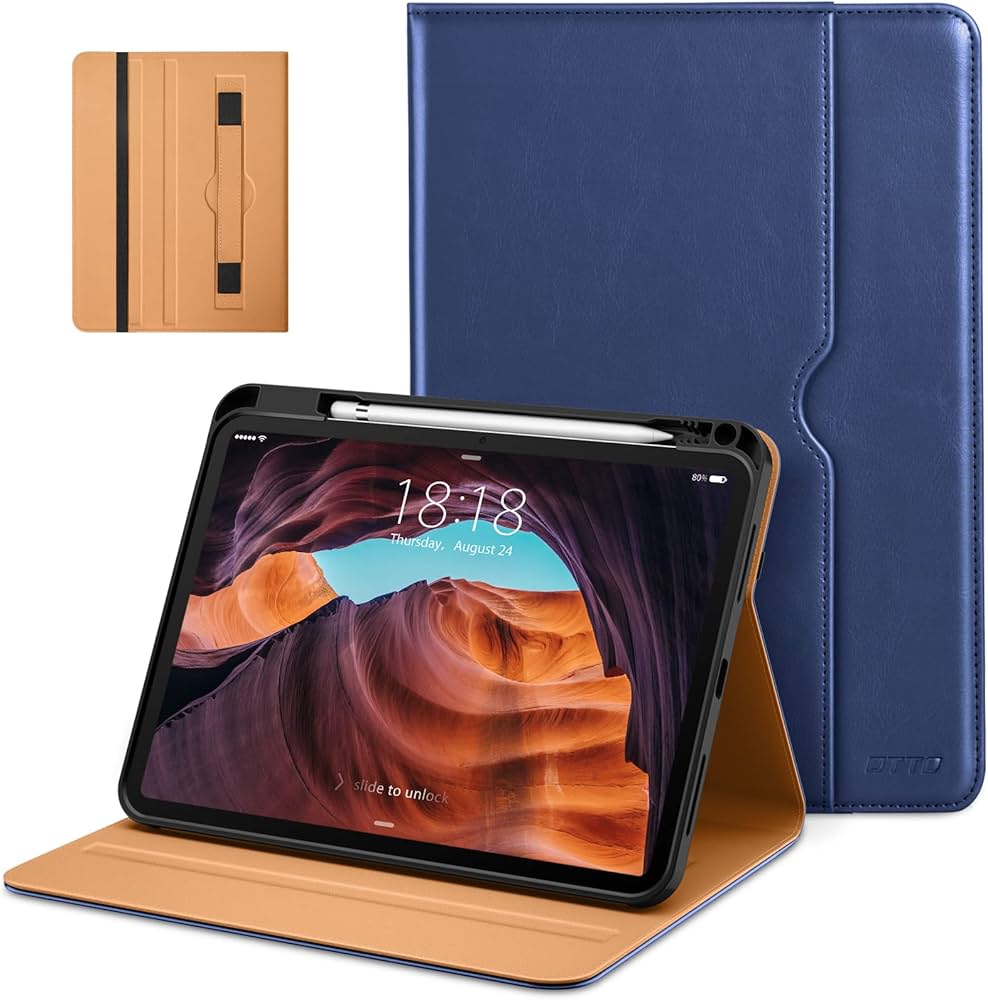
Minimalist cases with dedicated stylus storage solve this problem elegantly. Instead of generic slots that barely hold the pencil in place, these cases have thoughtful compartments designed specifically for second-generation Apple Pencils. The pencil sits securely in place, magnetically if possible, so it's always there when you need it.
The cases themselves are slim, usually thin plastic shells with a front folio cover. They don't add significant weight or bulk, which means your iPad still feels like an iPad, just with slightly better protection against drops and scratches. The design philosophy is simple: protect the device without fundamentally changing how it feels in your hands.
Brand options here include the aforementioned ProCase (which has a decent pencil slot), but also specialized options from companies like ESR and Ztotop. These latter brands have focused specifically on the artist and note-taking community, refining their pencil storage mechanisms through multiple generations.
The tradeoff is that stylus storage slots reduce the flexibility of how you hold or position the case. The slot exists in a specific location, which might not be convenient depending on how you work. Some artists prefer cases without slots, accepting the risk of losing their pencil in exchange for complete flexibility in hand positioning.
The protection level is similar to other slim cases: adequate against scratches and drops from waist height, but not inspiring confidence if you regularly drop your iPad from shoulder height onto tile floors. If protection is your priority and stylus storage is secondary, you'd be better served by cases that prioritize impact absorption over stylus convenience.
Premium Leather Folios: Aesthetics Meets Practicality
Some people buy iPad cases because they need protection. Other people buy them because they want their tablet to look like something that belongs in a Vogue photoshoot. Premium leather folios serve that second group, and they're not wrong for doing so.
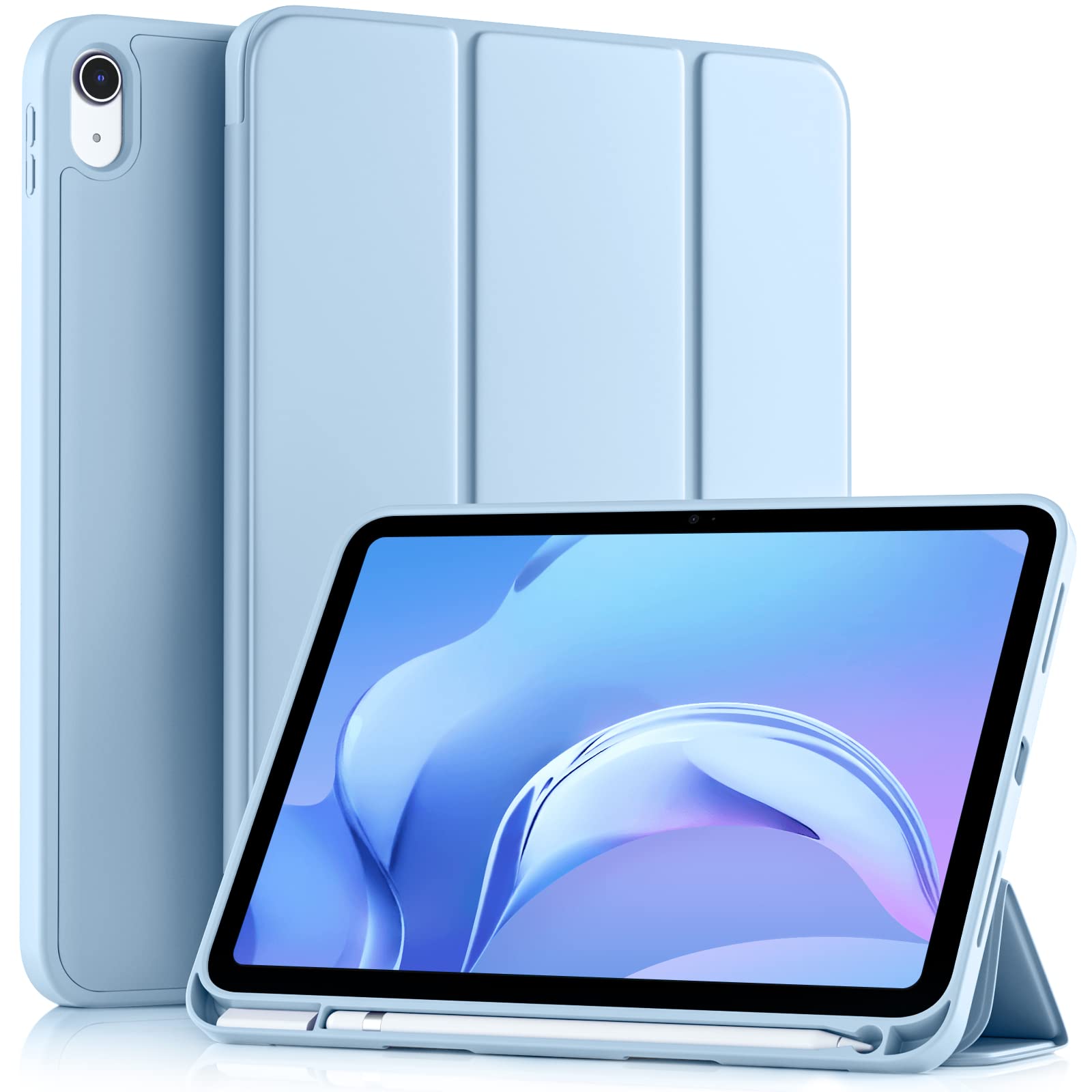
Cases from companies like Apple (yes, Apple makes leather cases), Pad & Quill, and Twelve South use genuine leather that improves with age. New, the leather is stiff and formal-looking. After months of use, it develops character, creasing in places that reflect how you actually use the device. Some people find this appealing; others think leather cases just look old and worn.
The protection is moderate. Leather is durable and resistant to scratches, and it develops a patina that hides damage. But leather doesn't absorb shock like rubber or specialized foam, so impact protection is lower than rugged cases. What you're gaining is a case that looks like something you'd expect to see in a law office or creative studio rather than a cargo pocket.
Pricing reflects the materials and construction. Leather cases typically cost
Personally, I find myself appreciating leather cases more in retrospective reflection than in the moment. They look great in photos, they feel substantial and premium, and there's something satisfying about a case that ages visibly. But if I'm being honest, ProCase provides 90% of the protective value at 20% of the cost, and that math is hard to ignore.
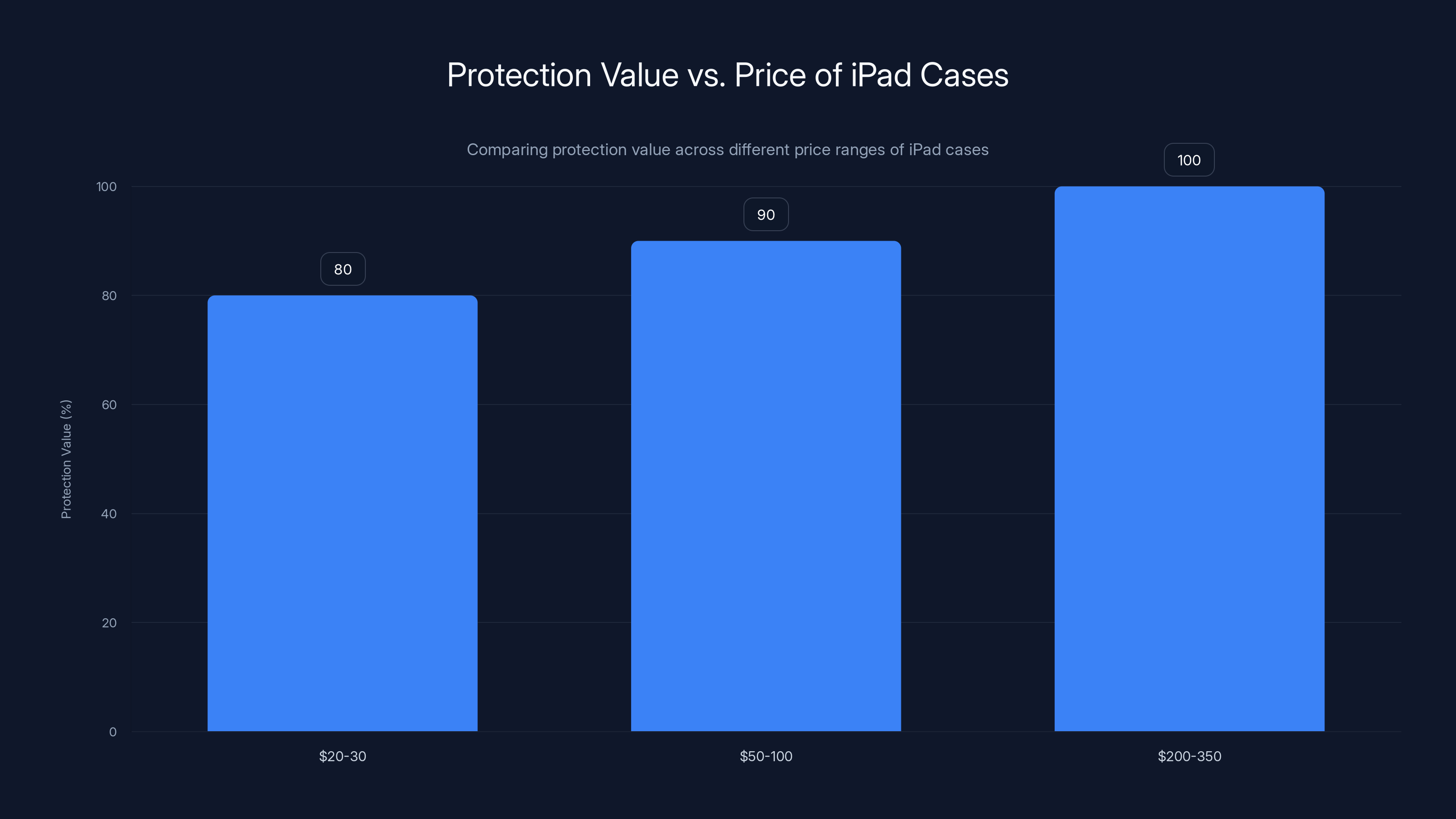
Estimated data shows that
Hybrid Cases: The Compromise Choice That Mostly Works
Between the minimalist folio cases and the tank-like rugged options, manufacturers have created a middle ground: hybrid cases. These use elements from both categories, attempting to provide serious protection without the weight and bulk of full Defender-class cases.
Hybrid cases typically feature a rigid hard plastic shell with shock-absorbing rubber corners and edges. The front cover is often fabric or leather, balancing protection with aesthetics. The goal is to create something that looks reasonably professional while actually protecting your iPad from falls and impacts.
The execution varies wildly. Some hybrid cases nail the balance. Others feel like they're trying too hard to be everything, resulting in devices that are heavier than pure slim cases but less protective than dedicated rugged options.
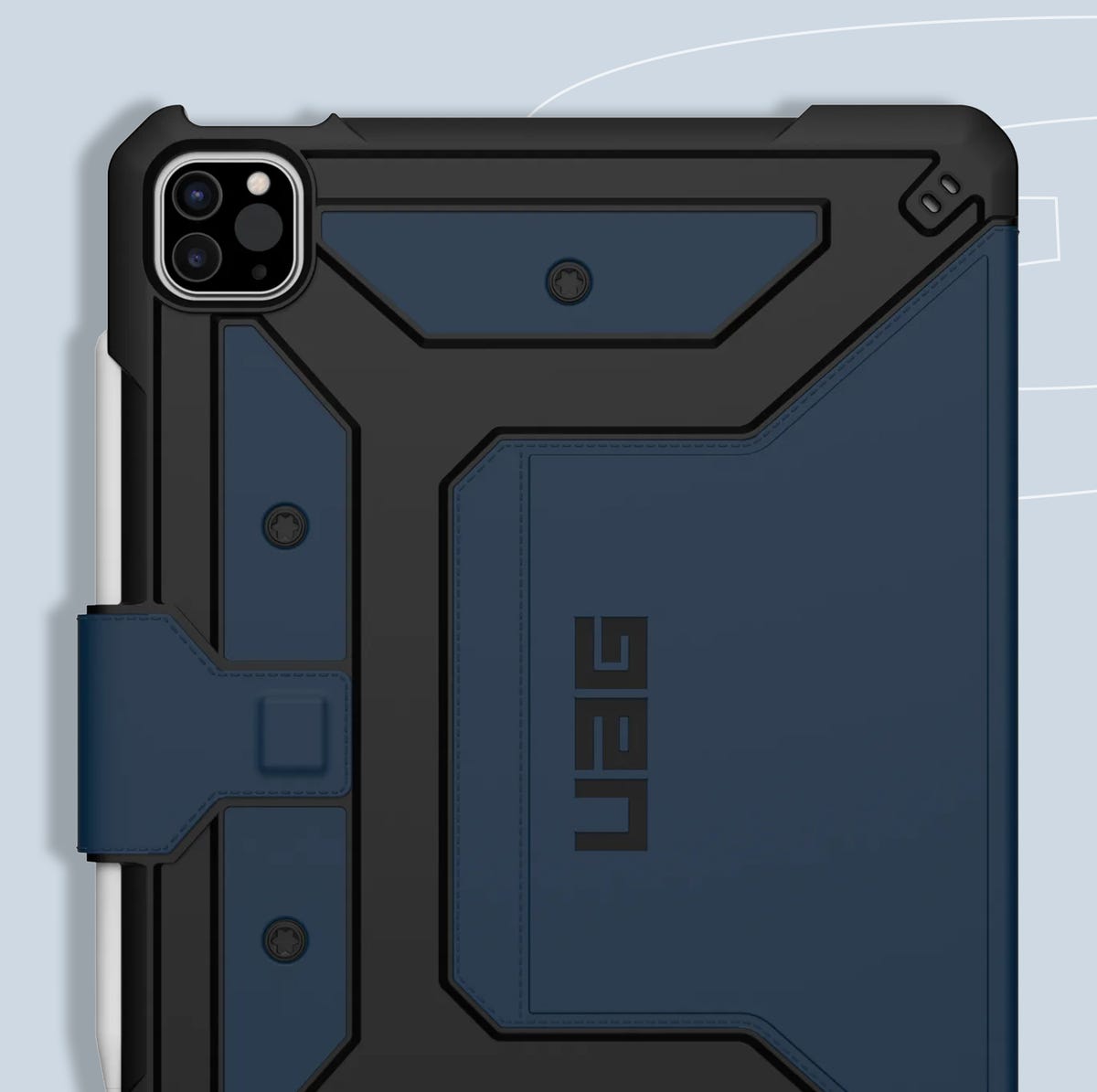
Companies like Spigen and Urban Armor Gear make solid hybrid options in the $30-50 range. You're getting measurable protection improvement over slim cases without the Defender weight penalty. If your use case involves both aesthetics and concern about drops, hybrids are worth exploring.
The limitation is that hybrids never excel in either category. They're neither as light as slim cases nor as protective as rugged cases. They're middle-ground solutions, which makes them appropriate for people whose needs are actually in the middle rather than at either extreme.
iPad Mini Cases: Unique Considerations for Smaller Devices
The iPad Mini is technically the same device category as larger iPads, but practically speaking, it demands different case consideration. The smaller form factor changes how people use the device and how they carry it, which cascades into different case requirements.
iPad Mini cases are noticeably harder to find because the market is smaller. The major case manufacturers (OtterBox, ProCase, Apple) all make Mini versions, but the selection is narrower than for standard or Pro models. You'll find fewer color options and fewer niche categories.
One unique consideration is the carrying method. iPad Mini is small enough that people actually pocket it, toss it into small bags, or carry it by hand for extended periods. Cases that would be fine for larger iPads can feel cumbersome on a Mini. This pushes people toward slimmer cases that prioritize not adding bulk rather than maximum protection.
The Apple Pencil situation is also different. The second-generation Apple Pencil magnetically attaches to the iPad Mini's side, which means cases need to account for this magnetic connection point. Some cases wrap around it, which is fine; others interfere with the connection or make it difficult to access. Worth checking product reviews before ordering.
For iPad Mini users, I'd recommend prioritizing slim cases that don't add unnecessary bulk, then upgrading to better protection only if you have a documented history of drops or work in harsh environments. The device is small enough that carrying a rugged case feels like overkill.
Specialist Cases: For Specific Professions and Use Cases
Beyond the mainstream categories, companies manufacture specialist cases designed for specific professions or use cases. These exist because certain industries need features that general-purpose cases don't address.
Artists and designers use cases with integrated palm rests and stylus holders positioned for drawing rather than general use. These cases are typically more expensive because they're custom-designed for a smaller market, but for professionals, they can justify their cost by improving workflow and protecting expensive equipment.
Educators and students often use cases with handles and carrying straps that make it easy to move between classrooms without a full backpack. Some even incorporate document pockets or pen holders for physical materials that still exist in academic environments.
Wall-mounted and desktop cases exist for organizations that use iPads as point-of-sale systems or interactive displays. These aren't portable cases; they're designed to permanently secure an iPad in a specific location while allowing screen interaction.
The lesson here is that if you have a specialized use case, it's worth spending a few minutes searching for purpose-built solutions rather than trying to force a general-purpose case to work for a specific need. The specialized products usually cost more, but they often solve problems that generic cases simply don't address.
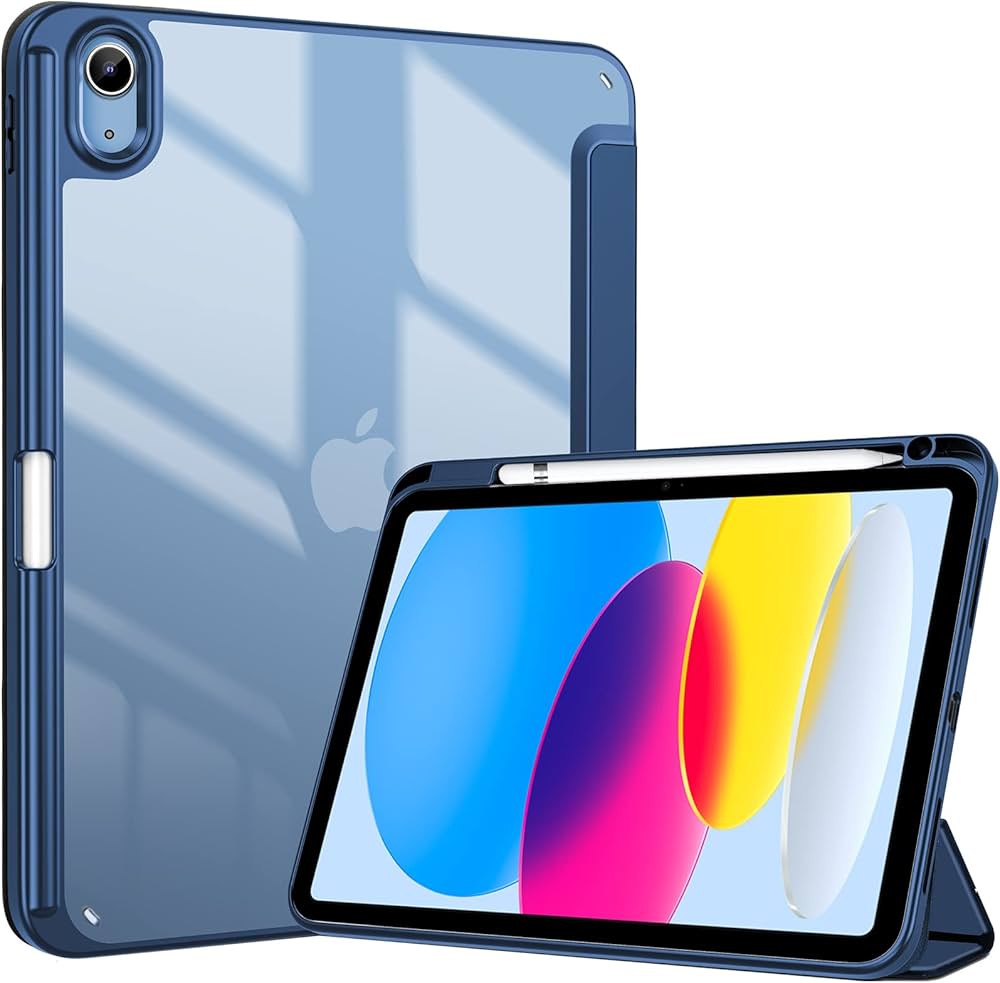
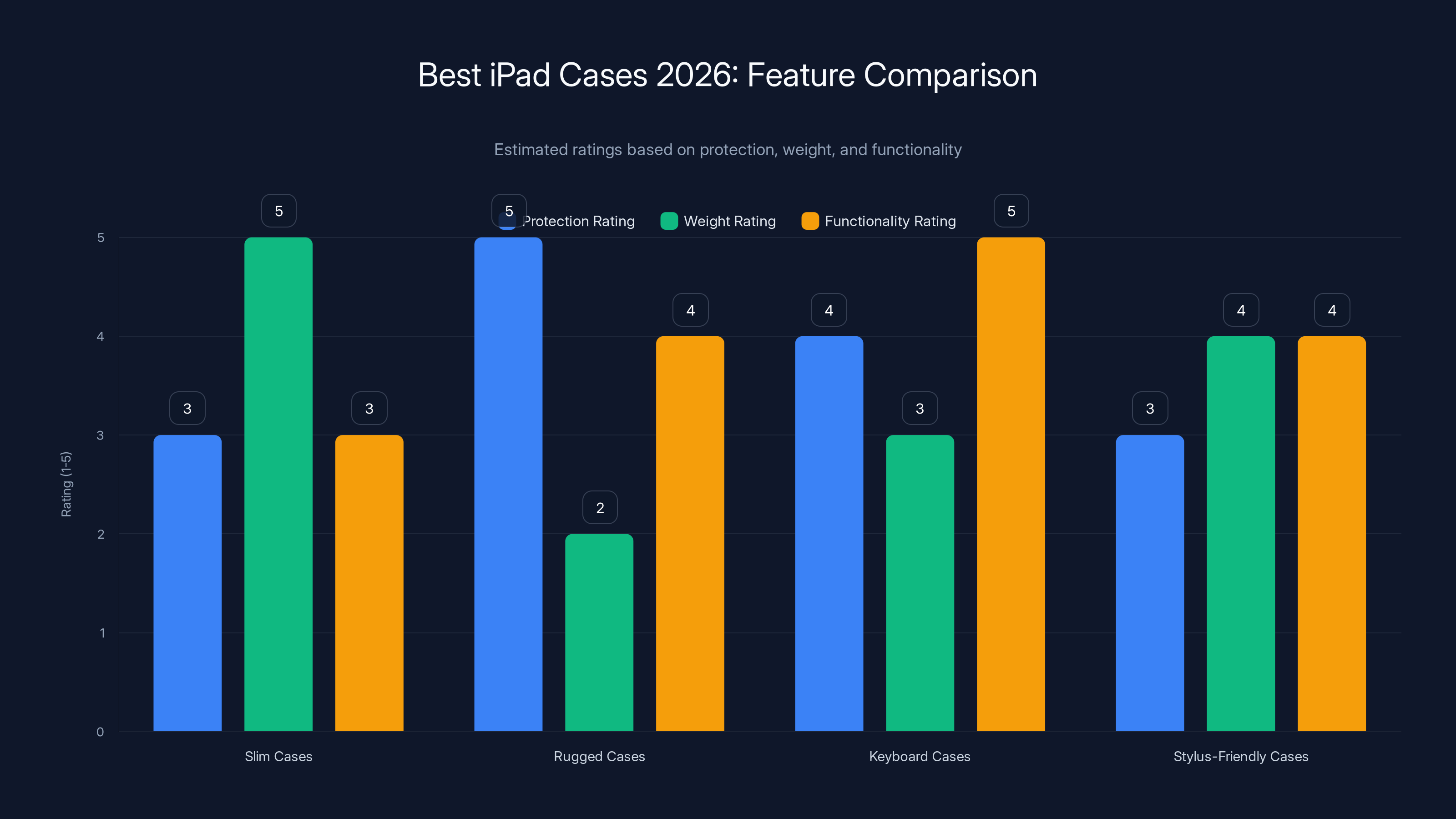
Estimated data shows that rugged cases offer the highest protection but are the heaviest, while keyboard cases excel in functionality.
Durability Testing: What Manufacturers Actually Mean by "Drop Tested"
When you see claims like "drop tested from 6 feet" or "passes 24 impact tests," what does that actually mean? Understanding the reality behind manufacturer claims prevents you from paying for exaggerated protection.
Drop testing is real and standardized, but the devil lives in the details. The standard test (ASTM D7095 for consumer products) involves dropping a device-in-case combination from specific heights onto specific surfaces (concrete, marble, plywood). The test records whether the screen cracks, the back breaks, or the device stops functioning.
Here's what manufacturers often don't mention: they test the case, not your specific device in the specific configuration you use. They test brand new cases, not ones that have been used for a year and have degraded materials. They test impacts on specific surfaces, not the infinite variety of surfaces and angles your device might encounter in reality.
OtterBox's claim of 24 tests is legitimate, but it covers different drop heights, different surfaces, different impact points, and different case materials. Some of those tests fail, and they don't advertise which ones. They emphasize the ones that pass.
This doesn't mean manufacturer claims are meaningless. OtterBox does test rigorously, and their cases are genuinely more protective than slim cases. It means you should interpret the claims as "this case is better protected than untested alternatives" rather than "this case will definitely survive any impact you throw at it."
The honest assessment is that any case provides some protection. How much protection depends on the impact angle, surface hardness, device age, and sheer luck. Rugged cases shift the odds in your favor significantly. Slim cases provide modest protection. No case guarantees survival.
Cleaning and Maintenance: Extending Your Case's Life
People buy cases to protect their iPads, then wonder why the case itself looks filthy after three months of use. Maintenance extends case life and prevents aesthetic degradation that makes an expensive accessory look cheap.
For hard plastic cases, regular cleaning with a soft microfiber cloth removes dust and fingerprints. For more thorough cleaning, use slightly damp cloth with a tiny amount of mild dish soap. Avoid abrasive materials or harsh chemicals that can degrade the plastic finish.
Fabric and leather cases require different care. Fabric can be gently scrubbed with a soft brush to remove dust. For stains, use a fabric cleaner designed for delicate materials. Leather cases should be treated with leather conditioner periodically to prevent cracking and maintain that aged appearance that makes them look premium.
Magnetic closures sometimes accumulate dust, which can reduce holding strength. Clean the magnetic surfaces with a microfiber cloth to maintain the close connection. If the magnetic closure weakens despite cleaning, it's usually a sign the magnets are failing and the case needs replacement.
The screen protector on rugged cases accumulates smudges and can reduce screen clarity if not cleaned. Use a proper screen cleaner designed for glass, and avoid harsh chemicals that can damage the protective coating.
Regular maintenance takes 30 seconds per week and extends your case's useful life from 18 months to three years or more. The time investment pays off in improved aesthetics and maintained functionality.
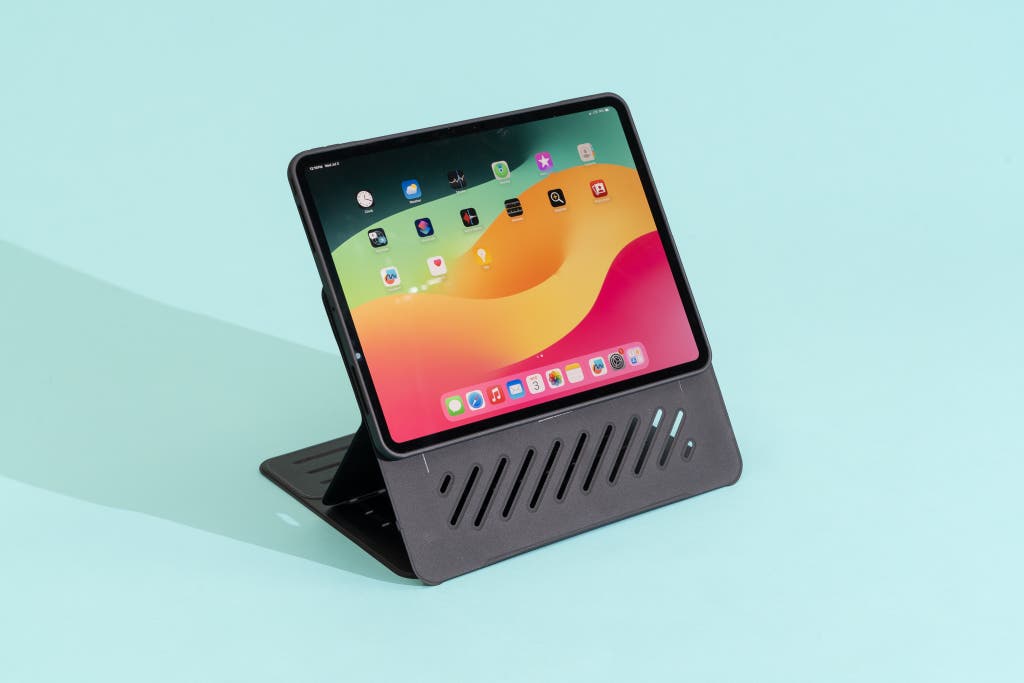
Price Versus Value: When Expensive Means Better and When It Doesn't
The relationship between price and value in iPad cases is weird and non-linear. The cheapest cases aren't always the worst value, and the most expensive are definitely not always the best.
ProCase demonstrates that you can get genuinely good protection for $13-25. You're not getting premium aesthetics or rugged durability, but you're getting a case that protects your device adequately and will last two years without falling apart. The value proposition is genuinely excellent.
Moving to $50-100, you're primarily paying for aesthetic refinement, improved materials, and slightly better protection. OtterBox Symmetry cases are better than ProCase, but not dramatically better. The question is whether the improvement justifies double or triple the price. For some people, yes; for others, the money is better spent on other accessories.
At $200-350, you enter specialized territory. The Magic Keyboard isn't primarily a protective case; it's a productivity tool that happens to protect your device. You're paying for the keyboard and trackpad functionality, and the protection is incidental. This is a completely different value proposition than cheaper cases.
The honest assessment is that
If you can only afford one case, get ProCase and spend the difference on a backup or other accessories. If you can afford to spend more, determine whether you're paying for improved protection or improved aesthetics, then make decisions accordingly.
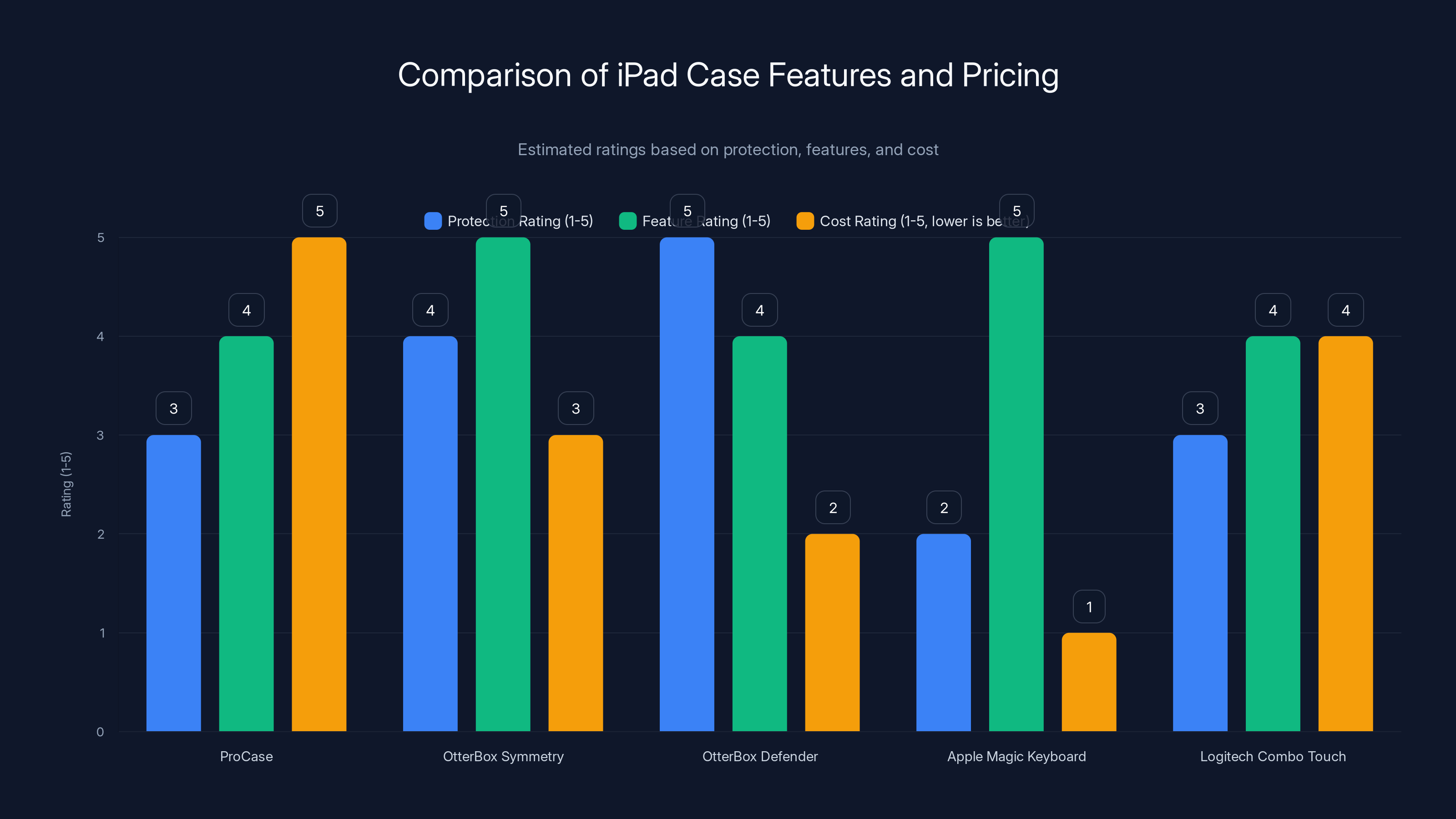
This chart compares iPad cases based on protection, features, and cost. OtterBox Defender offers the highest protection, while Apple Magic Keyboard scores highest in features but lowest in cost efficiency. Estimated data.
Compatibility: The Underrated Factor That Determines Everything
This section exists because I've watched people buy cases that don't fit their iPad, and it's genuinely painful. iPad models look similar but have slightly different dimensions, button placements, and port layouts. A case designed for iPad Pro doesn't work on regular iPad, and iPad 10th generation cases don't fit iPad 9th generation despite looking nearly identical to human eyes.
Apple's naming scheme doesn't help. There's iPad, iPad Air, iPad Pro, and iPad Mini, each available in multiple generations. Within iPad Pro, there are different sizes (11-inch and 12.9-inch). When you buy a case, you need to specify both the device type and the generation.
Manufacturers list compatibility clearly if you read the product page, but people often buy cases based on "fits iPad" without checking whether they have the right generation. Amazon reviews fill with complaints from people saying "this case doesn't fit!" when the reality is they bought the wrong version.
Always verify three things before ordering:
- Your iPad model (not just "iPad", but specifically which type and generation)
- The case's compatible models (check the Amazon/product page, not just the title)
- Button placement compatibility (some cases have wrong-sized holes for specific generations)
Most manufacturers provide clear compatibility information, and reputable retailers like Amazon allow returns if the case truly doesn't fit. But spending five minutes confirming compatibility saves you the frustration and shipping delays of ordering the wrong case.
Making Your Final Decision: A Framework for Choosing
You've read through a bunch of case options now, and the question is how to synthesize all this information into an actual purchase decision. Here's a framework that works:
Start by identifying your actual use case, not your imagined use case. Do you actually type on your iPad regularly? Not occasionally, but several times per week? If yes, keyboard case. If no, skip them entirely.
Next, assess your dropping likelihood honestly. Some people can drop their device weekly without injury (magic fingers). Others are genuinely clumsy. If you're in the clumsy category, spend extra on protection now rather than paying for screen repairs later.
Consider your carrying method. If your iPad travels in a padded bag most of the time and only occasionally leaves the bag, it needs less protection than a device that gets hand-carried around an office. The use case shapes the case choice.
Then, think about aesthetics. If appearance matters to you (and it's okay if it does), factor that into your decision. A premium leather case you actually want to use beats a cheap protective case you're embarrassed to be seen with.
Finally, set a budget and stick to it. Once you know your budget ceiling, you can eliminate options and focus on the best choice within that constraint. There's a good option in every price range.
Based on this framework, here are my recommendations for different scenarios:
For budget-conscious buyers: ProCase ($13-25). You get solid protection, reliable magnetic closure, and Apple Pencil support. The design is sensible and the execution is solid. You'll be genuinely surprised by the quality-to-price ratio.
For people who want protection without bulk: OtterBox Symmetry 360 Elite ($50-70). The clear back is genuinely nice, edge protection is excellent, and you don't sacrifice aesthetics for durability.
For professionals who drop things frequently: OtterBox Defender ($80-120). The weight and bulk are real, but the protection is genuinely excellent. You'll feel confident your iPad can survive bumps and falls.
For people who type constantly: Apple Magic Keyboard ($300-350). The price is steep, but if typing is genuinely 50%+ of your iPad use, the superior keyboard and trackpad justify the investment. Otherwise, Logitech Combo Touch is better value.
For people who sketch: Minimalist case with stylus slot ($30-50). ProCase works well here; ESR and Ztotop are specialized alternatives if you want something more purpose-built.
The Reality Check: Honest Assessment of What Cases Actually Provide
Let's close with brutal honesty about what cases actually do and don't accomplish.
Cases absolutely prevent scratches and minor cosmetic damage. If you want your iPad's glass and aluminum to look pristine in five years, a case is required. This is a real, measurable benefit.
Cases substantially reduce (but don't eliminate) damage from drops. A case protects your screen from cracking in many impact scenarios, particularly corner impacts. But there are drop angles and surfaces where even rugged cases don't prevent damage. This is just physics.
Cases don't prevent water damage, because water finds its way into any gap. If water protection is critical, you need a waterproof case that fully seals the device, which creates other usability problems.
Cases don't improve performance, battery life, or any functional aspect of the iPad. They exist purely to protect your investment.
Cases add weight and sometimes bulk, which matters if you carry your iPad by hand frequently. The weight penalty for slim cases is negligible; the penalty for rugged cases is real and worth considering.
Given all this, cases are worth buying. They prevent expensive damage with minimal downsides. The question is which case provides the right balance for your specific scenario, not whether to get a case at all.
Future Trends: Where iPad Cases Are Heading
The case market evolves slowly because the form factor constraints are set by Apple, not case manufacturers. But a few trends are emerging:
Modular designs are becoming more common. Instead of a fixed case, manufacturers are creating systems where you can swap components depending on your current needs. This lets one person have a slim configuration for one trip and a rugged configuration for another.
Sustainability is getting real. Some manufacturers are switching to recycled materials and designing cases that are easy to repair rather than replace. This is partly environmental concern and partly the realization that repairable cases create customer loyalty.
AI and thermal management features are starting to appear. Cases that incorporate passive cooling through material design are emerging for iPad Pro users who do heavy computational work. These are niche but represent how specialization will increase.
As iPads become increasingly laptop-like for professional work, cases will likely follow, incorporating more laptop-case features like organizational pockets and cable management.
But the fundamental category won't change dramatically unless Apple redesigns the iPad itself. The current ecosystem works well, case manufacturers understand what customers need, and the market is reasonably mature. Expect incremental improvements rather than revolutionary changes.

FAQ
What should I look for in an iPad case?
Prioritize drop protection based on your likelihood of accidents, material quality that will survive daily use, proper fit for your specific iPad model and generation, and features that match your actual use case (keyboard if you type, stylus storage if you sketch). Aesthetic considerations are also valid if you care about how your device looks.
Do all iPad cases fit all iPad models?
No, they absolutely do not. iPad, iPad Air, iPad Pro, and iPad Mini are completely different sizes, and each comes in multiple generations with slightly different dimensions. Always verify that the case specifically lists your device model and generation before ordering. An iPad Air case will not fit an iPad Pro, even though they might look similar.
How much protection do you actually need?
This depends on your dropping likelihood and work environment. Office workers who rarely drop devices can get by with slim cases providing scratch protection. People in physically demanding jobs or with documented dropping problems should invest in rugged cases. The middle ground is hybrid cases that provide meaningful protection without excessive weight.
Are expensive keyboard cases worth the price?
The Apple Magic Keyboard is genuinely excellent but costs $300-350, which is hard to justify unless you spend a significant portion of your iPad time typing. The Logitech Combo Touch offers 75% of the functionality at roughly 50% of the cost. If you type less than 30% of the time, the cheaper option is better value. If you type more than 50% of the time, the premium keyboard of the Magic Keyboard might justify the cost.
How long do iPad cases typically last?
Quality slim cases last 18-24 months before materials start degrading. Rugged cases are built more durably and often last 3-4 years. Keyboard cases have electronics and moving parts, which typically last 2-3 years before keys start sticking or connections failing. Proper maintenance and regular cleaning extend lifespan significantly. You can definitely get longer life with care.
What's the best case for artists who use Apple Pencil?
Look at slim cases with dedicated Apple Pencil storage slots. ProCase makes solid budget options, while ESR and Ztotop make more specialized designs for artists. The key is ensuring the stylus slot holds the pencil securely without interfering with your hand positioning while drawing. Test if possible before buying, since hand feel varies between designs.
Do I need a separate screen protector if I have a case with screen protection?
Most slim and hybrid cases only cover the screen edges, not the entire surface. If you want full screen protection, you'll need an additional screen protector. Rugged cases like OtterBox Defender include screen protection as part of the case, so additional protection is redundant. Check your specific case to confirm what coverage you're getting.
Will a case interfere with wireless charging on my iPad?
Most iPad cases don't interfere with wireless charging because iPads don't use inductive wireless charging like phones. The iPad charges through the Lightning port or USB-C port depending on the model. Cases that cover these ports might make charging slightly more difficult but don't prevent it. Wireless charging isn't a consideration for iPad case selection.
How do I clean my iPad case without damaging it?
Use a soft microfiber cloth with slightly damp water for hard plastic cases. Avoid harsh chemicals that can degrade materials. For fabric or leather cases, use specialized cleaners designed for those materials. For the screen protector on rugged cases, use glass cleaner and avoid abrasive materials. Regular gentle cleaning prevents buildup and maintains appearance far better than occasional intensive cleaning attempts.
What's the difference between smart cases and folio cases?
These terms are often used interchangeably, referring to cases that fold to create a stand. Smart cases typically have auto sleep/wake functionality that wakes the iPad when you open the case and puts it to sleep when you close it. Not all folding cases include this feature, though most modern ones do. If sleep/wake functionality matters to you, verify it's included before buying.
Conclusion: Buying with Confidence
Choosing an iPad case shouldn't require a PhD in materials science or comparative product analysis. But the market is crowded, manufacturers make confusing claims, and it's easy to spend more than you need to (or not spend enough and regret it when your screen cracks).
The fundamental principles are simple: understand your actual use case, honestly assess your dropping likelihood, verify compatibility with your specific device, then choose the case that best matches those factors within your budget. There is no universally "best" case because people use iPads in radically different ways.
For most people, a $20 ProCase provides genuinely excellent protection and value. For people who type constantly, the keyboard case conversation is worth having, though that becomes an investment in productivity rather than protection. For people in harsh environments, rugged cases justify their bulk and weight. There's a right answer for your specific scenario.
The market abundance is actually a feature, not a bug. It means you can find exactly what you need rather than compromising on generic middle-ground solutions. Take 15 minutes to identify your actual needs, then find the case that matches those needs. You'll buy something you're genuinely happy with, and that's worth the tiny bit of research investment.
Your iPad is a tool you interact with multiple times daily. It deserves protection. And you deserve a case that doesn't compromise on either function or form. That case exists in the market. This guide should have helped you find it.
Key Takeaways
- ProCase provides excellent protection at $13-25, delivering 80% of premium case functionality at 20% of the cost
- OtterBox Symmetry 360 Elite balances aesthetic appeal with meaningful edge protection without excessive weight penalty
- Rugged cases like OtterBox Defender pass 24+ drop tests but add significant bulk; worth the tradeoff only if you regularly drop devices
- Apple Magic Keyboard ($300-350) justifies premium pricing only if you type 50%+ of the time on your iPad
- Logitech Combo Touch offers 75% of Magic Keyboard functionality at roughly 50% of the cost for budget-conscious consumers
- Case selection depends entirely on actual use case, not aspirational use; identify dropping likelihood, typing frequency, and carrying method first
- Compatibility is underrated: iPad Air, iPad Pro, iPad Mini, and regular iPad cases are not interchangeable despite similar appearance
- Slim cases protect against scratches and minor impacts but not serious drops; rugged cases significantly improve odds but aren't guaranteed protection
Related Articles
- Winter Dehumidifier Use: Pros, Cons & When to Actually Need One [2025]
- LG G6 OLED TV Leaked: Brightness Booster Ultra & Wallpaper Return [2025]
- Best Garmin Watch Upgrades Expected in 2026: Forerunner 55 Sequel [2025]
- Meta Acquires Manus: The AI Agent Revolution Explained [2025]
- Meta Acquires Manus: The $2 Billion AI Agent Deal Explained [2025]
- LG Gallery TV: The Ultimate Art Display Solution [2026]


